
Apr 4, 2025
Tariffs and Lean Software Testing when Under Economic Pressure

Frank Moyer
Read More
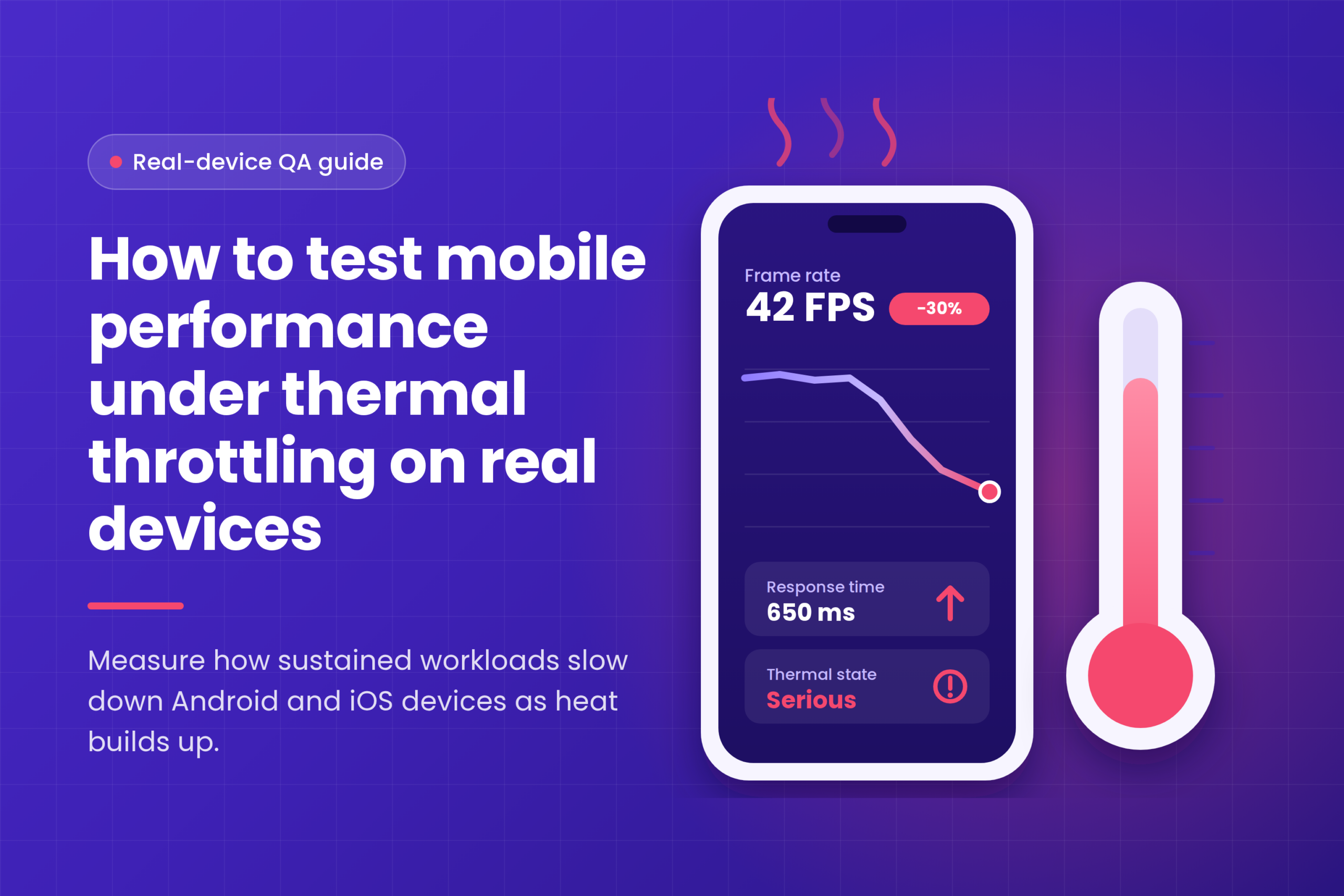
Mobile devices can experience performance slowdowns during extended use, even when applications initially run smoothly. One common cause is thermal throttling, a protective mechanism that limits hardware performance when device temperatures rise.
Thermal throttling testing on real devices helps QA teams identify these slowdowns, measure their impact, and understand how performance changes under sustained workloads.
In this guide, we’ll explain how thermal throttling works, how to test it on physical Android and iOS devices, and how Kobiton supports real-device performance analysis.
Thermal throttling occurs when a mobile device reduces CPU, GPU, or other hardware performance to control heat and protect its components.
Resource-intensive activities such as gaming, video processing, continuous navigation, and extended camera use can increase device temperatures. As thermal pressure rises, the operating system may restrict processing resources.
This can cause:
Unlike short performance checks, thermal throttling testing focuses on how hardware behavior changes during sustained use.
For a broader explanation of testing metrics and measurement methods, see Kobiton’s guide to measuring mobile app performance.
Thermal throttling can affect devices differently depending on their processors, cooling designs, operating systems, and workloads.
When thermal limits are approached, devices may restrict processor frequencies or power consumption. CPU-intensive tasks can take longer, while graphics-heavy applications may experience rendering delays.
Limited processing resources can result in delayed screen transitions, inconsistent frame times, and reduced responsiveness.
These issues may become noticeable only after several minutes of sustained activity.
Thermal management can alter power consumption and processor activity. Monitoring CPU usage, battery behavior, and thermal indicators together provides more useful information than measuring temperature alone.
Accurate thermal throttling testing requires consistent conditions, repeatable workloads, and reliable measurements.
Choose real Android and iOS devices with different hardware capabilities, including entry-level, mid-range, and flagship models.
Physical devices are important because emulators cannot accurately reproduce real-world heat generation and hardware-level thermal management.
Kobiton’s real device testing best practices explain how representative device selection and realistic testing conditions improve QA reliability.
Before starting a sustained workload, allow the device to reach a stable thermal condition.
Record the following measurements where supported:
Keep the device configuration, application version, network, and test scenario consistent for later comparisons.
Execute a realistic, resource-intensive scenario such as continuous video playback, image processing, navigation, or extended gameplay.
Maintain the same workload and monitor how device behavior changes over time.
Avoid artificially overheating devices or exceeding manufacturer operating guidelines.
Track thermal indicators alongside CPU activity, frame times, and response times.
Android provides thermal information through supported system APIs, while iOS exposes thermal states through ProcessInfo.thermalState.
Watch for performance changes associated with rising thermal pressure. A warm device or high CPU usage alone does not confirm thermal throttling.
Compare measurements collected during elevated thermal pressure with the original baseline.
After the workload ends, allow the device to cool naturally and repeat the scenario.
Check whether response times, rendering performance, and other measurements return toward their initial levels.
Repeat the test to determine whether the observed behavior is consistent.
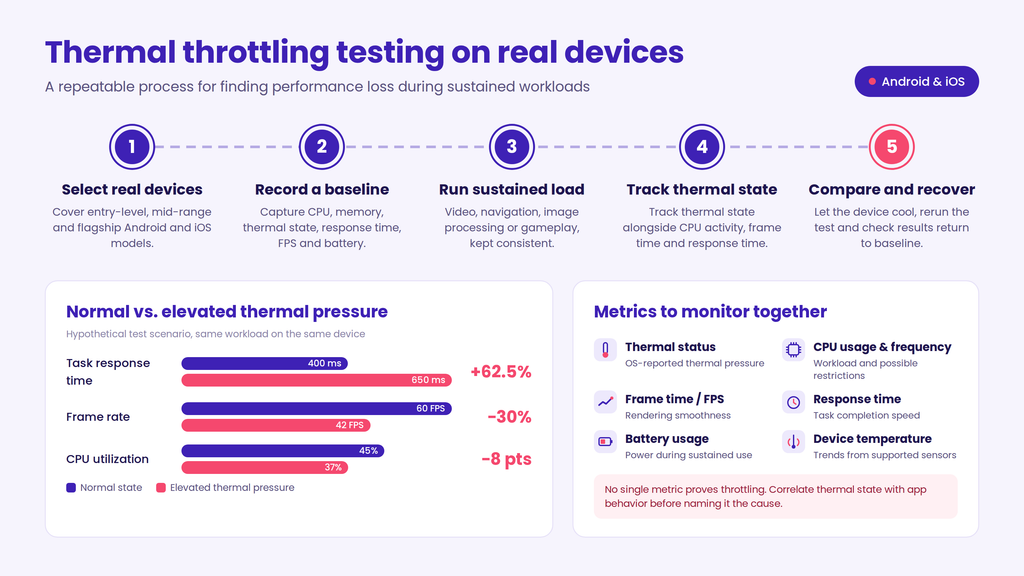
Several measurements help identify potential thermal-related performance issues.
| Metric | What It Reveals |
| Thermal status | Operating system-reported thermal pressure |
| Device temperature | Temperature trends from supported sensors |
| CPU utilization | Processor workload during testing |
| CPU frequency | Possible processor restrictions, where measurable |
| Frame time / FPS | Rendering smoothness and dropped frames |
| Response time | Changes in task completion speed |
| Battery usage | Power consumption during sustained activity |
No single metric definitively proves thermal throttling. Reliable analysis requires correlating thermal states with application behavior and available hardware diagnostics.
A baseline comparison helps quantify performance changes during extended workloads.
Consider this hypothetical test scenario:
| Metric | Normal State | Elevated Thermal Pressure |
| Task response time | 400 ms | 650 ms |
| Frame rate | 60 FPS | 42 FPS |
| CPU utilization | 45% | 37% |
In this example, task response time increases by 62.5%, while frame rate decreases during elevated thermal pressure.
These changes suggest a potential thermal-related limitation, but additional diagnostics are necessary to confirm the cause.
For accurate results, compare identical workloads on the same device and repeat measurements under controlled conditions.
Thermal testing can produce inconsistent results if teams overlook environmental and hardware differences.
Different manufacturers apply different thermal management policies. A workload that causes throttling on one device may behave normally on another.
Solution: Establish device-specific baselines instead of using universal temperature thresholds.
Ambient temperature, background applications, screen brightness, and charging status can influence results.
Solution: Standardize controllable conditions and document unavoidable differences.
Performance slowdowns can result from memory pressure, network delays, application defects, or thermal restrictions.
Solution: Correlate thermal information with response times, CPU activity, and system diagnostics before attributing a slowdown to throttling.
To improve testing accuracy and consistency:
For related guidance on test planning, device selection, and performance validation, explore Kobiton’s Android mobile app performance testing guide.
Effective thermal analysis depends on access to physical devices and reliable performance measurements.
Kobiton enables QA teams to test on real Android and iOS devices and investigate performance behavior under practical operating conditions.
Depending on the supported device and session configuration, Kobiton provides visibility into metrics such as CPU utilization, memory usage, battery consumption, network activity, and temperature.
These measurements help teams analyze sustained workloads and investigate performance changes across device models.
For detailed thermal-state diagnostics or processor frequency measurements, teams may need to combine Kobiton with native Android or Apple profiling tools.
With Kobiton’s real-device testing capabilities, teams can extend testing across representative physical devices without relying entirely on locally maintained hardware.
Run a repeatable sustained workload on a physical Android device while monitoring supported thermal status indicators, CPU performance, and response times. Compare measurements against a stable baseline and repeat testing after recovery.
Yes. iOS provides thermal-state information through Apple’s ProcessInfo.thermalState API. Teams can monitor these states alongside performance measurements on physical iPhones.
Real devices expose actual processor behavior, heat dissipation, and manufacturer-specific thermal controls that emulators cannot reproduce accurately. They provide more representative evidence of sustained performance limitations.
Thermal throttling can reduce mobile device performance during sustained workloads, making it an important consideration for QA engineers and developers.
Effective thermal throttling testing on real devices involves collecting baseline measurements, running consistent workloads, tracking thermal conditions, and comparing performance before and after recovery.
By combining physical device testing with suitable diagnostics, teams can identify performance degradation more reliably.
Kobiton supports this process through access to real mobile devices and performance measurements that help teams investigate hardware-dependent behavior.