Your app works perfectly during development. Tests pass in the emulator, the user interface looks correct on the developer’s phone, and automated checks run without errors.
However, once the app reaches real users, problems begin to appear. A feature may work on one device but fail on another, layouts may break on smaller screens, and background processes may behave differently on specific Android models.
These issues are often caused by the diversity of mobile devices. With thousands of device models, operating system versions, and hardware configurations, testing on only one or two devices is not enough.
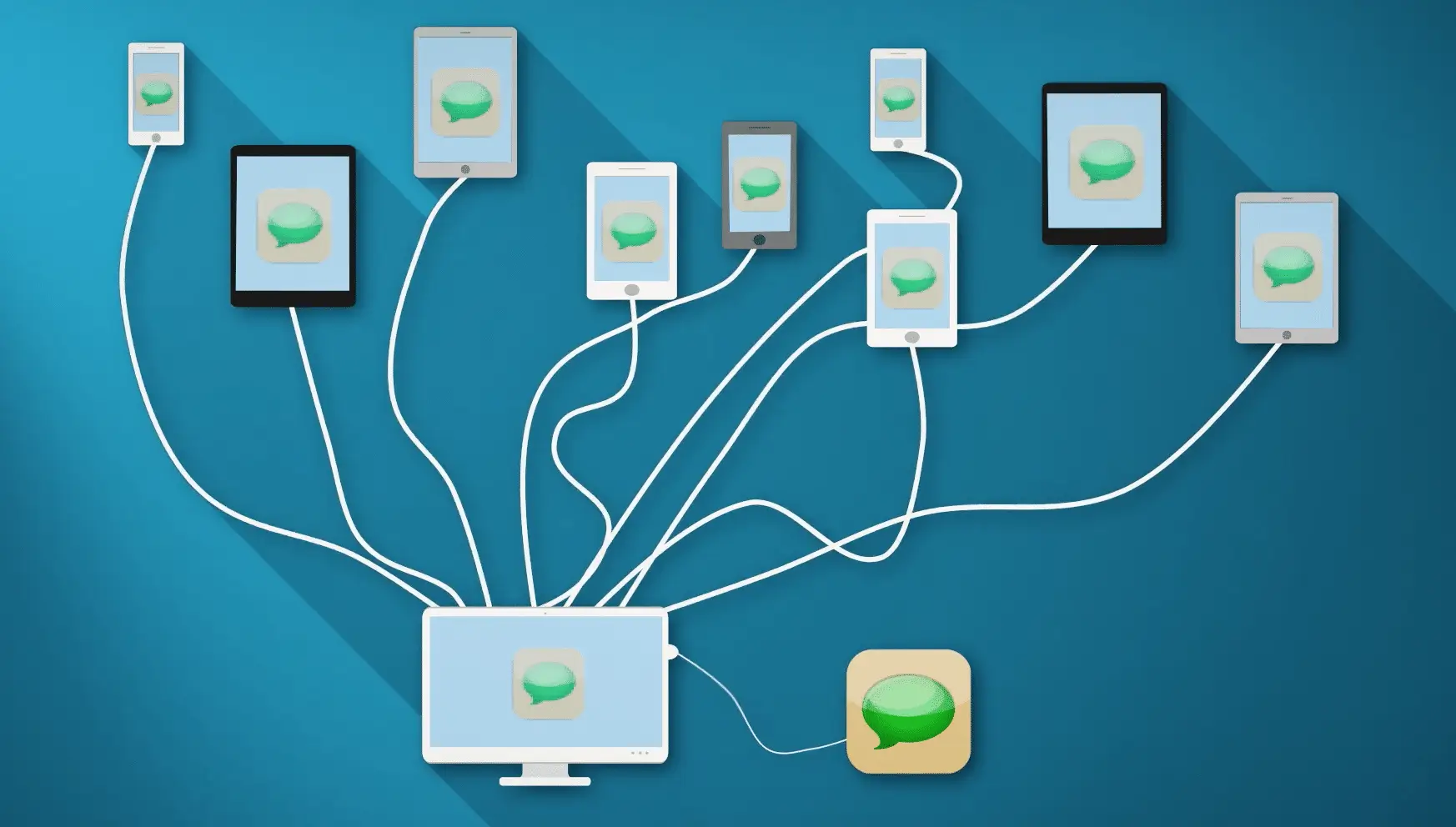
This is where mobile device labs become essential. A mobile device lab provides access to multiple real smartphones and tablets, allowing teams to test applications across different hardware, operating systems, and configurations.
By testing apps on real devices at scale, teams can identify compatibility issues earlier and ensure reliable performance in real-world conditions.
Device lab planner
Build a device lab that matches your users
Nobody can test on every handset. Pick who you ship to, how wide you want to go, and how far back you support old OS versions — the inventory, the OS matrix and the lab model all move together.
Who you ship to
iOS-heavy, newer hardware, fast OS adoption.Android-dominant, budget silicon, slow OS adoption.Mixed fleet, managed devices, long refresh cycles.
How wide
Release blockers only. Fits on one shelf.The practical default for most teams.Regression, long tail and odd form factors.
OS versions you support
Cheapest matrix, thinnest safety net.Covers most of the installed base.Needed wherever Android upgrades are slow.
Where devices live
Devices you own, racked in your office.Devices someone else racks, reachable from CI.Own the few you must, rent the rest.
51016devices in the lab
246OS versions tracked
5811101622162636device × OS configurations
~72%~88%~95%of a typical install base
Your inventory51016 devices
iOSFlagshipCurrent iPhoneNewest silicon, latest iOS on day oneThe handset your most vocal users carry, and the first to take a new iOS. Anything broken here is public within hours.
iOSFlagship −1Last year’s iPhone, large screenLatest iOS, biggest safe areaStill the volume seller. Large-screen safe areas and the dynamic island catch layout bugs the smaller model hides.
iOSCompactSmall or budget iPhoneNarrowest viewport still in supportYour narrowest iOS viewport. Truncated buttons, wrapped labels and cut-off modals show up here first.
iOSOlder, supportediPhone three or four generations backOne OS version behind, thermal limitsThe oldest iPhone you still promise to support. Keep it pinned one OS back so you always have somewhere to reproduce those reports.
AndroidFlagshipSamsung Galaxy S classLatest Android under One UISamsung is the Android install base in most markets, and One UI changes enough of the platform that stock Android will not tell you the whole story.
AndroidReference buildGoogle PixelStock Android, first to every releaseYour early-warning device. It takes new Android versions months before anyone else, which is your window to fix things quietly.
AndroidMid-rangeSamsung Galaxy A classOne Android version back, mid siliconThe single best-selling shape of Android phone on earth. If you only own one non-flagship device, own this one.
AndroidEntry levelEntry Android, 3–4 GB RAM720p screen, slow storageWhere cold start, jank and out-of-memory kills actually happen. Measure timings here, not just pass or fail.
AndroidCustom skinXiaomi or RedmiAggressive battery and process managementThese skins kill background work and throttle notifications on their own schedule. Push, sync and long uploads break here and nowhere else.
AndroidAndroid GoTecno, Infinix or itelLightweight OS build, tight storageDominant across Africa, South Asia and parts of LATAM. Go editions cap background services and behave differently from full Android.
AndroidRegional skinOppo or Vivo mid-rangeHeavy launcher, non-standard permissionsHuge in South East Asia and India. Permission dialogs, deep links and default-app handling all diverge from stock.
AndroidFoldableBook-style foldableTwo viewports, live resizeFolding is a configuration change mid-session. State loss, re-layout and video playback bugs surface the moment the screen changes size.
iPadOSTabletiPadSplit view, external keyboardTablet layouts, multitasking and keyboard focus order are a separate product surface, and in enterprise they are often the primary one.
AndroidTabletAndroid tabletLarge viewport, multi-windowAndroid tablets scale layouts differently from iPad and are common on shop floors and in the field.
AndroidRuggedRugged handheld scannerHardware keys, barcode engine, kiosk modeZebra and Honeywell units run locked-down builds with hardware triggers. No cloud will hand you one, so this is the device you buy.
AndroidLong tailField device, three OS versions backNo further OS updates, old WebViewOld WebView and old TLS defaults quietly break payments and embedded content. Somebody has to own one.
AndroidLarge premiumUltra or Pro-tier AndroidHigh DPI, tall aspect, stylusVery tall, very dense screens expose scaling bugs, and stylus input hits code paths touch never reaches.
PreviewPre-release OSSpare unit on a developer betaNext iOS or Android buildOne sacrificial device on the next OS turns every September into a normal week instead of a fire drill.
OS matrix
iOS, latest68%
iOS, one back19%
iOS, two back7%
Android, latest21%
Android, one back27%
Android, two back23%
Latest-only leaves roughly half your Android users untested. It works for internal apps on managed fleets and almost nowhere else.One version back catches most of iOS. Android still has a long tail underneath this line.Two back is where Android coverage gets honest, at the cost of a bigger matrix to keep green.
Shares are typical, not yours. Replace them with your own analytics before you buy anything.
What this mix still misses
Carrier-locked and eSIM-only handsets behave differently from the unlocked units labs usually buy.
Every device here is on good Wi-Fi. Throttle at least two down to congested 3G.
No accessibility pass. Largest text size, VoiceOver and TalkBack re-lay-out all of these.
Full storage and battery saver are the normal state for these users, and uploads break there first.
Two-year-old chipsets need timing measurements, not just a green tick.
Intermittent connectivity: test what happens when the network drops mid-request, not just when it is absent.
MDM profiles, work profiles and kiosk mode are not represented. Enrol at least one managed device.
Corporate VPN and SSO redirects behave differently on iOS and Android.
Fleet devices stay in service four to six years. Keep one unit per OS version you still support.
Any inventory is a hypothesis about your users. Re-derive it from analytics and crash reports each quarter.
Where the devices live100% on-prem100% cloud~35% on-prem, 65% cloud
On-premCloud
In-houseFull physical control, any SIM, any rugged unitYou own charging, OS updates, cables and rebootsCapacity is fixed, so parallel runs queue
CloudHundreds of model and OS combinations on demandParallel runs scale with the suite, not the shelfShared hardware, and data leaves your network unless it is private
HybridKeep rugged, carrier-specific and restricted devices in-houseBurst regression and long-tail runs to the cloudTwo environments to keep in sync unless management is centralised
Upfront spend
Ongoing maintenance
Scale on demand
Control and compliance
Right when the hardware is the point: rugged scanners, carrier SIMs, sensors, or data that legally cannot leave the building. Budget for the person who maintains it — five devices is a drawer, sixteen is somebody’s job.
The fastest way to get from five devices to sixteen without buying anything, and the only practical way to run them in parallel from CI. Check first for devices no public cloud will rack: rugged handhelds, regional SKUs and pre-release OS builds.
Where most teams land. A small on-prem shelf for the devices you must own, cloud capacity for the long tail and parallel regression. Centralised device management is what stops it becoming two separate labs.
Illustrative planner. Numbers are starting points, not benchmarks.
What is a mobile device lab?
A mobile device lab is a testing environment that contains multiple physical smartphones and tablets used specifically for testing mobile applications.
Real device testing labs allow teams to test applications on real devices, validate behavior across different operating system versions, reproduce device-specific issues, and support automated testing workflows.
A typical device lab includes a mix of Android and iOS devices, various operating system versions, and different hardware configurations, including both newer and older models.
Why mobile testing requires real devices
Virtual environments such as emulators and simulators are useful for development, but they cannot fully replicate real device conditions.
Differences in hardware, operating systems, and manufacturer customizations can cause applications to behave differently across devices. This is commonly referred to as mobile device fragmentation.
Examples of these differences include variations in hardware, operating system fragmentation, manufacturer modifications, and real network conditions.
Because of this diversity, testing mobile applications on only a small number of devices can result in important issues going undetected until users experience them.
How mobile device labs work
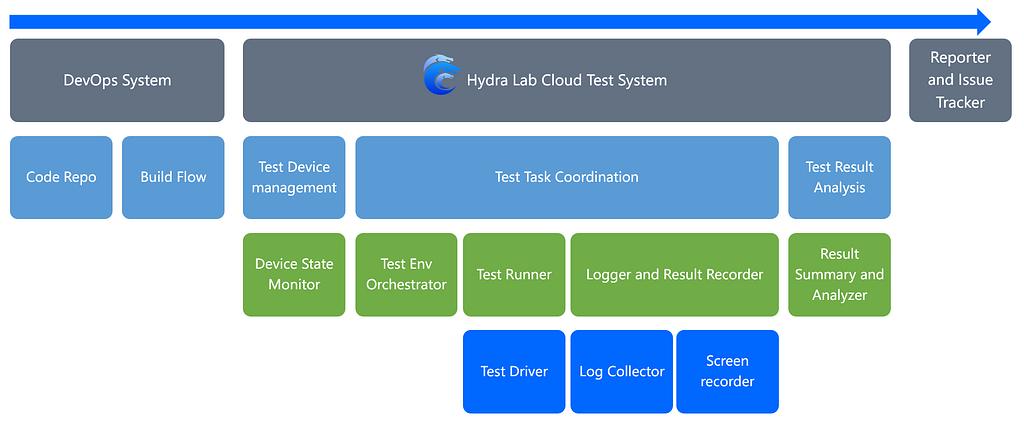
Mobile device labs function as testing infrastructure that allows teams to run applications across multiple device configurations.
Typical capabilities include physical devices connected to host systems, remote access for testers, device management software, automated testing frameworks, and screen streaming for real-time interaction.
Testers can interact with devices remotely, execute automated tests, and collect performance data through device logs.
This remote access model eliminates the need for testers to physically handle each device, as they can interact with devices through a centralized platform that streams the device screen and inputs in real time.
Logs collected during testing provide detailed insights, including timestamps and system data, which help teams diagnose issues more effectively.
Types of mobile device labs
Mobile device labs can be categorized based on how devices are hosted and managed.
Local device labs are maintained within an organization’s own infrastructure. This approach provides full control over devices and environments but requires maintaining hardware, managing inventory, and allocating physical space.
Cloud device labs host devices in external data centers managed by service providers. Testers access devices remotely through web interfaces, benefiting from scalability and reduced maintenance.
Hybrid or private device labs combine privately owned devices with centralized management systems, allowing organizations to maintain dedicated devices while benefiting from remote access and automation tools.
Platforms like Kobiton support all three deployment models, with private device labs being especially popular among enterprise teams.
Benefits of mobile device labs
Mobile device labs provide several advantages for testing teams by enabling testing across many device models and validating application behavior on real hardware.
They support distributed testing teams, enable automation at scale, and help reproduce device-specific issues more efficiently.
Many production issues occur due to real-world conditions that were not fully replicated during testing, including differences in devices, networks, and hardware behavior.
Testing across a wide range of real devices allows teams to detect these issues earlier in the development lifecycle.
Scaling mobile testing with device labs
As mobile ecosystems continue to grow, managing a large number of test devices becomes challenging for most teams.
Managed platforms such as Kobiton provide access to real devices along with virtual testing environments, allowing teams to scale testing without maintaining physical device inventories.
These platforms support various deployment models, including public cloud, private cloud, and standalone environments for organizations with strict security requirements.
This flexibility allows teams to choose a device lab configuration that aligns with their development workflows and infrastructure needs.
Conclusion
Mobile applications must function reliably across a wide range of devices, operating systems, and network conditions.
While emulators are useful during development, real device testing is essential for validating real-world performance and behavior.
Mobile device labs provide the infrastructure needed to test applications across diverse environments, helping teams identify issues earlier and deliver more reliable mobile experiences.
Understanding mobile device fragmentation and testing under real-world conditions are key factors in building high-quality mobile applications.
About the AuthorTiffany SmithTechnical Content Strategist at Kobiton
Tiffany Smith is the Technical Content Strategist at Kobiton, specializing in mobile testing documentation and content architecture. She focuses on turning complex systems into clear, usable guidance that engineers can actually rely on. Her work centers on reducing friction, improving clarity, and helping teams build better testing practices.