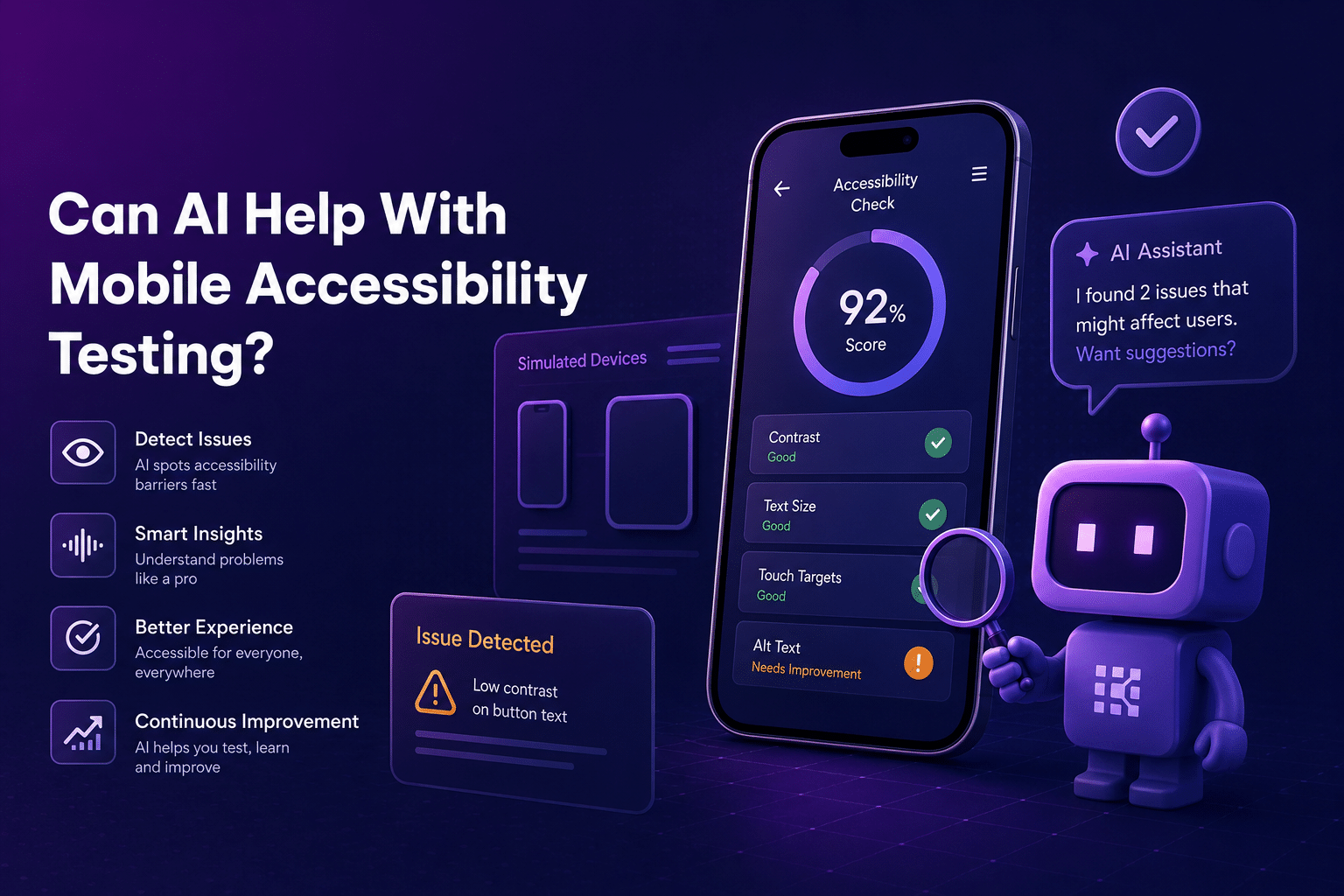
AI can help, but it cannot understand access alone
AI can help mobile teams test faster, organize information, and find patterns that might otherwise be missed.
That makes it useful for accessibility testing, where teams need to evaluate labels, contrast, touch targets, screen reader behavior, text scaling, navigation, gestures, error states, and real-device behavior across many app flows.
But accessibility is not only a data problem.
Apps are designed for people to use. AI can reduce manual labor, generate ideas, summarize logs, and help prioritize areas that might create user friction. It can draft a checklist or identify repeated issues across builds.
It cannot fully know whether someone using VoiceOver, TalkBack, larger text, switch control, voice access, or alternate navigation can complete a real task without getting stuck.
It cannot tell whether a screen reader announcement is clear enough to understand in context. It cannot reliably judge whether a font feels too small, too decorative, or too difficult to process. It cannot decide whether a new navigation flow makes intuitive sense or creates mental friction for the user.
AI can help with mobile accessibility testing. It should not become the judge of accessibility.
The AI-assisted accessibility testing workflow
Seven stages from coverage planning to release gate. Pick a stage to see what AI can take off your plate, what a person still has to decide, and where teams get it wrong.
Why accessibility testing needs more than automation
Automated accessibility testing is a strong first layer. It can help teams identify repeatable issues such as missing labels, poor contrast, small touch targets, and problems that may affect assistive technology support.
AI can make that layer more useful by helping teams plan, classify, prioritize, and explain what they find.
But accessibility testing still needs human review because many accessibility issues depend on context.
A button may have a label, but the label may not make sense in the flow. A screen may pass a contrast check, but still be hard to read on a small device. A screen reader may announce every element, but in an order that makes the task confusing. A form may technically work, but leave the user unsure how to recover from an error.
Those are not just technical checks. They are usability questions.
Accessibility should not be reduced to items on a checklist. People with disabilities already have systems, tools, and processes speaking for them or around them. Testing should not repeat that pattern by letting a machine stand in for the user experience.
Empathy should be a principle, not an optimization tactic.
AI can support the work, but accessibility still has to be tested where the user meets the app.
Where AI can help with mobile accessibility testing
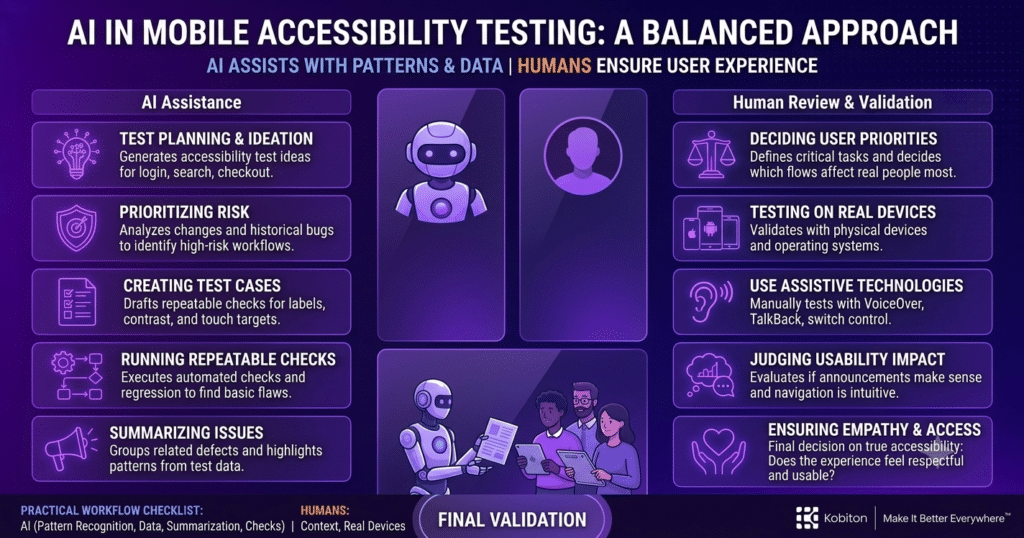
AI is useful when the task involves pattern recognition, organization, generation, or prioritization.
For mobile accessibility testing, AI can help teams:
- generate accessibility test cases from requirements or user stories
- identify flows that may need accessibility review
- summarize accessibility issues from test sessions
- classify bugs by severity or user impact
- suggest test coverage for screen readers, larger text, captions, gestures, and touch targets
- compare accessibility findings across builds
- identify recurring accessibility issues
- prioritize high-risk workflows
- help draft clearer bug reports for developers
- turn accessibility findings into regression checks
These uses do not replace testers. They reduce the blank-page problem and help teams move faster from scattered information to actionable testing work.
AI is less useful when a judgment call needs to be made. It can suggest that a color contrast issue may exist, but people still need to decide how the design should change. It can flag a flow for review, but people still need to decide whether that flow makes sense.
AI can help with test planning
Test planning is one of the most useful places to apply AI.
Accessibility test planning can become complicated quickly because teams need to consider different users, devices, settings, assistive technologies, and task flows. AI can help organize that complexity before testing even begins.
For example, a tester could ask AI to generate accessibility test ideas for:
- onboarding
- login
- account creation
- checkout
- search and filtering
- settings
- error recovery
- payment confirmation
- push notification handling
- profile management
- in-app messaging
AI can also help expand test planning beyond the happy path.
It might suggest checking whether a screen reader announces errors, whether the app still works with larger text, whether a modal traps focus, whether color is the only status indicator, or whether a user can recover after entering invalid information.
That does not mean the AI-generated plan is finished. It means the tester has a stronger starting point.
By providing context such as the app’s purpose, audience, expected result, and known risks, teams can use AI to streamline test planning. That can help testing get underway sooner, which gives teams more time to detect issues, fix bugs, and spend focused attention on the accessibility details that require human review.
AI can help prioritize accessibility risk
Not every app flow carries the same accessibility risk.
A low-traffic settings screen may matter, but a broken checkout flow, inaccessible login screen, or unusable payment confirmation can block users from completing essential tasks. AI can help teams prioritize by looking at product requirements, historical bugs, user behavior, production issues, and release changes.
AI-assisted risk prioritization can help testers ask:
- Which workflows are used most often?
- Which flows affect revenue, safety, privacy, or account access?
- Which screens have changed recently?
- Which accessibility issues have appeared before?
- Which flows depend heavily on gestures, color, motion, or timing?
- Which areas are most likely to affect users relying on assistive technology?
Every accessibility test matters, but some risks need more immediate attention than others. When everything feels equally important, teams can get stuck deciding where to begin.
AI can help create clearer signals.
This does not remove human decision-making. It gives teams better information to work from. Risk-based accessibility testing is not about ignoring lower-risk areas. It is about using limited testing time wisely while still maintaining baseline coverage.
AI can help generate and maintain repeatable checks
AI can also support mobile accessibility testing by helping teams create and maintain repeatable test checks.
For example, AI-assisted workflows may help teams generate test cases from product requirements, identify patterns in past defects, or suggest regression coverage after a UI change.
In some testing workflows, AI can also help reduce maintenance when app interfaces change. If a test fails because an identifier changed or a UI element moved, AI-assisted tools may help identify the next best match or suggest where the test needs to be updated.
That can reduce friction, especially when teams are trying to maintain accessibility checks across frequent releases.
Kobiton, for example, allows users to generate Appium scripts from a baseline testing session, helping teams create an initial automated test without writing the script from scratch. That kind of AI-assisted starting point can be useful when teams need repeatable coverage quickly.
But repeatable checks should still be reviewed. A test that continues running is only useful if it is still testing the right thing.
What AI should not be trusted to decide alone
AI should not be treated as the final authority on accessibility.
It should not independently decide:
- whether an app is accessible
- whether a disabled user can complete a task
- whether a screen reader flow makes sense
- whether an error message is clear enough
- whether motion feels comfortable
- whether a gesture is reasonable
- whether color, sound, or timing creates a barrier
- whether the experience feels respectful or usable
These questions need human review, and in many cases, review from people who use assistive technologies or have lived experience with disability.
AI can identify possibilities. People validate reality.
Where real devices and assistive technologies still matter
Mobile accessibility testing needs real devices because users experience apps through actual screens, operating systems, settings, assistive technologies, gestures, haptics, audio, and device conditions.
A flow may look fine in a screenshot but become confusing with VoiceOver or TalkBack. A layout may pass automated checks but break when larger text is enabled. A button may be technically present but hard to activate on a small screen. A modal may appear visually clear but trap someone using assistive navigation.
There are also granular issues that automation or AI may not know to look for. For example, some users may scroll quickly because of device settings, motor patterns, or the way they interact with the screen. If an app breaks, jumps, or loses state when scrolling happens too quickly, that issue may not appear in a standard script unless someone specifically tests for it.
AI cannot replace that kind of observation.
Teams still need to validate mobile accessibility with:
- real devices
- screen readers such as VoiceOver and TalkBack
- larger text settings
- color and contrast settings
- reduced motion
- captions and audio alternatives
- alternate navigation methods
- different screen sizes and orientations
- real workflows from start to finish
AI can help organize what to test. Real devices and assistive technologies show how the app actually behaves.
A practical AI-assisted accessibility workflow
AI works best when it supports a clear testing workflow.
| Step | AI can help by… | Humans still need to… |
| Plan coverage | Generate accessibility test ideas from requirements, user stories, and known risks | Review whether the test plan reflects real users and business priorities |
| Prioritize risk | Analyze changed flows, historical bugs, and high-impact workflows | Decide what matters most for the release |
| Create test cases | Draft test cases for labels, contrast, touch targets, screen reader flow, and error recovery | Validate that the test cases are accurate and meaningful |
| Run checks | Support repeatable automated checks and regression coverage | Test with real devices and assistive technologies |
| Review findings | Summarize issues and group related defects | Judge severity, usability impact, and user experience |
| Maintain coverage | Suggest updates when UI changes affect tests | Confirm that updated tests still prove the right behavior |
This kind of workflow keeps AI in the right role: assistant, not authority.
Final takeaway
AI can help with mobile accessibility testing, but it cannot understand access on its own.
Use AI to plan coverage, generate test ideas, summarize issues, identify risk, and support repeatable checks. Use human review to decide whether the app is actually usable. Use real devices and assistive technologies to validate how the experience behaves in practice.
Accessibility testing is not only about finding defects. It is about making sure people can complete real tasks in real conditions.
AI can help teams see more.
People still have to understand what they are seeing.