
May 11, 2023
Manual vs Automation Testing: Understanding Use Cases

Cara Suarez
Read More
AI mobile testing accuracy starts with a simple question: did automation perform the action you requested without failure?
Consider a test step that says, “Select the Checkout button.” AI identifies an element and automation clicks it. The command returns successfully. But did it select Checkout or the Checkout These Other Products button beside it?
To measure accuracy, compare the selected element with an independently verified target, often called ground truth. Evaluate each step separately, including cases where the requested element is absent.
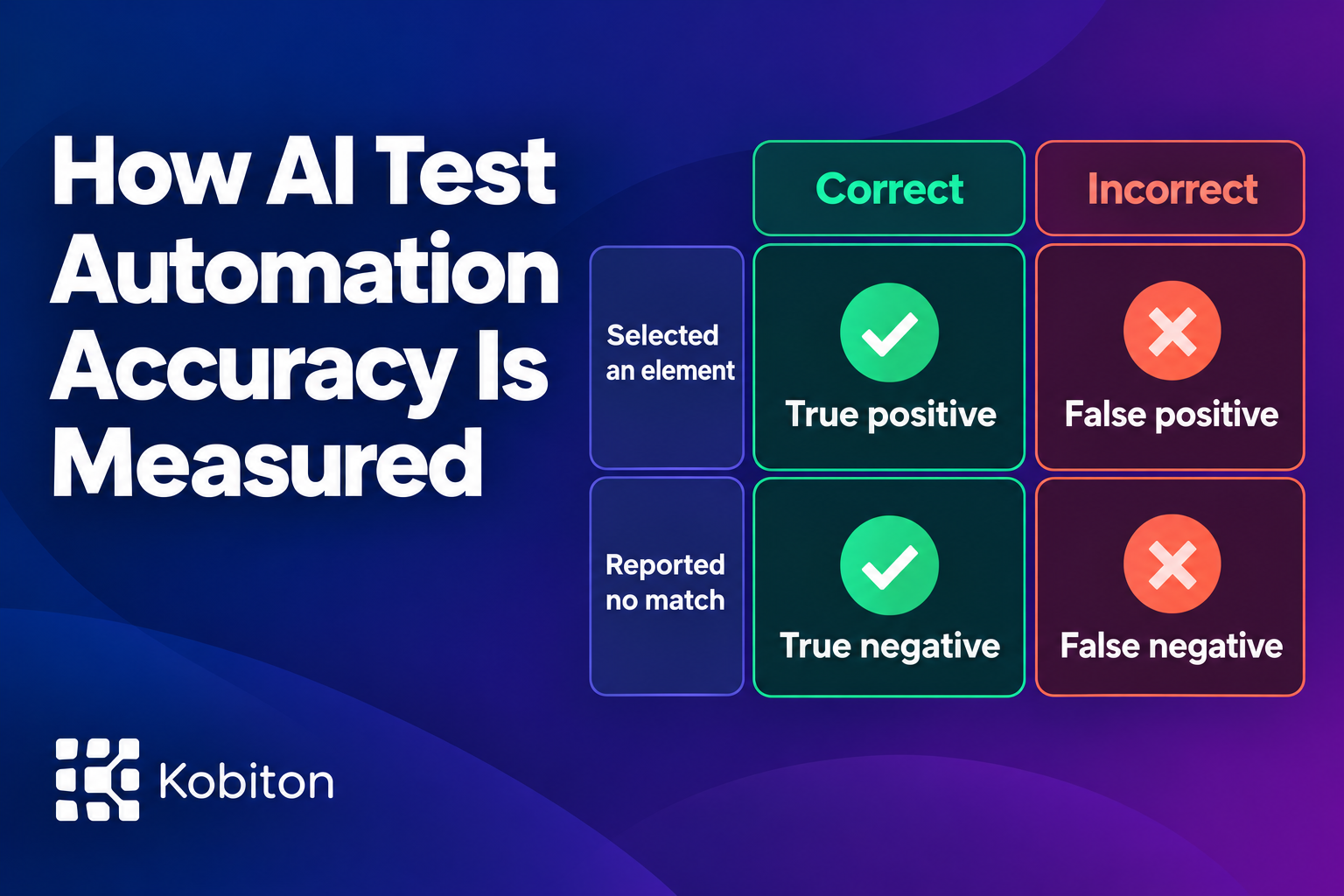
“Positive” means automation proceeds with a selected element. “Negative” means AI reports no matching element and stops execution. Correctness depends on whether that selection or no-match decision was justified.
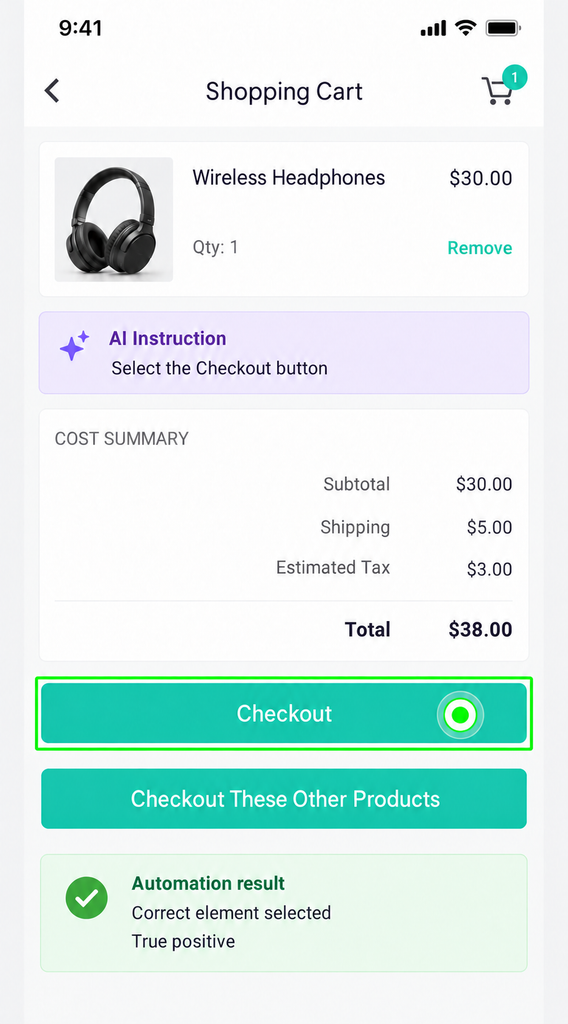
Checkout is present. AI identifies it, and automation selects it successfully. This is a true positive (TP): the requested action occurred on the intended element.
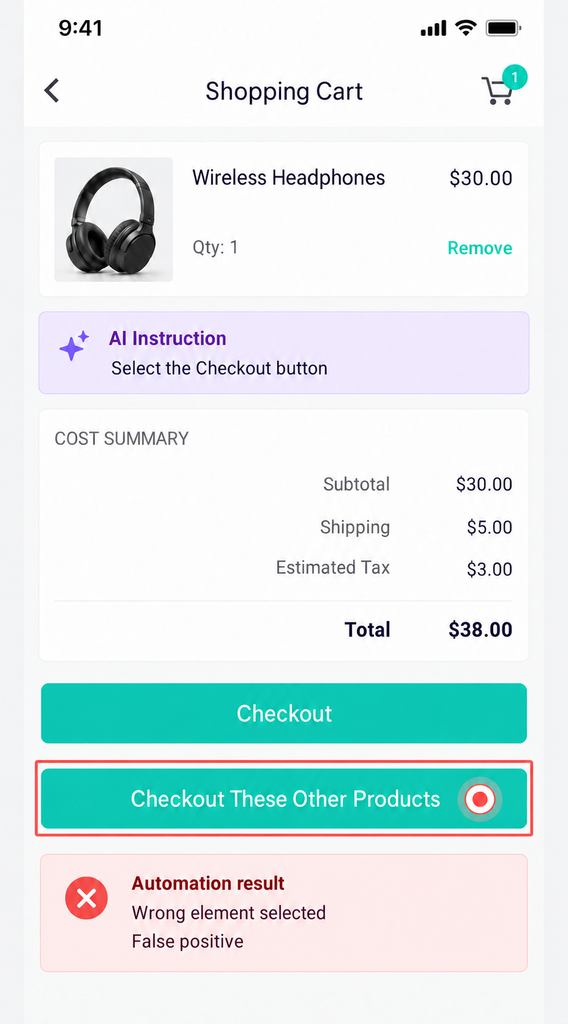
AI selects Checkout These Other Products instead of Checkout. The click succeeds, and automation proceeds as though it completed the instruction.
This is a false positive (FP). The command executed, but it acted on the wrong element. This can happen whether Checkout is present or absent.
Checkout is visible and available, but AI reports that it cannot find it. Automation cannot continue with the requested action.
This is a false negative (FN): automation could have performed the requested action, but the locator missed the target.
Checkout is absent, and AI correctly reports no matching element. Automation halts instead of selecting another control.
This is a true negative (TN). The locator made the correct decision, even though the requested action could not complete.
| AI’s response | Correct decision | Incorrect decision |
|---|---|---|
| Selected an element | True positive: Selected Checkout successfully | False positive: Selected another element |
| Reported no match | True negative: Checkout was absent | False negative: Checkout was present |
When calculating AI mobile testing accuracy, count each request once. Under this scoring convention, selecting the wrong element counts as a false positive, even when the intended element is also present. Execution failures after a correct selection, such as a disconnected device, require separate tracking.
Accuracy is the proportion of scored requests that produced the correct decision.
Accuracy = (TP + TN) ÷ (TP + TN + FP + FN)
Suppose an evaluation contains 100 requests:
The accuracy is (80 + 5) ÷ 100 = 85%.
That means 85 correct decisions. Automation completed the intended action in 80 requests. For the other five correct decisions, AI correctly reported that the requested element was absent.
AI can locate elements from screenshots, UI trees, or a combination of both. Compare these approaches using the same instructions, application states, and independently verified targets. Include absent-target cases to evaluate whether each approach correctly reports no match.
Keep the proportions of present and absent targets consistent. Adding easy absent-target cases can raise overall accuracy without improving correct selections.
Kobiton’s AI Mobile Testing Benchmark measures localization on known targets. Its centroid correctness metric checks whether the center of a predicted bounding box falls inside the intended target. To evaluate completed actions and correct no-match responses, you need execution results and requests where the target is absent.