
Oct 28, 2024
How to Enhance QA with 6 Mobile Retail App Testing Best Practices

Brittney Lawrence
Read More
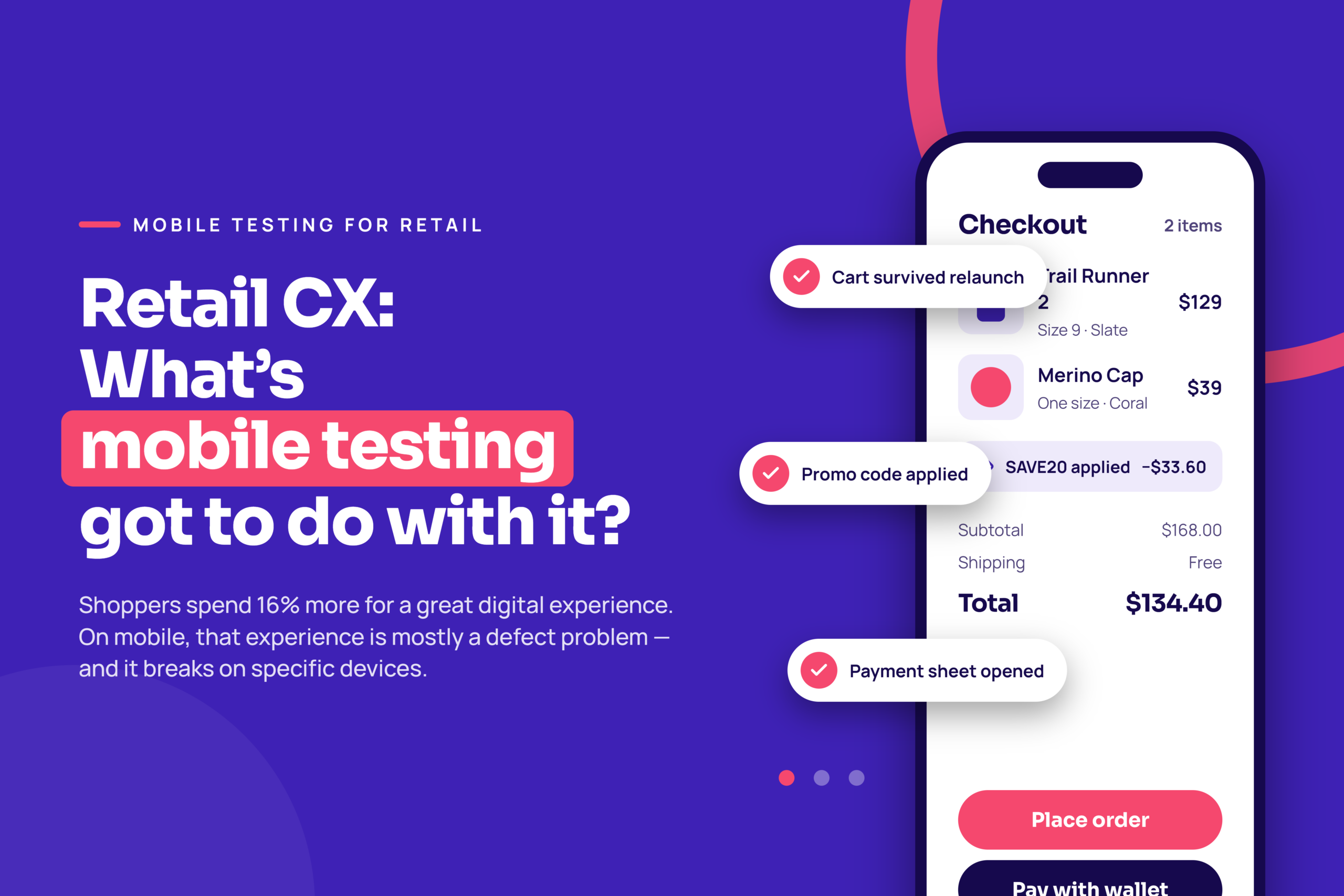
A lot, actually.
Retail executives have had a rough go the past few years. The industry went from post-recession apocalypse to being expected to deliver perfect digital app experiences, from store to app and everywhere in between. Retailers that can quickly release high-quality retail apps and digital technologies are creating seriously awesome shopping experiences—which consumers say they’d spend 16 percent more to have.
Consumers will spend 16 percent more on average to get a great digital experience.
While we are in a great place with digital and retail CX now, this didn’t happen without casualties.
In 2008, the sight of “For Lease” signs on empty retail spaces everywhere gave us all chills. Was it the second Great Depression? How could Starbucks go out of business? Following sharp economic collapse in the housing market (and resulting viral job loss), in-store sales came to a screeching halt. Digital transformation was gobbling up brick-and-mortar stores like something out of The Walking Dead.
Fortunately, “The Retail Apocalypse” didn’t destroy the retail industry forever. The brands that rebounded did it by fusing digital and in-store into one experience and that fusion has only deepened since. Online commerce now accounts for a steadily growing share of total retail sales, mobile accounts for the majority of that online traffic, and the store itself runs on mobile software: associate tablets, handheld scanners, mobile point of sale. The dividing line between “digital” and “in-store” retail has effectively disappeared, and the app in the shopper’s hand is where the two meet.
Digital didn’t kill the retail industry; it just put an alligator-filled moat in the way. Retailers that saw the big picture and evolved their mobile testing strategy to embrace digital as a CX advantage are now poised to release mobile retail apps with supersonic efficiency. And kick ass at it.
Shoppers don’t experience your consumer app in isolation. They experience it alongside the associate’s tablet, the mPOS terminal, the handheld that told the associate the item was in stock, and the system that promised their online order would be at the counter by noon. Every one of those is mobile software, and every one of them is part of the customer experience whether or not the shopper ever touches it.
That means retail mobile testing has three surfaces, not one:
For associate apps, test on the exact hardware the stores use, with the peripherals attached. A checkout that works perfectly on a flagship phone and fails when the card reader reconnects after sleep is a failed checkout. For handoffs, test the whole chain end to end on real devices at both ends: place the order in the consumer app, confirm it appears correctly on the associate device, complete the pickup, and verify stock and order status update everywhere. If any link in that chain is only tested in isolation, the gap between the links is where the shopper gets stranded.
“Customer experience” sounds like a design problem. On mobile, it’s mostly a defect problem. The moments shoppers remember — and the ones they screenshot into one-star reviews — are a short list of flows that fail in predictable ways on specific devices. Test those flows on the devices your shoppers actually carry, and most of the CX conversation takes care of itself.
Here are the moments that matter most, what tends to go wrong, and what your mobile testing has to prove before release.
| CX moment | What breaks in the real world | What mobile testing has to prove |
| Search and browse | Slow product grids on mid-range Android; images that never load on a weak connection; filters that reset on rotation | Catalog screens render and scroll smoothly on your top traffic devices, including the lowest-spec one, under throttled network conditions |
| Add to cart and cart edits | Quantity changes that don’t persist; cart totals that lag behind what the shopper sees | Cart state survives backgrounding, OS interruptions (calls, notifications) and app relaunch; totals recalculate correctly |
| Promo codes and loyalty | The promised discount isn’t applied; points balance doesn’t update; stacked offers calculate wrong | Every active promotion applies correctly across OS versions, and loyalty balances match between app and backend |
| Checkout and payment | Apple Pay or Google Pay sheet fails to appear; keyboard covers the CVV field; 3-D Secure redirect loses the session | Each supported payment method completes on real devices with real wallet integrations, on both Wi-Fi and cellular |
| Buy online, pick up in store | Order confirmed in app but never reaches the store system; pickup barcode won’t scan from a dimmed screen | The handoff between app, inventory and store systems completes end to end, and the pickup screen renders scannable on real hardware |
| Order tracking and returns | Push notification deep-links to the wrong screen; return flow dead-ends on older OS versions | Deep links and notifications resolve correctly on every supported OS version; the return flow completes without a support call |
Notice that none of these is a question of taste. Each one is a pass/fail check you can run on a real device before the build ships — and each one, when it fails, is the kind of thing that makes a shopper abandon the app on first use.
Why did their mobile testing strategy work when others failed so miserably? They invested in mobile app testing platforms, which greatly streamline QA activities to meet increasing competitive threats and consumer demands for rich digital shopping experiences.
So if it’s as easy as purchasing a mobile testing solution, what’s holding everyone back from digital domination? It’s because not all app testing tools are equal. In fact, many actually suck. But organizations do not understand the differences and, therefore, pay big prices for big-name legacy test clouds – unaware of their hidden costs or shortcomings.
To be fair to the teams that got stuck: the obstacles are real, and most of them aren’t about picking the wrong vendor.
None of those is solved by buying a device cloud and nothing else. They’re solved by a platform that gives you real devices on demand, keeps your scripts working when the UI changes, and lets manual and automated results live in one place so the whole team can see what broke and where. That’s the bar to hold any testing platform to — including ours.
Very few app testing platforms are flexible enough to support the complex needs of today’s mobile tester. The result is a big, stinky bottleneck in the testing phase of development because of the difficult dilemma which digital puts on QA:
Well, too bad; honey badger don’t care. Consumers expect both! Top brands are releasing retail apps and updates hourly. At the same time, the cost of incomplete testing is material. Twenty-four percent of users abandon apps on the first use due to bugs and UI issues, which accounts for 88 percent of customer acquisition costs.
Flexible, streamlined app testing platforms such as Kobiton solve this dilemma and help retailers to test better, faster, smarter:
Retailers Must Balance BOTH Speed AND Certainty:
• 53 percent of organizations release apps and updates daily
• 23 percent of organizations say that QA is the bottleneck
• 24 percent of users abandon an app on first use due to poor UI
• This accounts for 88 percent of customer acquisition costs
Load testing your backend before Black Friday is table stakes. What retailers get caught by is the other half: the app itself, running on a phone with 8% battery, on a congested store Wi-Fi network that drops to cellular halfway through checkout. Your servers can be fine and your conversion rate can still fall off a cliff.
Before any seasonal event, run a dedicated pass on real devices that covers:
This is also the strongest argument for testing on real devices rather than emulators. An emulator can’t drain its battery, lose a cellular signal or get interrupted by a phone call. The conditions that break retail apps at peak are exactly the ones simulators don’t reproduce.
Thorough doesn’t mean testing everything. It means covering the handful of test types that protect the moments above, on the devices that matter, every time a build goes out. For a retail app, that list looks like this.
| Test type | What it protects in retail | When to run it |
| Functional | Cart math, promotions, payment flows, order state — the logic shoppers trust you with | Every build, automated on real devices |
| Visual | Product images, pricing badges, buttons that overlap or clip on different screen sizes and OS versions | Every build; diff against a baseline so layout regressions surface before a human sees them |
| Performance | Launch time, scroll smoothness, checkout latency, and behaviour under peak traffic | Every release candidate, plus a dedicated run before any seasonal event |
| Network and device conditions | How the app behaves on a weak signal, mid-session network switch, low battery, or low memory | Release candidates; exploratory sessions on real devices with throttled connections |
| End-to-end and integration | Order-to-store handoff, inventory sync, payment gateway and loyalty service integrations | Release candidates and whenever a backend or third-party dependency changes |
| Accessibility | Screen-reader labels on product cards, colour contrast on sale prices, touch target size at checkout | Every release; automated checks on each build, manual audit each quarter |
| Security | Payment data handling, session management, secure storage on the device | Each release and after any auth or payment change |
Two of these deserve a special mention for retail. Visual testing catches the bugs that never throw an error — a “Buy now” button pushed below the fold on one screen size, a sale price rendered in the wrong colour — and those are exactly the bugs that make an app feel broken even when every function passes. And accessibility isn’t a compliance checkbox: shoppers who rely on assistive technology are customers, and an inaccessible checkout is a lost sale on every device it fails on.
The speed problem from the previous section is solved here, not by cutting test types, but by automating the ones that run on every build (functional, visual, accessibility checks) and reserving human time for the ones that benefit from judgment (network conditions, exploratory usability).
Top brands including a large national supplier of business products and services use Kobiton to stay ahead of retail trends and dominate CX… Retail’s holy grail; the “Land of Promise.” These customers are tired of inflexible legacy testing clouds that overcharge and do not allow them to test the way they need to test.
Real devices only help if they’re the right real devices. You can’t cover every phone, and you shouldn’t try. For a retail app, a defensible device list comes from four inputs:
Re-cut the list every quarter and after every major OS release. The device that drove 12 percent of your revenue last holiday season may be a rounding error by the next one.
With Kobiton, they can get the most streamlined access to real mobile devices (no emulators or simulators) – whether those devices are in our public cloud, in a tester’s hands, or somewhere in between. Having one comprehensive view of all testing activity allows retail enterprises with multiple locations to release powerful retail apps and technologies, such as analytics and voice-assisted smart speakers, which are growing nearly two-and-a-half times faster than smartphones!
653% vs 286%
Growth rate for smart speakers vs. smartphones
Testing is only a CX strategy if you can see it move the numbers shoppers feel. Track these five, and expect them to move within a release or two of tightening real-device coverage:
So you see, mobile testing has everything to do with retail CX. Feeling like your mobile app testing platform can’t get CX-centric apps and technologies out fast enough? Do you need a more cost-effective way to…
Most of what shoppers experience as “bad CX” on mobile — a cart that empties, a promo code that doesn’t apply, a payment sheet that never appears — is a defect that only shows up on certain devices, OS versions or network conditions. Mobile testing on real devices finds those defects before shoppers do. The CX improvement is the absence of the moments that drive abandonment and one-star reviews.
The full purchase flow on real devices under degraded conditions: throttled and switching networks, low battery, low memory, and the lowest-spec device you support. Validate every live promotion and its stacking rules, confirm timeouts and retries keep the cart intact, and set up an hourly automated smoke test of search, add-to-cart and checkout against production for the duration of the event.
For retail, yes. The conditions that break shopping flows — a dropped cellular signal mid-checkout, a background kill on a low-memory phone, a Bluetooth card reader that reconnects after sleep, a wallet integration that only works on real hardware — are exactly the conditions emulators and simulators don’t reproduce. Emulators are fine for early development; release decisions need real devices.
Functional, visual and accessibility checks should run automatically on every build. Performance, network-condition and end-to-end integration tests belong on every release candidate, with a dedicated real-device pass before any seasonal event and after every major iOS or Android release. The goal is for the regression cycle to be shorter than the release cycle, so testing never becomes the reason a fix waits.
The ones your buyers use, weighted by revenue rather than sessions, from your own analytics. Add the lowest-spec device you still support, the current and previous major OS versions, and any tablets or handhelds your store associates use. Re-cut the list quarterly and after every major OS release.