
Mobile Game Testing is very different from traditional mobile app testing. Games are highly interactive, visually demanding, and driven by player behavior, which makes them harder to validate using scripted automation alone.
Automation helps teams move faster and handle larger workloads, but it cannot fully replace human testing in gaming environments. This guide explains where automation works well, where it falls short, and how a hybrid testing approach that combines manual testing, automation, and real device clouds delivers more reliable results.
What Makes Mobile Game Testing Unique?
Mobile games introduce challenges that most standard apps do not face:
- Real time rendering and frame rate sensitivity
- Complex gestures such as multi touch, swipes, and pressure inputs
- Physics engines that create unpredictable outcomes
- Heavy reliance on GPU, memory, and battery performance
- Highly variable player behavior with non linear flows
Unlike form based apps, games rarely follow predictable paths. This makes it difficult for traditional automation scripts to fully validate gameplay scenarios.
Why Standard Automation Tools Struggle Inside the Game
Most mobile test automation assumes the app is built from native components. A button is an element, a label is an element, and the framework finds them by walking the accessibility tree. Games break that assumption. Unity, Unreal, Godot and Cocos2d render the entire interface — menus, HUD, shop screens, the play area — into a single graphics surface. When Appium inspects a Unity build, it does not see a Play button and a settings icon. It sees one SurfaceView containing everything.
That single fact explains most of what teams run into when they try to automate a game the way they would automate a banking app.
- Element lookup fails inside the canvas. Native overlays still work — system permission dialogs, notification banners, the payment sheet — but anything the engine draws is invisible to the element tree.
- Gesture reproduction is coarse. Standard touch APIs handle taps and swipes. They struggle with simultaneous multi finger combinations, pressure sensitive input, and gesture chains that need sub 100 millisecond timing.
- Assertions go non deterministic. A test that says ‘defeat the enemy, expect score plus 100’ fails the moment enemy AI takes a different path or a physics interaction resolves slightly differently.
- Visual quality is not observable. An element based tool can confirm a health bar exists. It cannot confirm the animation ran at 60 frames per second, the particle effect drew correctly, or the character model loaded without texture pop in.
Teams get past this in one of three ways, and most production setups use more than one.
| Approach | How it works | Trade off |
| Engine instrumentation (AltTester for Unity, Unity Test Framework) | An SDK compiled into the build exposes game objects to the test script, so tests address real objects rather than pixels | Requires source access and developer buy in, and you are testing an instrumented build rather than the one players download |
| Native automation for the shell (Appium, Espresso, XCUITest) | Drives everything outside the canvas — install, permissions, store payment sheets, system dialogs, deep links | Stops at the edge of the game surface, so it cannot carry a test through gameplay on its own |
| Image or vision based interaction | Identifies elements from the rendered screen the way a player does, so it works on any engine without instrumentation | Sensitive to visual changes and resolution differences, and it still cannot judge frame rate or physics accuracy |
For Unreal titles the equivalent instrumentation layer is the engine’s own Automation Test Framework, which runs unit, feature and content stress tests inside the engine’s core modules. Whichever route a team takes, the practical shape is the same: native tooling handles the shell, an engine aware layer handles the game, and the two are stitched together in one suite.
Where Automation Fits in Mobile Game Testing
Automation still plays an important role, but only in specific areas of testing.
Functional Validation
Appium, Espresso and XCUITest handle the parts of these flows that live outside the game canvas — install and launch, permission prompts, the platform payment sheet, deep links back into the app. For menus and screens the engine itself draws, they need to be paired with an engine aware layer such as AltTester on Unity, or with image based interaction. Both routes work well when connected to platforms like Kobiton that provide access to real devices.
Regression Testing at Scale
Automation is highly effective for re running stable test cases across multiple builds. It helps validate core gameplay loops after updates and supports parallel execution across many devices. With a real device cloud like Kobiton, teams can run tests across hundreds of devices at the same time, improving both speed and coverage.
The scale argument is easier to see with a real number attached. In one mobile gaming customer conversation, a team described managing close to 500 games in a single market, with roughly 60 percent already covered by automation and plans to extend it into regression. At that size, saving a minute or two per game per cycle compounds into something that changes the release calendar. Automation there is not about replacing gameplay review it is about removing the repeated work that pushes releases back.
Scale also changes what teams need out of a test run. Executing the tests is the part most teams solve first, and on its own it helps least. Once a suite runs across many builds, devices and markets, the useful output is the evidence: logs, screenshots, video, performance traces and crash reports, stored so that anyone can go back and see what actually happened on a specific device on a specific build. Unreal’s own automation reporting documentation frames this as a distribution problem rather than an execution one results have to reach the people who need to act on them, including external testers. That applies just as directly to mobile.
Performance Baselines
Automation can track measurable metrics such as app launch time, memory usage, and crash detection. However, understanding whether the gameplay feels smooth still requires human input.
What makes a good first automation candidate
Automation earns its place where the path is stable and the expected result is unambiguous. A login either succeeds or it does not. A reward is either in the inventory or it is not. A setting either persisted through a restart or it did not. Those are the checks worth scripting first. Look for tests that are stable across builds, repeatable, high impact when they break, slow to run by hand, easy to verify, and useful across several devices.
In practice, the strongest candidates cluster in a few areas:
- Entry flows — install, launch, account creation, login, onboarding, tutorial start and completion checks.
- Navigation and configuration — menu navigation, settings changes, profile updates, language and localization checks.
- Commerce and progression — store screens, in app purchase validation, payment confirmation, inventory updates, reward claims, achievements, saved progress, daily login bonuses.
- Monetization plumbing — ad loading and rewarded ad checks, which break quietly whenever an SDK updates.
- Connectivity entry points — basic matchmaking or connection checks, push notification handling, social sharing flows.
- Build health — smoke tests on critical paths, regression checks after new builds, crash detection, launch time and memory measurement.
Several test types that teams assume need a human are also good automation candidates once the harness exists. Soak testing, where the game runs for hours to surface memory leaks and slow degradation, is a natural fit because no human wants to watch it. So is localization checking for text overflow across language builds, and app store compliance checking against platform guidelines. Recovery testing — deliberately killing the connection or the process and confirming autosave and crash recovery behave — can be scripted once the failure injection is in place.
A worked first candidate
A strong opening test chains several stable systems into one run without asking any subjective question:
Launch the app, log in, load the main menu, open inventory, claim a reward, verify the reward appears, change a setting, close the app, reopen it, and confirm both the setting and the reward persisted.
That single test covers launch, authentication, navigation, the reward system, settings persistence and save state, and every step of it has a clear pass or fail. Compare it with a weak first candidate: verify that combat feels fun. That matters more to the game’s success than anything in the first test, but it is not a thing a script can answer, and starting there is how automation programmes stall.
What a game smoke test should actually check
Smoke tests answer one question: is this build worth deeper review? For a mobile game that means confirming the app installs, launches, loads the main menu, accepts login, reaches the first playable state, and does not crash on the way. A passing smoke test does not say the game is good. It says the build is stable enough that manual testers will not waste a session on it.
Store, Inventory, and Progression Flows
Store, inventory and progression systems deserve their own place in an automation suite because they connect directly to player trust. If a player earns a reward and cannot claim it, the game feels broken. If a purchase completes and the item never arrives, trust drops immediately and a refund request usually follows. Players will forgive an odd visual glitch. They are far less forgiving about lost progress, missing purchases, or rewards that never landed.
These flows have clear expected results, which makes them well suited to automation. Worth covering on every build:
- Items appear after a purchase or a reward claim.
- Currency balances update by the correct amount.
- Inventory counts change as expected.
- Locked and unlocked states display correctly.
- Saved progress persists after closing and reopening the app.
- Achievements and milestones trigger at the right thresholds.
- Store screens load and respond.
- Payment confirmation appears and the receipt validates.
- Reward claim flows complete rather than hanging.
Games change constantly new characters, maps, quests, shop updates, seasonal events, balance adjustments and each change can disturb a system that was already working. Running this set automatically after every build is the cheapest insurance available against the regressions players notice fastest.
The Limits of Automation in Mobile Game Testing
Automation has clear limitations when applied to mobile games.
Unpredictable Player Behavior
Automated scripts follow predefined paths, but real players behave in unpredictable ways. They tap randomly, switch between apps, and interact in ways that scripts cannot fully replicate.
Visual and UX Validation
Games rely heavily on animations, transitions, and visual feedback. Automation tools cannot reliably judge whether something looks right or feels natural to the player.
Accessibility and Player Experience
Accessibility in a mobile game is not a checklist item. It determines whether a player can understand what is happening, respond in time, and keep playing at all. Automation can flag the common structural risks — missing labels, contrast problems, touch targets below the minimum size, elements that cannot be inspected — and it can confirm that accessibility settings exist, save, and persist. Text scaling, caption visibility and a reduced motion toggle are all checkable by script.
What a script cannot do is decide whether any of it works. Games create accessibility barriers through motion, timing, visual effects layered over information, audio cues carrying meaning, input complexity and cognitive load. A game can load correctly, complete every flow and expose every setting while still being visually overwhelming, impossible to follow, or uncomfortable to hold for more than a few minutes.
That part needs people. Teams should manually confirm that players can understand instructions, recover from mistakes, read important information during action, use touch controls comfortably, and complete core gameplay with the relevant accessibility settings switched on. Cognitive and physical disability, and age, all change how a player interacts with a game, and none of those differences show up in a pass or fail result.
Complex Gesture Handling
Many games depend on advanced interactions such as multi touch inputs and rapid gesture combinations. Even advanced frameworks struggle to accurately reproduce these actions.
Device Fragmentation
Different devices have varying GPUs, CPUs, and screen resolutions, which can lead to inconsistent gameplay. Testing across thousands of device and OS combinations is not practical without access to real device clouds.
Flaky Test Automation
Game interfaces change frequently. Dynamic elements, timing issues, and regular updates can make test scripts unstable and difficult to maintain.
Key Challenges in Automating Mobile Game Testing
Real Time Performance Variability
Games depend on frame rate, latency, and rendering speed. Automation tools can capture metrics, but they cannot measure perceived smoothness from a user perspective.
Environment Simulation Gaps
Games react to real world conditions such as network changes, battery levels, and background interruptions. Automation can simulate some of these factors, but not all.
Network behaviour is worth separating out, because it is one of the few areas where automation is genuinely better than a person. Reproducing a mid-match disconnection by hand is unreliable and nearly impossible to repeat identically; injecting it on a schedule is straightforward. Conditions worth building into the suite:
- High latency, in the range where input starts to feel unfair rather than merely slow.
- Packet loss at a few percent and again at the level where a session becomes unplayable.
- Connection dropped mid session, and the reconnect path that follows.
- A network switch during play — WiFi to cellular, or cellular to nothing.
- Extended offline periods followed by synchronisation, to confirm progress and purchases made offline survive.
- Reduced bandwidth during asset download, level load, or a live event.
For multiplayer titles the failure that matters most is desynchronisation two clients that quietly disagree about the state of the match. That surfaces only under adverse conditions, which is exactly why it survives manual QA and reaches players. Live events and daily reward windows create the same pressure through traffic spikes rather than poor connections, so it is worth running these checks against the load conditions a launch or a seasonal event will actually produce.
Scaling Across Devices
To properly test across low end, mid range, and high end devices, teams need access to real device infrastructure. Without it, coverage remains limited.
Test Data and State Management
Games involve levels, player progression, and dynamic states. Managing and resetting these states for automation is complex and time consuming.
The deeper problem is that a game can produce a different result from identical input. Physics resolve slightly differently, a critical hit lands or does not, procedural generation lays out the level another way. A test asserting that defeating an enemy adds exactly 100 points will pass on Monday and fail on Tuesday without anything having broken. Teams that get automation working on games usually do it by removing sources of variance rather than writing cleverer assertions.
• Seed the randomness. A test build that accepts a fixed random seed turns procedural outcomes into repeatable ones. This needs developer support, which is why testability is worth raising during design rather than after.
• Load state rather than playing to it. Save-state fixtures that drop the test directly into level 12 with a known inventory remove twenty minutes of gameplay and every chance of drifting off the expected path.
• Add test hooks for progression and reset. A debug endpoint that grants currency, unlocks a level or clears progress makes it possible to run the same test hundreds of times from a clean state.
• Assert on ranges and invariants, not exact values. Score increased, currency never went negative, the item count went up by one — these hold across runs where an exact number does not.
• Prefer fixed positions over adaptive logic for timing sensitive steps. A test that hunts for an obstacle and reacts to it inherits the device’s frame rate; one that acts at a known position does not. It is less elegant and considerably more stable across a device fleet.
Most of these need something from the development team, which is the practical case for designing the game with testing in mind rather than bolting a suite on at the end.
Hybrid Approach: The Practical Solution
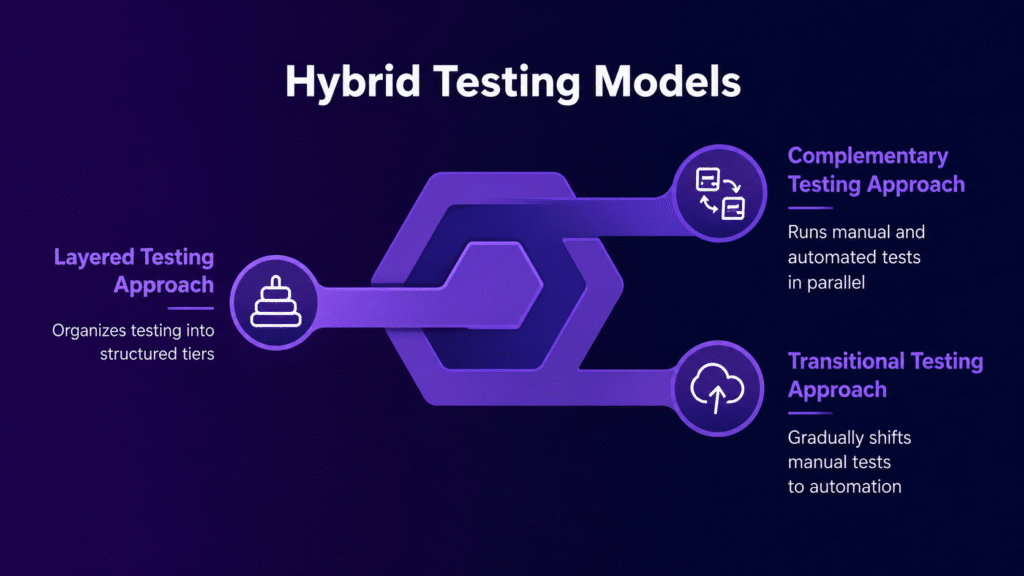
The most effective strategy for Mobile Game Testing is a hybrid approach that combines three key components:
Automation
Used for regression testing, smoke testing, and integration within CI CD pipelines.
Manual Testing
Used for validating gameplay experience, user interactions, and edge cases that require human judgment.
Real Device Cloud
Platforms like Kobiton provide access to thousands of real devices, support parallel execution, and allow testing under real world conditions such as network changes and sensor interactions.
In practice the split looks like this. Read it as a starting point for a coverage discussion rather than a fixed rule a puzzle game and a competitive shooter will weight these differently.
| Test area | Best approach | Why |
| Login and account creation | Automation | Stable, repeatable, and easy to verify |
| Store and payment flows | Automation plus manual review | High business impact and trust sensitive |
| Inventory and rewards | Automation | Clear expected results and frequent regression risk |
| Settings | Automation plus manual review | Settings can be checked automatically, but usefulness needs review |
| Accessibility options | Automation plus assistive technology review | Availability can be checked, but usability needs people |
| Gameplay feel | Manual testing | Requires judgment, timing, and player perception |
| Combat balance | Manual testing | Depends on experience, fairness, and player skill |
| Performance across devices | Automation plus manual review | Metrics help, but player impact still matters |
| Tutorials | Manual testing | Understanding and clarity require human review |
| Regression checks | Automation | Needs consistent repeated coverage |
This combination fills the biggest gap in automation by adding real user context to testing. Automation handles repeatable checks, real devices provide accuracy, and human testers validate gameplay quality.
Recommended Testing Architecture
A practical setup includes:
1. Run unit tests and engine level checks during development, before anything reaches a device.
2. Use emulators or simulators for early smoke testing and fast feedback while the build is still moving.
3. Run stable automation on real devices for regression and compatibility coverage, triggered from CI CD on every build rather than on request.
4. Put manual testers on gameplay feel, accessibility, exploratory testing and edge cases, on the same real hardware.
5. Review logs, video, screenshots, performance data and crash reports after each run — and look for patterns across runs, not just the pass rate on the latest one.
6. Expand real device coverage before major releases, live events, SDK changes, and monetization updates.
Step six is the one teams skip. Everyone widens coverage before a launch. Far fewer do it before a seasonal event goes live or an ad SDK updates, and those are the changes that break monetization flows on specific device and OS combinations without touching anything a developer would think to retest.
Best Practices for Mobile Game Testing
Focus on high priority devices based on your target audience — and build that list from install analytics rather than intuition. A workable starting matrix is the top 20 to 30 device models by installs, extended to 50 or more for a large title. Across that set, deliberately cover the range that changes behaviour: chipset families, RAM tiers from around 3GB up to 8GB and beyond, and aspect ratios including foldables. Include two or three models from each manufacturer that matters in your markets, and make sure hardware two to three years old is represented, because that is where frame rate and thermal problems appear first and where a large share of players actually are.
- Use automation only for stable and repeatable workflows
- Combine emulators for early testing with real devices for final validation
- Monitor unstable test scripts and fix or remove them quickly
- Design applications with testing in mind by adding debug options and stable identifiers
Future Trends in Mobile Game Testing
AI assisted testing is gaining traction for generating test cases and identifying anomalies, but it still requires human validation.
Autonomous testing is improving, yet it cannot determine whether a game is enjoyable or engaging.
Real device clouds will continue to play a larger role as device fragmentation increases and teams need scalable testing environments.
FAQ
Can mobile game testing be fully automated?
No. It can be partially automated, and should be. Automation handles stable, repeatable checks — install, launch, login, settings, purchases, smoke tests, regression suites, and basic performance metrics. Human testers are still needed for gameplay feel, difficulty, accessibility, visual clarity, and whether the game is fair and playable.
Can Appium test Unity or Unreal games?
Partly. Appium drives native Android and iOS elements — system dialogs, permission prompts, payment sheets, notification banners — but it cannot see inside the Unity or Unreal canvas, because the engine renders the entire interface into a single view. For in-game screens it needs to be paired with an engine aware layer such as AltTester on Unity, or with image based interaction.
Why is mobile game automation harder than standard mobile app automation?
Games depend on real time rendering, custom UI drawn by the engine rather than native components, physics, animation timing, rapid and multi finger input, and non linear player behaviour. A standard app follows a clear task path. A game changes constantly based on player action, game state, network behaviour and device performance, so the same input can produce different results.
How should teams decide whether to automate a mobile game test?
Ask whether the test is stable, repeatable and easy to evaluate. If the expected result is unambiguous, automation is likely a good fit. If the test depends on feel, timing, difficulty, visual clarity, accessibility or player judgment, keep it manual.
Why do real devices matter for mobile game testing?
Because in games the hardware is part of the experience. GPU performance, CPU limits, memory pressure, battery behaviour, heat, touch responsiveness, screen size, refresh rate, network changes and OS interruptions all shape how the game feels. None of those are reliably reproducible in a virtual environment.
Can emulators or simulators be used for mobile game testing?
Yes, for early testing, debugging, basic UI checks and fast feedback during development. They are useful for catching problems before broader device coverage. Performance, touch behaviour, accessibility review, device specific rendering and release validation should happen on real devices.
How can automation help mobile game teams test at scale?
It repeats stable checks across builds, devices, markets and game versions without consuming tester time. That matters most for teams managing many titles, frequent releases, regression suites, live events, or monetization flows across a wide device fleet. The gain is not replacing gameplay review — it is freeing testers to do more of it.
How does AI assisted testing fit into mobile game testing?
AI can generate test ideas, summarise failures, identify anomalies, prioritise risk and support test maintenance. It reduces repetitive work and helps teams interpret large result sets. It still needs human review, and it cannot judge whether a game feels responsive, fair, readable, accessible or enjoyable to play.
Conclusion
- Automation answers: can we repeat this known check consistently, on every build?
- Manual testing answers: does this experience feel playable, fair, clear and accessible?
- Real device testing answers: does the game hold up under the hardware, performance, network and device conditions players actually have?
No single method answers all three. A game can pass every automated check and still feel broken to the player. A manual session can surface a problem that should then become an automated regression check. A real device can expose a performance, input, battery, heat or rendering issue that a virtual environment never would. The strongest strategies are situational: automate where the path is stable, test by hand where judgment matters, and use real devices where the answer depends on actual mobile conditions.
A hybrid approach that combines all three allows teams to reduce release risks, improve gameplay quality, and maintain faster development cycles without being limited by automation constraints.