Most teams searching for Appium alternatives aren’t looking to abandon mobile automation. They’re trying to solve a specific problem: selector rot eating into sprint capacity, timing-based flakiness obscuring real failures, or a device lab that can’t match production diversity. The right answer depends on which problem you’re actually solving.
What “Appium alternatives” usually means (and what it doesn’t)
Appium drives UI automation externally. It communicates with your app through WebDriver/W3C-style commands, treating the app as a black box. That external model gives it broad compatibility across Android, iOS, hybrid, and React Native apps, but it also introduces latency, synchronization complexity, and dependency on accurate locators.
When people search for Appium alternatives, they’re typically asking one of two different questions:
- “How do I replace the way my tests are written and executed?” (a framework question)
- “How do I stop managing my own device infrastructure?” (an execution platform question)
These are separate problems, and conflating them leads to poor tool choices. A quick way to orient your decision:
- Teams frustrated by brittle selectors and timing flakiness should look at declarative frameworks (Maestro) or grey-box frameworks (Detox for React Native).
- Teams with a regulated stack or platform-specific depth requirements often adopt platform-native frameworks (Espresso, XCUITest) as a “two suites” strategy.
- Teams spending QA budget on device lab maintenance and emulator-only coverage should evaluate real-device execution platforms that often run Appium scripts without requiring a framework migration.
Why teams move away from Appium
Four failure modes drive most migrations:
Selector and locator drift. When dev renames an accessibility ID or restructures the UI hierarchy, Appium tests break. Without consistent testID or accessibilityId conventions, every release risks a wave of locator repairs. This is a process problem as much as a tool problem, but declarative and grey-box frameworks can reduce the surface area.
Timing-based flakiness. Appium tests rely on explicit waits and polling. Animations, lazy-loaded content, and network latency all create windows where a test can fail non-deterministically. Teams often underestimate how much engineering time goes into tuning wait strategies.
Slow feedback loops. Sequential runs on a fragmented device lab stretch CI feedback from minutes to hours. When a test fails, reproducing the failure and pinpointing the root cause adds further delay.
Device coverage gaps. Emulators and simulators don’t reproduce the full spectrum of OS versions, OEM customizations, and hardware behaviors that users encounter. A test passing on a Pixel emulator doesn’t guarantee it passes on a Samsung Galaxy running a carrier-modified Android build.
Category 1: Declarative, cross-platform E2E UI frameworks
Maestro is the most prominent example of the declarative approach for mobile testing. According to its official documentation, Maestro provides a CLI that interprets YAML flow files and runs instructions on devices. Tests are written as human-readable flows rather than imperative code, which reduces the boilerplate associated with explicit waits and verbose element queries.
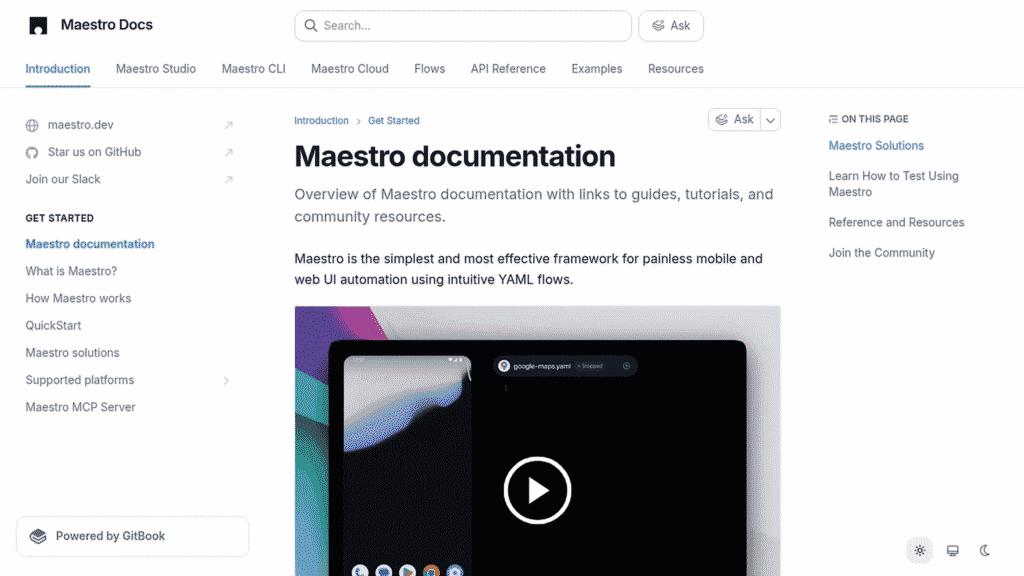
A Maestro YAML flow for a login screen looks like a plain-language script: tap an input, enter text, assert that a screen element is visible. The CLI interprets those instructions against a connected device or emulator. Maestro positions itself as an end-to-end UI testing framework for both mobile and web.
Good fit for: Teams writing their first automation suite, teams with non-engineers who need to read and maintain tests, and apps where test-to-production alignment matters more than deep framework integration. Maestro supports Android and iOS, making it a genuinely cross-platform mobile testing framework option.
Main trade-off: YAML flows are readable but can become difficult to manage at scale without clear flow conventions and a well-thought-out directory structure. Debugging failures still requires reading device logs.
Category 2: Grey-box E2E frameworks for React Native
Detox is designed specifically for React Native E2E testing. It’s described as a grey-box framework because it synchronizes with the app’s internal JavaScript execution state, rather than polling the UI externally. This synchronization approach is why Detox is cited by the React Native documentation as a popular testing framework for that stack.
Because Detox knows when the React Native bridge is idle, it can fire test actions at the right moment without arbitrary sleep() calls or complex wait conditions. For teams where flakiness is primarily driven by JavaScript execution timing, this is a meaningful architectural difference from Appium.
Good fit for: React Native apps with significant animation or async state complexity, teams already in a JavaScript/TypeScript workflow, and projects where flakiness reduction is the primary migration driver.
Main trade-off: Detox is not a general cross-platform alternative for all mobile stacks. If your app is native Swift/Kotlin or a hybrid WebView app, Detox doesn’t apply. It’s a React Native-specific mobile e2e testing framework.
Category 3: Platform-native frameworks (Espresso and XCUITest)
Espresso (Android) and XCUITest (iOS) are the official testing frameworks from Google and Apple respectively. Neither is cross-platform on its own. Teams adopt them as a “two native suites” strategy: one Espresso suite for Android, one XCUITest suite for iOS.
Compared with Appium’s external WebDriver model, Espresso and XCUITest run in-process or with tighter OS integration, which gives them more reliable access to UI semantics and platform timing. The espresso vs appium and xcuitest vs appium comparisons frequently come down to this: native frameworks offer tighter integration at the cost of maintaining two separate codebases.
Good fit for: Regulated environments (banking, healthcare) where platform-native runners are preferred by security or compliance teams. Also fits large teams that can staff separate Android and iOS automation specialists.
Main trade-off: Duplicate maintenance burden. Any shared flow (login, checkout) must be written twice, in two different testing DSLs. Locator strategy still requires discipline with content descriptions (Android) and accessibility identifiers (iOS).
Category 4: Real-device execution platforms
This category addresses a different problem entirely. If your core issue is device coverage, infrastructure reliability, or scaling parallel runs, you may not need to replace Appium at all. AWS Device Farm, BrowserStack App Automate, and Kobiton are examples of platforms that run Appium scripts against real physical devices in the cloud.
AWS Device Farm documentation explicitly covers integrating Appium tests against real smartphones and tablets, including supported capabilities and commands. BrowserStack also documents running Appium tests on real devices through its App Automate product.
Kobiton extends this model with AI-assisted tooling. Its NOVA AI Engine powers scriptless automation, visual validation, and Appium Script Generation, which automatically generates Appium scripts from a recorded manual session. For teams that have Appium expertise but want to expand coverage without rebuilding their suite, Kobiton’s Xium technology provides Appium-compatible execution optimized with AI/ML. Session Explorer captures test session data and surfaces issues including automatic screen load time measurement, which shortens the time to root-cause a failure.
Good fit for: Teams with existing Appium investments who need real-device coverage at scale. Also fits teams moving toward device-cloud-based CI without restructuring their automation framework.
Comparison matrix
| Tool / Platform | Best fit for | App type | How it runs tests | Cross-platform breadth | Main maintenance risks | CI/CD fit |
|---|---|---|---|---|---|---|
| Maestro | New suites, readable flows | Native, hybrid | CLI interprets YAML flows | Android + iOS | Flow conventions at scale | Yes, CLI-driven |
| Detox | React Native flakiness reduction | React Native only | Grey-box JS sync | React Native only | RN version upgrades | Yes, Jest-based runner |
| Espresso | Deep Android integration | Native Android | In-process Android runner | Android only | Dual-suite maintenance | Yes, Gradle |
| XCUITest | Deep iOS integration | Native iOS | Xcode-native runner | iOS only | Dual-suite maintenance | Yes, xcodebuild |
| Real-device cloud (e.g., Kobiton, AWS Device Farm, BrowserStack) | Coverage, infra stability | All types | Runs existing Appium/other tests on real devices | Any (execution platform) | Device selection config | Yes, API/plugin |
Migration playbook: moving from Appium without breaking your release train
Step 1: Classify your existing suite. List your tests by app type (native, hybrid, React Native) and audit your locator strategy. Are you using accessibility IDs consistently, or relying on XPath and index-based selectors? The answer shapes which path is viable.
Step 2: Pick a target path. React Native apps with flakiness problems: evaluate Detox. Apps where anyone on the team needs to read tests: evaluate Maestro. Apps where you need broader device coverage without changing scripts: evaluate a real-device execution platform. Teams splitting into Android and iOS specialists: evaluate Espresso + XCUITest.
Step 3: Convert one golden-path flow first. Pick login or a core checkout flow. Rewrite it in the target framework and measure pass rate, median run time, and number of flaky retries needed over 20+ runs. Don’t migrate the whole suite until this pilot is stable.
Step 4: Run in parallel against a production-representative device matrix. Don’t validate your migration on a single device. Match the OS version distribution from your production analytics.
Step 5: Define and measure success. Track three numbers: flakiness rate (retries required / total runs), median debug time (time from failure notification to root cause identified), and pass rate per OS version or device model. These are the outputs that justify the migration to stakeholders.
Common pitfalls when switching frameworks
Overestimating portability. Detox is not cross-platform. Espresso and XCUITest are not cross-platform. Teams that pick one assuming it handles “both platforms” discover the gap after the first iOS or Android release.
Skipping testID conventions. Declarative and native frameworks still rely on stable element identifiers. Without a team convention for testID or accessibilityId attributes in your app code, selector maintenance problems follow you to the new framework.
Ignoring CI/CD wiring. A framework migration that doesn’t account for device selection in CI, log artifact collection, and environment setup often produces a working local demo and a broken pipeline. Validate the CI run, not just the local run.
FAQ
What is the best Appium alternative for React Native?
Detox is the most commonly cited React Native e2e testing framework alternative to Appium for React Native apps, specifically because of its grey-box synchronization with JavaScript state. Teams less familiar with JavaScript configuration sometimes prefer Maestro’s YAML approach as a lower-friction starting point.
What are alternatives to Appium for native iOS and Android?
XCUITest (iOS) and Espresso (Android) are the platform-native options. They require two separate suites but offer tighter platform integration than Appium’s external WebDriver model.
Can I keep my Appium scripts but improve device coverage?
Yes. Real-device execution platforms like Kobiton, AWS Device Farm, and BrowserStack App Automate accept Appium tests and run them on physical devices. This separates the “framework” decision from the “infrastructure” decision.
Do these alternatives work with CI/CD?
All the frameworks covered here support CI/CD integration. Maestro runs from a CLI. Detox integrates with Jest. Espresso runs via Gradle. XCUITest runs via xcodebuild. Device cloud platforms expose APIs and CI plugins for Jenkins, GitHub Actions, and similar systems.
How do I reduce flakiness after migration?
Flakiness has three primary sources: unstable locators, timing assumptions, and environment variability. Address all three: establish testID conventions in app code, choose a framework with built-in synchronization (Detox or a platform-native runner), and run tests on real devices across the OS versions your users actually run.