
As mobile release cycles continue to shorten, QA teams rely heavily on Mobile App Automation Tests to validate app performance across different devices, OS versions, and network conditions.
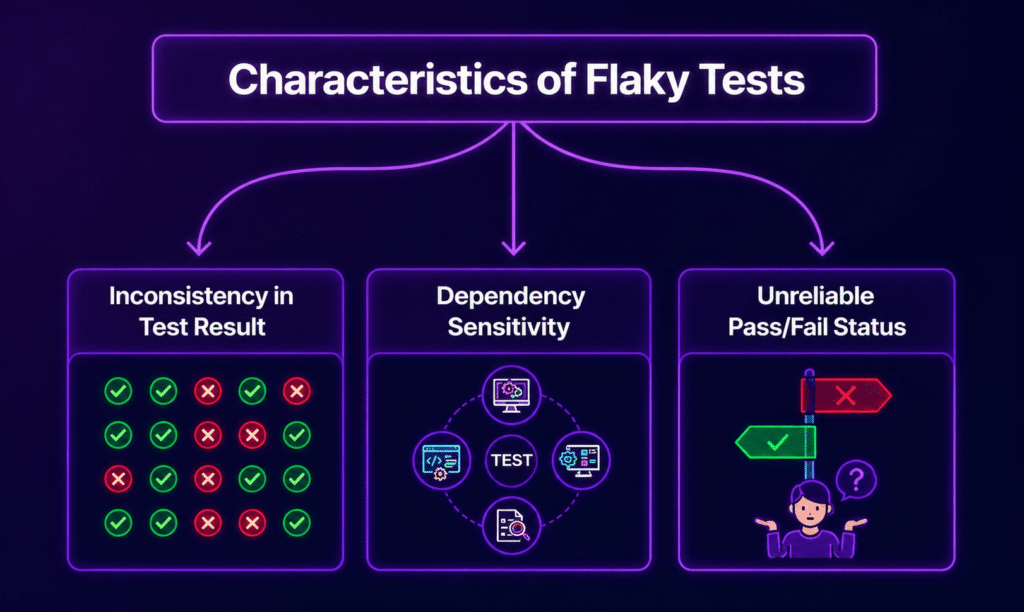
However, one persistent challenge that continues to slow down progress is the occurrence of flaky tests that sometimes pass and sometimes fail, despite no code changes.
This inconsistency in results undermines trust in automation pipelines and hampers the overall speed of delivery.
What Are Flaky Tests in Mobile Automation?
Flaky tests are automated test cases that produce inconsistent results under the same conditions. In mobile testing, these failures might manifest in several ways:
- A test passes locally but fails in the continuous integration (CI) environment.
- A login flow works on one device but fails on another.
- A UI element appears late, causing random failures.
- Network-dependent steps behave erratically.
Flakiness indicates underlying instability in the test design, environment, or app behavior.
Why Mobile App Automation Tests Become Flaky
Mobile ecosystems are inherently more variable than web or backend systems. Here are the key causes of flaky tests:
1. Device Fragmentation
Differences in screen sizes, OS versions, and hardware capabilities can impact how UI elements are rendered and interact with the app.
2. Timing and Synchronization Issues
Mobile apps rely on factors like animations, API responses, and background threads. If automation steps run before the UI is fully ready, tests may fail inconsistently.
3. Unstable Element Locators
Using weak selectors, such as dynamic IDs or XPath expressions tied to the layout, can lead to frequent test failures, especially when minor UI changes occur.
4. Network Variability
Mobile apps depend on network calls, and test flakiness can appear when:
- API responses are slow.
- The network switches between Wi-Fi and mobile data.
- Backend latency fluctuates.
5. Test Data Conflicts
Using shared or reused test data can result in issues such as:
- Duplicate user errors.
- Unexpected state changes.
- Inconsistent environment setups.
6. Parallel Execution Conflicts
Running tests in parallel can lead to:
- Shared session interference.
- Overwritten test data.
- Race conditions.
7. Inconsistent Test Environments
Differences in environments between local machines, CI pipelines, and device clouds can cause test results to vary.
8. Third-Party Service Dependencies
Services like login providers, payment gateways, or analytics tools may experience:
- Request throttling.
- Slow responses.
- Intermittent failures.
9. App Animation and Rendering Delays
Mobile UI transitions can introduce:
- Delayed element visibility.
- Partial rendering states.
- Gesture timing issues.
Mobile-Specific Challenges That Increase Flakiness
Unlike web automation, Mobile App Automation Tests face unique challenges, such as:
- App switching between background and foreground.
- Device interruptions like incoming calls or notifications.
- Battery-saving restrictions.
- OS-level permission dialogs.
- Gesture-based interactions (e.g., swipes, pinches, scrolling).
These behaviors are difficult to fully control in automated tests.
How to Fix Flaky Mobile Automation Tests
1. Replace Static Waits with Smart Synchronization
Avoid using fixed delays like sleep(). Instead, opt for:
- Explicit waits.
- UI readiness checks.
- Element visibility conditions.
2. Strengthen Locator Strategy
Focus on:
- Accessibility IDs.
- Resource IDs.
- Stable automation identifiers.
Steer clear of fragile XPath expressions that depend on layout structure.
3. Isolate Test Data
Increase test stability by:
- Generate fresh data for each test run.
- Cleaning up after execution.
- Avoiding shared accounts.
4. Control External Dependencies
Reduce the unpredictability of external services by:
- Mocking APIs.
- Using service virtualization.
- Isolating third-party calls in test environments.
5. Run Tests on Real Devices
Emulators often fail to replicate real-world behavior accurately. Platforms like Kobiton allow teams to run tests on actual devices, ensuring consistency across OS versions and hardware types.
6. Stabilize Network Conditions
Introduce tools like:
- Network throttling.
- Offline simulation.
- Latency simulation.
These measures help simulate real-world mobile usage patterns.
7. Improve CI Pipeline Stability
Key improvements to CI pipelines include:
- Dedicated test environments.
- Resource locking during parallel runs.
- Retry logic for known unstable endpoints.
8. Reduce Over-Reliance on Retries
Retries can mask real issues. Use them only for:
- Known intermittent network calls.
- Infrastructure delays.
Avoid using retries as a default fix for instability.
9. Add Rich Debugging Signals
Enable debugging signals to capture:
- Screenshots of test failures.
- Device logs.
- Video recordings.
- Network logs.
These signals help reduce the time spent identifying root causes.
10. Standardize Test Architecture
Adopt common patterns like:
- Page Object Model (POM).
- Screen Object Model (SOM) for mobile.
- Reusable helper layers.
This reduces duplication and enhances maintainability.
Best Practices for Stable Mobile App Automation Tests
- Keep tests independent.
- Avoid shared global states.
- Use deterministic test data.
- Run tests on real device grids.
- Maintain consistent CI environments.
- Review flaky tests weekly.
- Tag and isolate unstable tests instead of ignoring them.
Debugging Strategy for Flaky Tests
To troubleshoot flaky tests, follow this structured approach:
- Reproduce failure on the same device and OS.
- Check logs and screenshots.
- Compare timing issues.
- Validate locator stability.
- Inspect network and API responses.
- Run the test in isolation.
- Confirm environment parity.
Metrics to Track Flakiness
Track the following metrics to monitor and control test stability over time:
- Flaky test rate (%).
- Retry frequency.
- Test failure distribution.
- Device-specific failure patterns.
- CI vs. local mismatch rate.
Quick Checklist for Stable Mobile Automation
- No hard sleeps in test flows.
- Stable locator strategy in place.
- Independent test data setup.
- Real device execution enabled.
- Logs and screenshots captured.
- CI environment matches the test baseline.
- External services mocked where possible.
Conclusion
Flaky behavior in Mobile App Automation Tests rarely stems from a single issue. It usually results from a combination of timing gaps, device diversity, unstable data, and environment inconsistency.
By adopting a structured approach that combines strong test design, real device execution, and stable infrastructure, teams can significantly reduce randomness and improve confidence in automation results over time.
Rule Out the Device as the Reason Your Tests Fail Randomly
- ✓Run on real devices instead of emulators that miss real-world behavior
- ✓Reproduce failures on the exact device and OS version that broke
- ✓Capture screenshots, video, and device logs to shorten root-cause hunts
- ✓Keep a consistent environment between local runs and CI