
Modern software teams are under constant pressure to release updates quickly while keeping product quality stable. Traditional testing methods often rely on scripting, which can slow things down and introduce avoidable mistakes.
No Code Validations offer a more efficient approach. Instead of writing code, QA teams define validation rules through visual interfaces. This makes the process faster, easier to manage, and more accessible to a wider team.
This approach is now widely used in mobile testing, web testing, and CI/CD pipelines because it reduces manual effort and improves consistency across test cycles.
What Are No-Code Validations?
No Code Validations are rule-based checks created using visual builders, drag and drop tools, or configuration panels rather than programming languages.
They are typically used to validate:
- UI elements such as buttons, text fields, and layouts
- Form inputs like email formats, password strength, and number ranges
- Business logic, such as conditional flows and state changes
- Data consistency across screens or connected systems
Instead of writing assertions in code, QA engineers define conditions such as:
- The field must not be empty
- The button becomes active only when all inputs are valid
- An error message appears when the format is incorrect
This approach simplifies validation while making test logic easier to understand and maintain.
Why No Code Validations Improve Test Accuracy
No Code Validations removes much of the variability that comes with manual scripting. When rules are defined visually, teams follow a more consistent structure, which leads to more reliable test results.
Here is how accuracy improves:
- Validation rules are standardized across the team
- Syntax-related errors are eliminated
- Test logic can be reused across multiple projects
- Validation steps are clearly visible and easy to review
- Updates can be made quickly when the UI changes
Because everyone works from the same visual framework, there is less room for misinterpretation between expected and actual outcomes.
How No-Code Validations Reduce Errors in Testing
No Code Validations help reduce both design-level and execution level errors in testing.
1. Reduced Script Misconfiguration
Traditional automation scripts can fail due to small syntax or logic mistakes. No code setups remove this risk by replacing code with structured rules.
2. Better Handling of UI Changes
When UI elements change, visual validation tools allow teams to update rules quickly without rewriting entire scripts. This keeps tests stable even as the interface evolves.
3. Consistent Test Coverage
Reusable validation templates make it easier to apply the same checks across multiple test cases. This improves coverage without increasing effort.
4. Fewer Human Oversights
Predefined validation blocks act as checkpoints, reducing the chances of missing critical validations during test creation.
5. Improved Collaboration
Non-technical team members can contribute to validation logic. This brings more perspectives into testing and helps catch issues earlier.
Role of No Code Validations in Mobile Testing
Mobile applications require frequent updates and must work across a wide range of devices and screen sizes. This makes testing more complex compared to web environments.
No Code Validations simplify this process, especially when combined with platforms like Kobiton.
With Kobiton, QA teams can:
- Validate UI behavior across real devices
- Check responsiveness on different screen sizes
- Verify form interactions without writing scripts
- Run repeatable test cases in a device cloud environment
- Maintain consistency between Android and iOS testing flows
This reduces reliance on device specific scripting and helps teams move faster without compromising accuracy.
Integration with CI/CD Pipelines
No Code Validations fit naturally into CI/CD workflows by acting as automated checkpoints during the development lifecycle.
Common integration points include:
- Pre deployment validation gates
- Post build UI regression checks
- Smoke testing after deployment
- Continuous feedback loops for developers
When implemented correctly, these validations provide early visibility into issues, allowing teams to fix problems before they reach production.
Types of No Code Validations
1. UI Validations
Check layout consistency, visibility, and element alignment to confirm the interface behaves as expected.
2. Form Validations
Verify input rules such as format, length, and required fields to prevent invalid data entry.
3. Data Validations
Compare expected and actual data across screens or APIs to maintain accuracy and consistency.
4. Workflow Validations
Validate complete user journeys such as login to dashboard to checkout, making sure each step works as intended.
Best Practices for No Code Validations
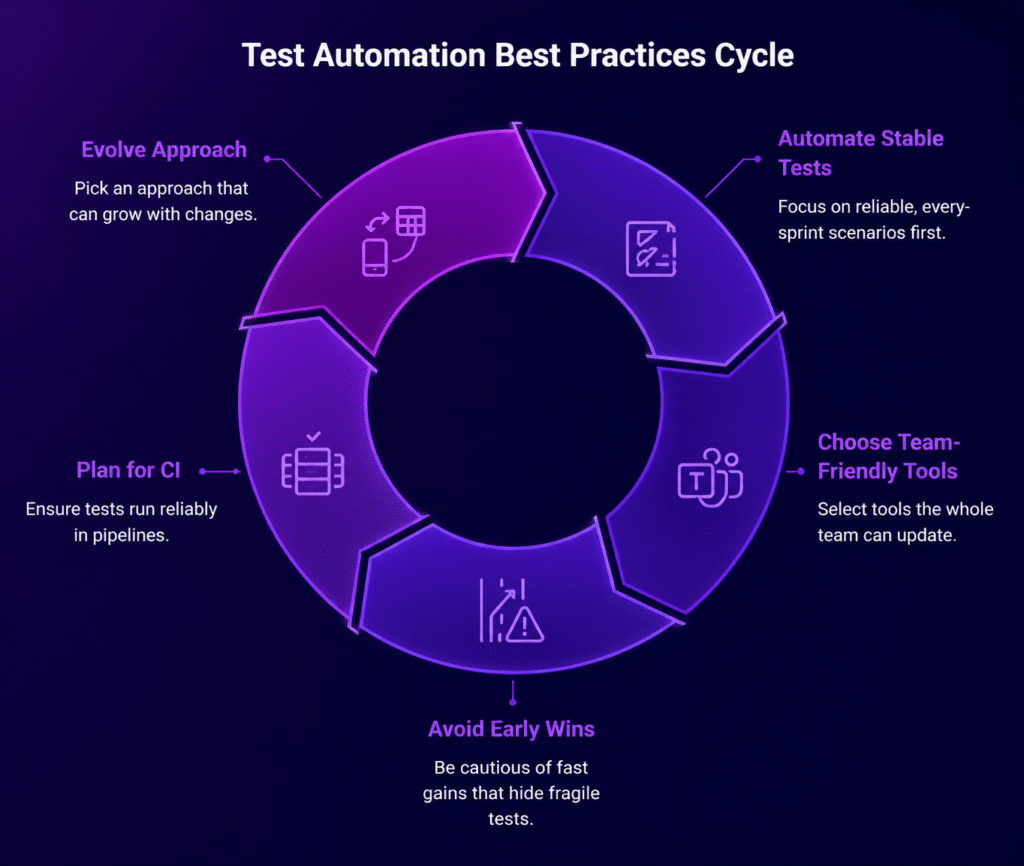
- Keep validation rules modular and reusable
- Use clear and consistent naming for test cases
- Group validations based on user journeys rather than isolated actions
- Review validation coverage regularly to identify gaps
- Align validation rules with product requirements
- Maintain version control for validation logic updates
Following these practices helps teams scale their testing process without losing clarity or control.
Common Challenges and How to Address Them
Challenge: Overlapping validation rules
Solution: Organize rules into clear categories such as UI, logic, and data to avoid duplication.
Challenge: Limited flexibility for complex logic
Solution: Combine no code validations with lightweight scripting only where needed.
Challenge: Tool dependency
Solution: Choose platforms that offer strong integration and export capabilities so workflows remain flexible.
Metrics to Track Validation Effectiveness
To understand how well No Code Validations are performing, teams should track:
- Defect leakage rate
- Test execution time
- Number of rework cycles
- UI related production issues
- Automation coverage percentage
These metrics provide clear insight into how validation rules are supporting product quality and release stability.
Implementation Steps for QA Teams
- Identify repetitive manual test cases
- Convert them into rule based validation flows
- Group validations by user journeys
- Integrate with test management tools
- Run tests across multiple devices and environments
- Review failed validations and refine rules
- Build and maintain a reusable validation library
This structured approach helps teams transition smoothly from manual or script heavy testing to a more scalable system.
Conclusion
No Code Validations shift QA workflows from script dependent processes to structured, rule based systems. This leads to more consistent testing, fewer errors, and faster release cycles, especially in mobile focused environments.
Platforms like Kobiton support this approach by combining real device testing with simplified validation logic. With Kobiton, teams can maintain stable application quality across releases while keeping testing efficient and easy to manage.