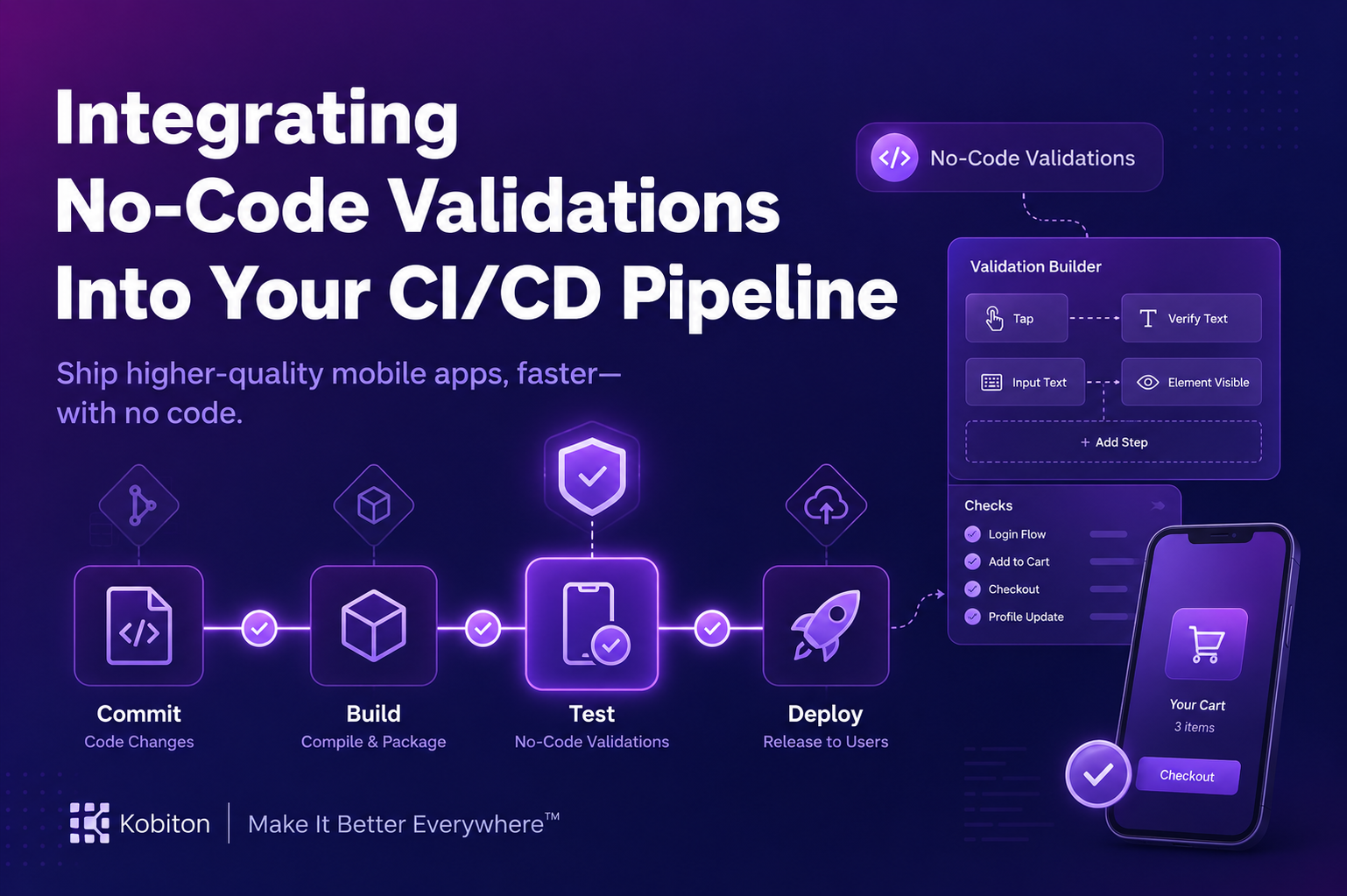
In modern software development, speed and reliability go hand in hand. Teams are expected to ship updates quickly while still maintaining stable, high-quality applications. This is why Continuous Integration and Continuous Deployment, often referred to as CI/CD pipelines, play such a central role in today’s workflows.
The challenge, however, is maintaining code quality without slowing everything down. Traditional testing approaches often require time, scripting knowledge, and ongoing maintenance. This is where No-Code Validations make a real difference. When integrated into your CI/CD pipeline, they allow teams to catch issues early and maintain quality standards without relying on heavy scripting.
What Are No-Code Validations?
No-Code Validations are automated checks that verify code, applications, or configurations without requiring teams to write custom validation scripts. Instead of building tests from scratch, teams use visual interfaces or pre-configured rules to define what should be checked.
These validations can cover areas such as UI behavior, API responses, performance signals, and configuration accuracy. Because they are easier to set up and understand, they open the door for developers, QA engineers, and even non-technical stakeholders to contribute to quality checks.
Platforms like Kobiton support this approach by allowing teams to validate real device behavior without writing complex test code, which makes testing more accessible and closer to real-world usage.
Key Benefits of No-Code Validations
Faster Feedback Loops
No-Code Validations run automatically within your CI/CD process, which means issues are flagged as soon as they appear. Developers can address problems while the context is still fresh, rather than dealing with them later in production.
Reduced Manual Effort
Repetitive checks no longer need to be performed by hand. Teams can focus their time on solving meaningful problems instead of repeating the same validation steps.
Improved Collaboration
Since these validations do not require deep scripting knowledge, more team members can participate. Developers, QA, and operations teams can all contribute to maintaining quality without barriers.
Consistent Quality Standards
Pre-defined validation rules apply the same checks across every build and environment. This reduces inconsistencies and helps maintain a stable baseline for performance and functionality.
How No-Code Validations Fit Into CI/CD Pipelines
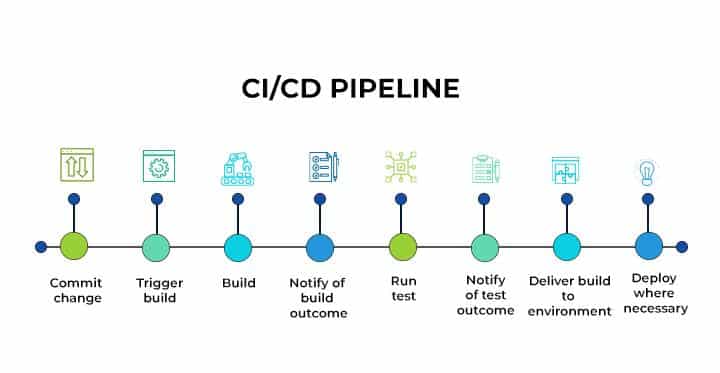
To make No-Code Validations effective, they need to be placed strategically across your CI/CD pipeline. Each stage plays a specific role in catching different types of issues.
Code Commit Stage
As soon as code is committed, validations can check for syntax errors, dependency conflicts, or violations of coding standards. This prevents problematic code from moving further down the pipeline.
Build Stage
During the build process, validations can identify integration issues, missing configurations, or incompatible dependencies that may not be visible earlier.
Testing Stage
At this stage, teams can run functional and regression validations without writing additional scripts. For example, UI flows or API responses can be verified using predefined conditions. Tools like Kobiton can be particularly useful here, as they allow teams to validate real device interactions as part of automated workflows.
Deployment Stage
Before release, validations confirm that the build meets all required conditions. Only builds that pass all checks move to production, reducing the risk of failures after deployment.
By placing validations across each stage, teams reduce the chances of late-stage surprises and avoid costly rollbacks.
Best Practices for Implementing No-Code Validations
Choose the Right Tool
Select tools that integrate smoothly with your existing CI/CD setup and support your application stack. Compatibility is key to avoiding friction during implementation.
Define Clear Validation Rules
Be specific about what needs to be checked. Separate critical validations from optional ones so that the pipeline focuses on what truly matters.
Monitor and Update Regularly
As your application evolves, your validation rules should evolve as well. Regular updates keep your checks relevant and effective.
Train Your Team
Even though these tools are easier to use, teams still need guidance. A short onboarding process can help everyone understand how to create and use validations effectively.
Common Challenges and Practical Solutions
Even though No-Code Validations simplify many aspects of testing, teams may encounter a few hurdles.
One common issue is limited flexibility in certain tools. To address this, it helps to combine no-code validations with traditional automated tests for scenarios that require deeper customization.
Another challenge is the initial setup. Starting with a small pilot project allows teams to test workflows, identify gaps, and refine their approach before expanding across all pipelines.
Integration conflicts can also arise, especially in complex environments. Choosing tools with strong documentation and active support communities makes these issues easier to resolve.
Conclusion
Adding No-Code Validations to your CI/CD pipeline is a practical way to maintain code quality while keeping development fast and efficient. By identifying issues early, reducing manual work, and making quality checks accessible to more team members, organizations can build more reliable software without slowing delivery.
Whether you are setting up a new CI/CD workflow or refining an existing one, No-Code Validations provide a straightforward path to better testing practices and more predictable releases.
FAQs
What are No-Code Validations in CI/CD pipelines?
No-Code Validations are automated checks that verify applications, code, APIs, UI behavior, or configurations without requiring teams to write custom scripts.
Why are No-Code Validations important in CI/CD workflows?
They help teams detect issues early, reduce manual testing effort, improve collaboration, and maintain consistent quality standards throughout the development pipeline.
At which stages can No-Code Validations be used in a CI/CD pipeline?
They can be applied during code commits, build processes, testing stages, and deployment validation to catch issues before production releases.
What are the benefits of No-Code Validations?
The main benefits include faster feedback loops, reduced repetitive work, easier collaboration between teams, and more reliable release quality.
Can No-Code Validations replace traditional automated testing completely?
No. They work best when combined with traditional automated testing for scenarios that require deeper customization or advanced logic.