Mobile development today heavily relies on Mobile CI/CD pipelines to automate the processes of build, testing, and release. However, when these pipelines fail, releases slow down, testing becomes unreliable, and teams lose confidence in automation.
Unlike backend systems, mobile pipelines also deal with device fragmentation, UI instability, emulator problems, and flaky test behavior. These unique challenges make failure patterns more complex.
Below is a structured guide to some of the most common Mobile CI/CD pipeline failures and practical steps to address them.
1. Flaky Mobile UI Tests Breaking the Pipeline
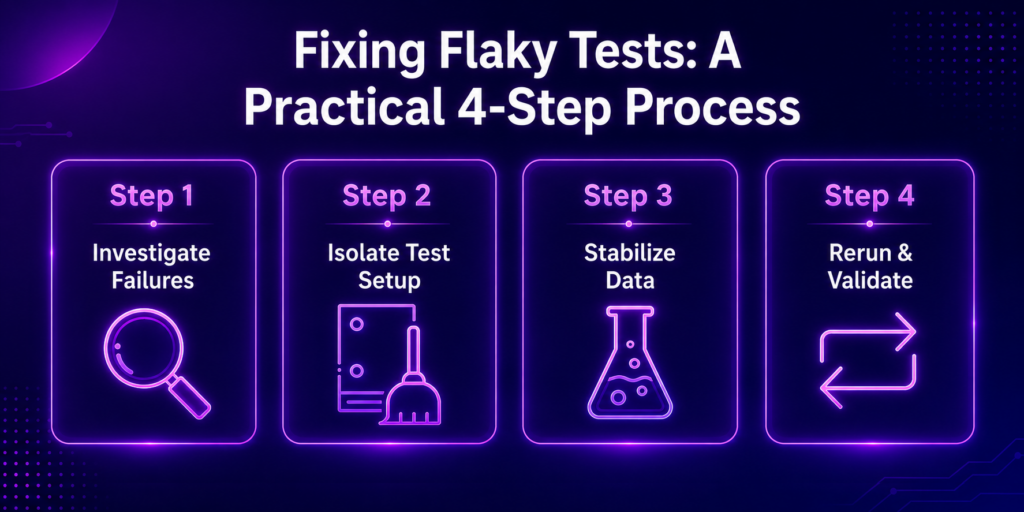
Flaky tests are one of the leading causes of instability in mobile CI pipelines. A test might pass locally but fail in CI due to timing issues, animations, or device-specific behavior.
Mobile UI flakiness can stem from:
- UI elements not being fully loaded before interaction
- Network delays affecting API-driven screens
- Performance differences between devices in cloud environments
- Poor synchronization in test scripts
How to Fix It
- Add explicit waits rather than using fixed delays
- Use stable selectors, such as accessibility IDs instead of XPath
- Mock APIs to reduce dependency on real network calls
- Run tests on consistent real devices rather than varying emulators
- Implement retry logic for known flaky scenarios
2. Environment Mismatch Between Local and CI Devices
A common failure occurs when code works on local machines but fails in CI pipelines due to environmental differences.
Typical causes include:
- Different OS versions or device APIs
- Missing SDKs or dependencies
- Inconsistent build configurations
- Emulator versus real device differences
How to Fix It
- Standardize environments using containerized builds (e.g., Docker-based CI agents)
- Use Infrastructure as Code for consistent setups
- Run tests on real device clouds like Kobiton instead of emulators
- Lock dependency versions (e.g., Gradle, CocoaPods, npm)
3. Long Build and Test Execution Times
Slow pipelines delay feedback and hinder developer productivity. Mobile builds often become slower due to large test suites and hefty app bundles.
Reasons for this include:
- Sequential execution of tests
- Large APK/IPA builds without caching
- Excessive regression tests on every commit
How to Fix It
- Enable build caching for Gradle, Xcode, and npm
- Split pipelines into parallel stages (unit tests, UI tests, integration tests)
- Run only the impacted tests per commit
- Use parallel devices for UI test execution
4. Emulator Instability and Device Setup Failures
Emulators often cause mobile CI pipelines to break, especially when device configurations are incorrect.
Common problems include:
- Emulator boot failures or crashes
- Missing system images
- Device freezing during test execution
- Inconsistent screen rendering behavior
How to Fix It
- Prefer real device testing for critical flows
- Pre-warm emulators before running tests
- Maintain fixed device profiles in CI configurations
- Monitor device health and restart failed sessions automatically
5. Dependency and SDK Version Conflicts
Mobile projects depend on multiple SDKs and libraries that evolve frequently. Small version mismatches can break the pipeline.
Common issues include:
- Mismatched Gradle or Xcode versions
- Third-party SDK updates causing build failures
- Incompatible library dependencies
How to Fix It
- Lock dependency versions using lockfiles
- Use consistent build tool versions across environments
- Regularly audit dependencies for compatibility
- Test upgrades in isolated branches before merging them into the main branch
6. Poor Error Visibility and Debugging Gaps
When pipelines fail, teams often struggle to identify the root cause due to unclear logs.
Common symptoms include:
- Generic error messages
- Missing test artifacts, such as screenshots and videos
- No centralized logging
How to Fix It
- Centralize logs using observability tools
- Attach screenshots, videos, and device logs to test runs
- Implement structured logging for each CI stage
- Set up real-time alerts for failures (via Slack, email, or dashboards)
7. Resource Limits in CI Environments
Mobile CI pipelines are resource-intensive. When there isn’t enough CPU, memory, or storage, builds may fail unexpectedly.
Typical issues include:
- Out-of-memory crashes during builds
- Test timeouts due to CPU throttling
- Queue delays in shared CI runners
How to Fix It
- Allocate higher resource limits for CI agents
- Use autoscaling runners for peak loads
- Automatically clean up build artifacts
- Run heavy UI tests in dedicated environments
8. Overloaded or Poorly Designed Pipelines
Excess steps in a pipeline can slow things down and make it fragile.
Common problems include:
- Redundant test stages
- Duplicate build jobs
- Over-sequenced workflows
How to Fix It
- Simplify pipeline structure (build → test → deploy)
- Remove redundant or low-value stages
- Visualize pipeline flow to detect bottlenecks
- Regularly refactor CI workflows to optimize performance
Mobile CI/CD Pipeline Failure Summary Table
| Failure Type | Main Cause | Fix Strategy |
| Flaky UI tests | Timing & UI instability | Use stable locators + real devices |
| Environment mismatch | Configuration differences | Standardize CI environments |
| Slow pipelines | Sequential execution | Parallel testing + caching |
| Emulator issues | Unstable setup | Use real device clouds |
| Dependency conflicts | Version drift | Lock dependencies |
| Poor debugging | Weak logging | Centralized logs + artifacts |
| Resource limits | Under-provisioned CI | Autoscaling + monitoring |
| Overcomplex pipelines | Excess stages | Simplified workflow design |
Final Thoughts
Mobile CI/CD pipeline failures are rarely caused by a single issue. Rather, they arise from a combination of unstable test design, inconsistent environments, and resource constraints.
Teams that stabilize their pipelines often focus on:
- Real device-based testing
- Strong environment consistency
- Fast, parallel execution
- Clear observability and debugging data
When these areas are aligned, Mobile CI/CD pipelines become more predictable, stable, and easier to maintain. Integrating platforms like Kobiton into your CI/CD pipeline can also help improve test accuracy and scalability, enabling smoother workflows and faster releases.