Modern mobile and web applications change constantly. UI updates roll out across different devices, screen sizes, and operating systems, and even a small tweak can break layouts, shift elements, or affect usability in subtle ways.
This is where AI Augmented Testing changes the way teams handle visual regression and UI validation. It brings intelligence, context awareness, and adaptability into what used to be rigid, rule-based automation.
What is AI Augmented Testing?
AI Augmented Testing blends automation with machine learning and computer vision to improve how tests are created, executed, and maintained.
Instead of relying only on scripts and fixed assertions, AI introduces:
- Context-aware validation that understands how elements relate to each other
- Self-healing behavior that adjusts when the UI changes
- Visual recognition of UI components rather than just code-based selectors
- Continuous learning based on previous test outcomes
This approach supports both manual and automated testing, especially for applications where UI plays a major role in the user experience.
Why Visual Regression and UI Validation Matter
Functional testing confirms whether something works, but it does not guarantee that it looks right.
A button may still function, but if it is hidden, misaligned, or difficult to read, the experience is already broken for the user.
Visual regression testing focuses on:
- Layout consistency across screens
- Typography and color accuracy
- Visibility and positioning of elements
- Responsive behavior on different devices
At its core, it answers a simple but important question:
Does the application still look correct after recent changes?
Limitations of Traditional Visual Testing
Before AI, most visual testing relied on pixel-by-pixel comparison. While this approach works in controlled environments, it struggles in real-world scenarios.
Common issues include:
- High false positives caused by minor rendering differences
- Sensitivity to browser, device, and OS variations
- Too much manual effort is required to review results
- Difficulty handling dynamic or frequently changing content
Even a slight font rendering difference or a one-pixel shift can trigger a failure, which reduces trust in the results and slows down teams.
How AI Augmented Testing Improves Visual Regression
AI moves visual testing away from simple pixel comparison and toward actual visual understanding.
1. Computer Vision-Based Validation
AI analyzes the UI in a way that is closer to human perception. It can:
- Identify elements such as buttons, forms, and images
- Understand how layouts are structured
- Detect changes that actually affect usability
Instead of flagging every minor difference, it focuses on meaningful issues.
2. Intelligent Change Detection
AI can tell the difference between:
✔ Real issues like layout breaks or incorrect colors
✖ Minor rendering differences that do not impact usability
This significantly reduces false positives, often by 40 to 80 percent, which allows teams to focus on real problems instead of noise.
3. Baseline Learning and Adaptation
AI systems do more than store screenshots. They learn from them.
- Baseline UI states are recorded
- Accepted and rejected changes are used as feedback
- Future test sensitivity adjusts based on this learning
Over time, the system becomes more aligned with how the product is expected to behave.
4. Cross-Device and Cross-Browser Validation
Modern applications must perform consistently across a wide range of environments. AI-powered platforms help by:
- Validating UI across multiple devices and OS versions
- Identifying inconsistencies in responsive layouts
- Scaling test coverage without increasing manual effort
This is especially relevant when using platforms like Kobiton, where real-device testing plays a central role in accurate validation.
AI Augmented UI Validation Beyond Visuals
Visual regression is only one part of the picture. AI also improves how functional UI testing behaves.
Self-Healing Test Automation
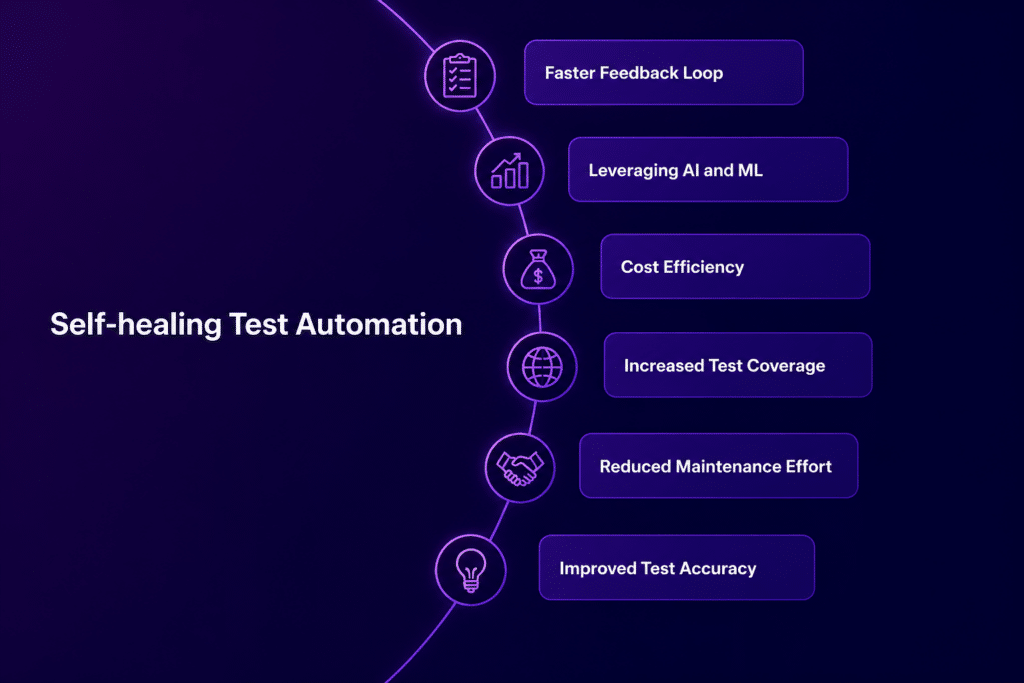
Traditional UI tests often fail when element selectors change.
AI reduces this problem by:
- Identifying elements using multiple attributes
- Updating locators automatically when changes occur
- Keeping tests stable even as the UI evolves
In many cases, this can recover up to 80 to 90 percent of broken tests without manual updates.
Intent-Based Testing
Instead of relying on rigid steps like:
Click #submit-button
AI focuses on user intent, such as:
Complete the checkout process
This allows tests to adapt naturally when UI structures change.
Visual Assertions
AI also makes it possible to validate UI the way humans do, for example:
- Verify that a product image is visible
- Check that the layout alignment is correct
These checks are based on visual meaning rather than underlying code.
Key Use Cases for AI-Augmented Testing in UI
1. Design System Updates
AI can group related visual changes across components, which reduces the effort required to validate large updates.
2. Responsive UI Testing
It automatically checks layouts across mobile devices, tablets, and desktops to confirm consistent behavior.
3. Frequent UI Iterations
It helps catch cascading issues that come from small CSS or interface changes before they reach production.
4. Third-Party UI Integrations
AI handles updates in embedded components without breaking existing tests.
Benefits of AI Augmented Testing for Visual QA
Faster Feedback Cycles
Test results are easier to review, which helps teams release updates more quickly.
Reduced False Positives
Less time is spent investigating issues that do not affect users.
Improved Test Coverage
More UI scenarios can be tested across different environments without increasing workload.
Better User Experience
Visual issues are identified earlier, before they reach production.
Lower Maintenance Effort
Self-healing and adaptive learning reduce the need for constant test updates.
These improvements directly support product quality and confidence in each release.
Best Practices for Implementing AI-Augmented Testing
1. Start with Critical User Flows
Focus on high-impact journeys such as login, checkout, and core features.
2. Establish Reliable Baselines
Capture stable UI states before expanding test coverage.
3. Integrate with CI/CD Pipelines
Run visual and UI validation tests with every build to catch issues early.
4. Combine Visual and Functional Testing
Use both approaches together:
Visual testing checks appearance, while functional testing confirms behavior.
5. Continuously Train the AI Model
Review and label results regularly so the system improves over time.
How Kobiton Supports AI-Augmented Testing
Kobiton plays a key role in applying AI Augmented Testing to real-world mobile environments.
It supports:
- Real-device testing at scale
- Consistent mobile UI validation across different conditions
- Integration with automation frameworks
- Faster feedback during mobile release cycles
By combining AI-driven validation with real devices, Kobiton helps teams get results that reflect how applications behave for actual users.
Common Challenges and How to Handle Them
Dynamic Content
Use masking or ignore regions for elements like timestamps or rotating content.
Initial Setup Effort
Start with a small scope and expand gradually as confidence grows.
Over-Reliance on Automation
Human input still matters, especially for edge cases and user experience details.
The Future of AI Augmented Testing in UI Validation
AI is steadily moving toward:
- Automated test generation based on application behavior
- Combined visual and functional validation in a single workflow
- Continuous learning from real production data
- Closer alignment with design systems and development pipelines
The direction is clear. Testing is becoming more intent-driven, more visually aware, and better aligned with how users actually experience applications.