Oct 26, 2026
How to Test Mobile Performance Under Thermal Throttling on Real Devices
Wahaj Ansari
Read More
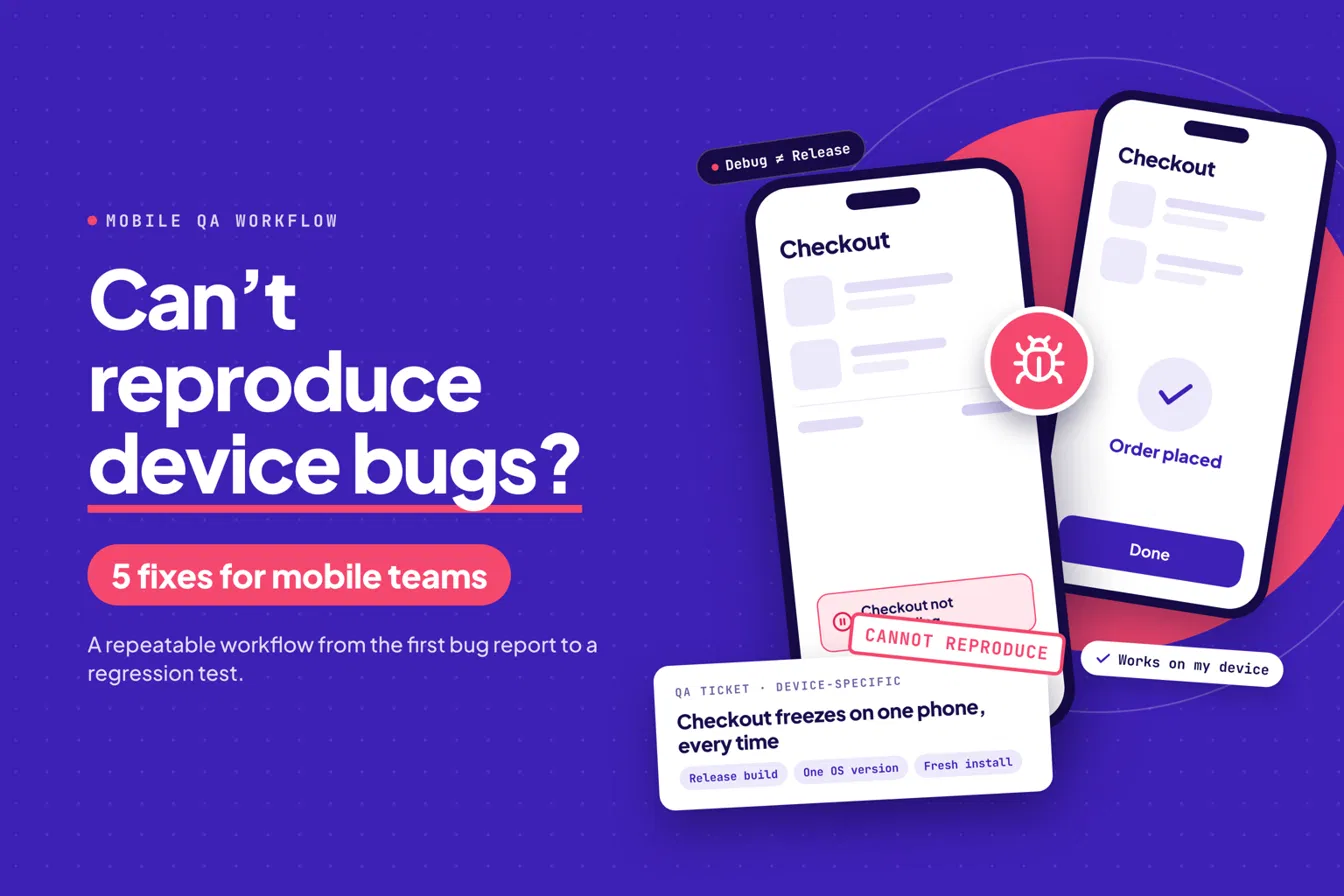
A tester files a bug: checkout freezes on one phone, one OS version, every time. A developer picks it up, runs the same flow on a different device, and nothing happens. The ticket goes back with “cannot reproduce.” Two days later, a customer hits the same freeze in production.
I’ve watched this loop play out on enough mobile teams to have a firm opinion. If you can’t reproduce a bug on the exact device, OS version, and build configuration where it appeared, you can’t fix it with confidence. You can only guess and hope.
This post is a workflow, not a vendor pitch. It ends with an evidence bundle you can attach to any ticket and a way to pick the devices worth testing.
Two gaps cause most of the disappearing acts.
The release build gap is the difference between what developers run and what users install: Debug versus Release configurations, fresh installs versus updates, permissions state, and network conditions.
The device gap is everything about the hardware and OS: model, OS version, memory pressure, battery mode, radios.
A bug usually lives in the overlap of the two. That’s why it disappears when someone changes either variable without realizing it.
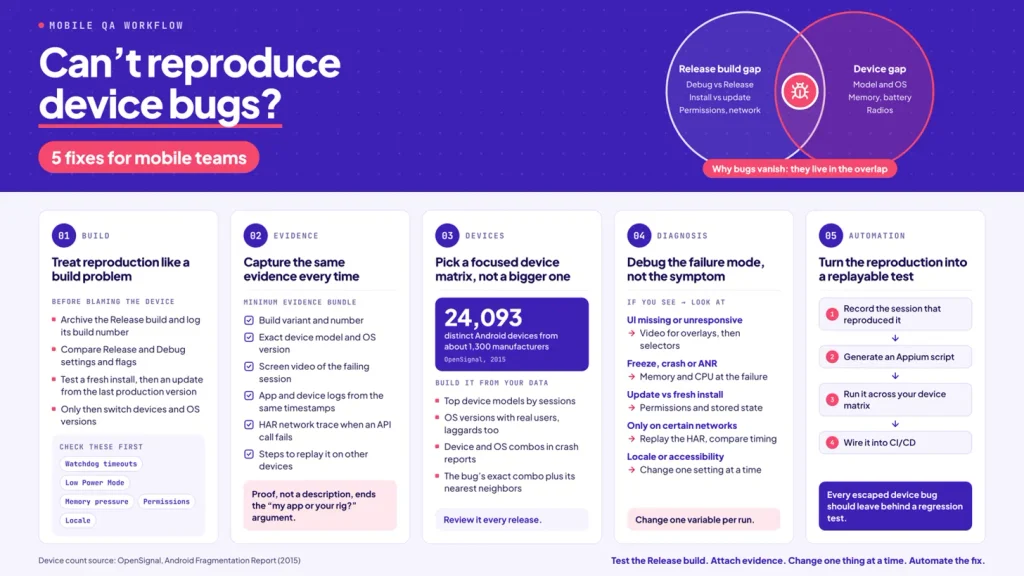
Before blaming a device, confirm you’re testing the build users get. Apple’s developer documentation on testing a release build recommends creating an Xcode archive and testing both a fresh install and an app update before distribution. It also notes that debugger configuration can change behavior, so disconnect the debugger when testing the release build.
A practical sequence:
Release-only bugs tend to cluster around the same places. Check these first:
The same discipline applies on Android: test the signed release variant, with minification and shrinking enabled, not the debug APK.
Most “cannot reproduce” tickets fail because the report contains a description instead of proof. Cloud device platforms converged on the same answer. Sauce Labs documents real-device debugging around session video and application, device, and Appium logs. Firebase Test Lab captures logs and results and can record video during test runs.
Make this your minimum evidence bundle:
This also ends the “is it my app, or your rig?” argument. When QA hands over video, logs, and device details together, developers can see whether the failure comes from the app, the environment, or the test setup. In Kobiton’s Session Explorer, sessions can be replayed so the team can pinpoint where a defect occurred, and one-click Jira filing attaches logs and device context to the ticket automatically.
The instinct when a device bug escapes is to add more devices. Resist it. Android fragmentation is real: OpenSignal’s 2015 fragmentation report counted 24,093 distinct Android devices from about 1,300 manufacturers in its data. The number has not shrunk since. You will never cover everything, so cover what matters.
Build the matrix from your own data:
Review it every release. The phone your app breaks on is usually the one nobody on the team owns, which is the argument for real device cloud testing over a shelf of hand-me-down handsets. Platforms like AWS Device Farm, Firebase Test Lab (which can list available Android models with
|
1 |
), and Kobiton all give you access to devices you don’t have to buy. Teams with strict security needs should also check deployment options, since Kobiton offers cloud, Hybrid, and Full On-Prem models.
Once you can reproduce, look at what the evidence says:
Change one variable per run. That’s slow for the first hour and fast for every hour after.
A bug you reproduced manually and then forgot is a bug you’ll fix twice. Convert the successful path into automation while the steps are fresh. Kobiton’s Appium Script Generation produces Appium scripts from recorded manual sessions, which you can run across your device matrix and wire into CI/CD (Jenkins is supported). Appium Self-Healing helps keep those scripts from breaking when locators change. For teams new to this, our guide to Android UI testing in CI/CD shows how real-device runs fit into a pipeline.
Whatever tool you use, the principle holds: every escaped device bug should leave behind a regression test.
I’m curious which artifact your team lacks most when reproduction fails: video, device logs, network traces, or the exact device? Whichever it is, fix that first. If you want to see how teams capture real-device evidence and replay it across devices, explore the Kobiton mobile device cloud.