Oct 12, 2026
Exploring Appium: Basics in Mobile App Testing
Kobiton Team
Read More
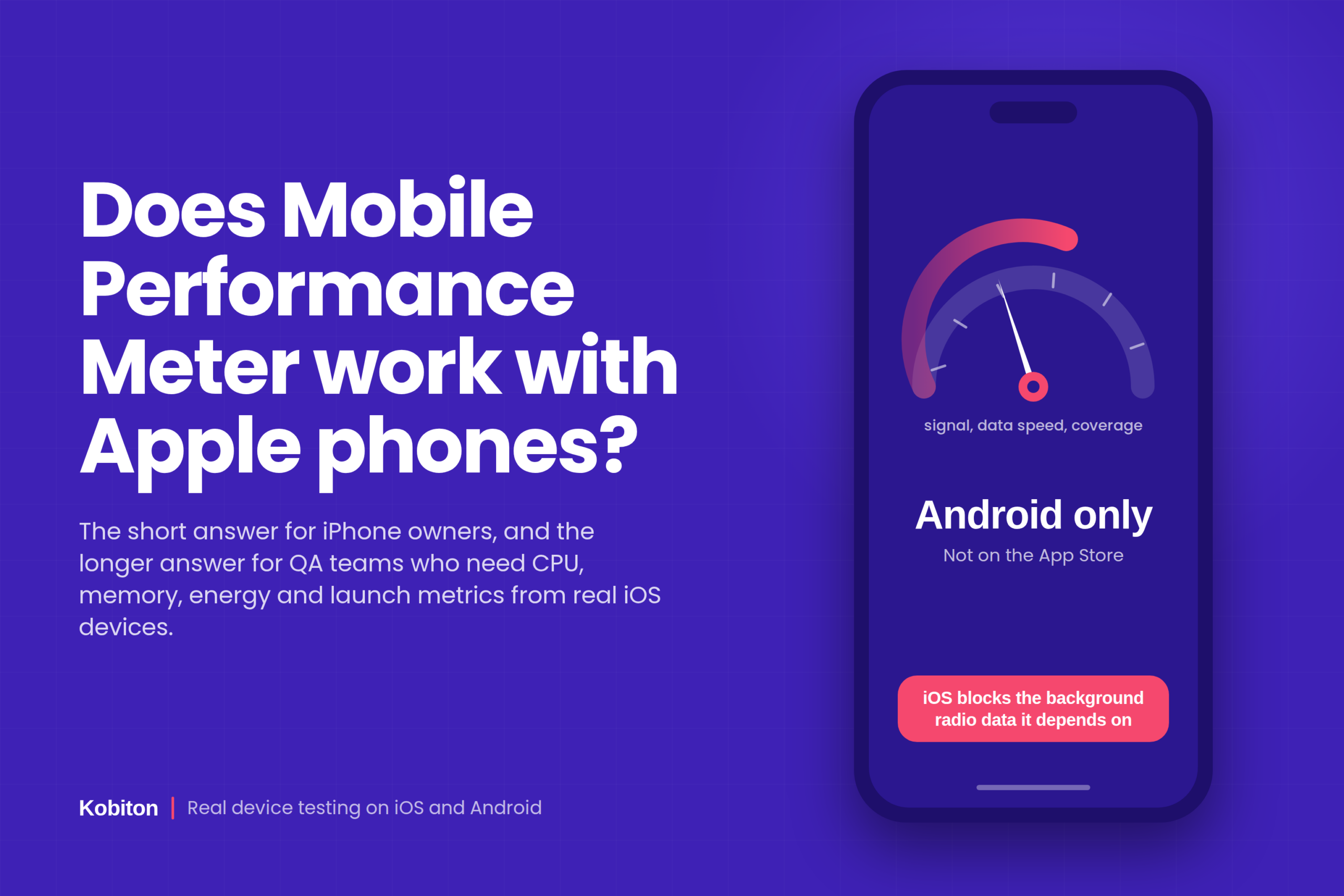
The app called Mobile Performance Meter, published by Embee Mobile and also known as Embee Meter CX, runs on Android only. It is not listed on the Apple App Store, it has never shipped an iPhone version, and there is no sideloading workaround that keeps it functional on iOS. If you own an iPhone and searched for this app, you will not find it, and any website or video claiming to offer an iOS download should be treated as suspicious.
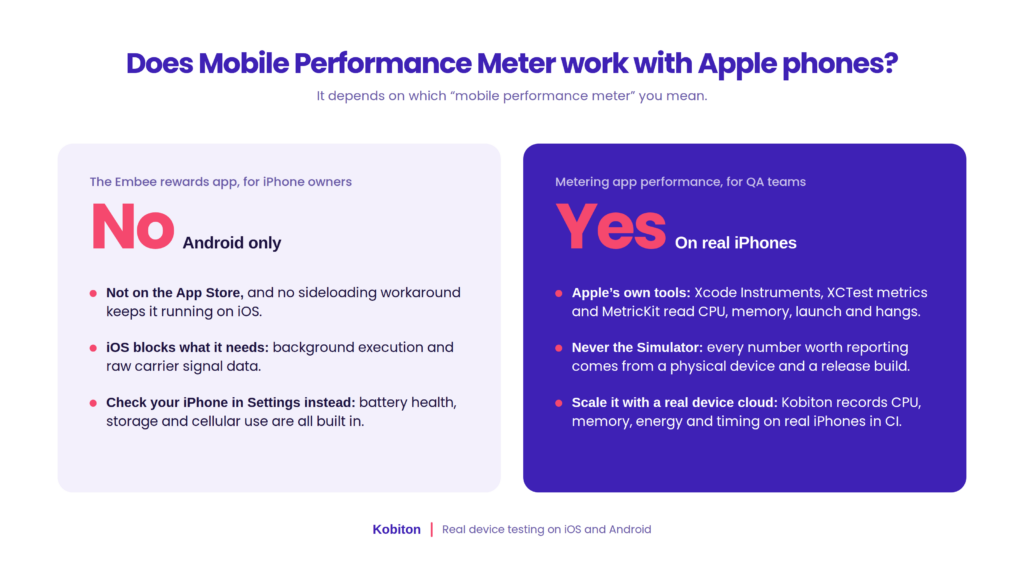
That said, the phrase “mobile performance meter” means two very different things depending on who is typing it:
Both groups land on the same search result, so this guide answers both. Skip to the section that matches your reason for asking.
Mobile Performance Meter is a passive income app from Embee Mobile. Once installed, it sits in the background, records how your phone’s cellular connection behaves (signal quality, data speeds, coverage gaps, carrier performance), and sends that information to mobile carriers and market research firms. In exchange, you earn Meter Points that convert to gift cards or PayPal cash, usually at a rate of a few cents per day.
A few facts about the app that matter for this question:
It is worth separating this app from other things that share the name. There is at least one unrelated Android benchmarking app on third party APK sites that calls itself Mobile Performance Meter and scores CPU, GPU, memory, and storage speed. It is also Android only. There are iOS apps with names like FPS Meter that monitor frame rate on an iPhone, but they are a different category of tool and do not pay you anything.
If you are here because you want the Embee app on your iPhone, the next section explains why it does not exist and is unlikely to in the future.
The reason is technical and policy driven at the same time. Mobile Performance Meter depends on reading low level network and device data continuously while you go about your day. Android permits that kind of access through permissions a user can grant. iOS does not.
Three specific barriers stand in the way on Apple devices:
1. Background execution is tightly limited. iOS suspends most apps shortly after they leave the foreground. An app can request background refresh or location updates, but it cannot run an open ended data collection loop the way Android services can. A meter that needs to log signal strength every few minutes around the clock has no supported way to do that on iPhone.
2. Carrier and radio data is not exposed to third party apps. Apple does not give developers an API for cell tower identity, raw signal strength, or detailed radio state. Private APIs that reach this data get apps rejected during App Store review. Without that data, the app has nothing to sell to carriers.
3. App Store review rules on data collection. Apple’s guidelines restrict apps whose main purpose is harvesting device or network information for resale, and the App Tracking Transparency framework adds another layer of consent that undercuts a passive collection model.
Put together, this means the business model behind Mobile Performance Meter cannot operate on iOS as the platform is designed today. Embee has not announced an iPhone version, and given these constraints, one should not be expected.
This same split shows up in professional tooling. Some cloud testing vendors can only report certain metrics on Android. BrowserStack’s documentation notes that its app profiling feature is Android only, and Sauce Labs lists its responsiveness metric as Android only in Device Vitals. Apple’s restrictions shape what every tool can see, consumer or enterprise. The difference is that professional tools have supported ways to read iOS performance data. Kobiton’s real device testing platform, for example, captures CPU, memory, energy, and response timing on physical iPhones, and the rest of this guide covers how that works.
If your goal was earning passive rewards, there is no direct iOS equivalent of Mobile Performance Meter, because the data it sells is not available on iPhone. Survey apps and receipt scanning apps exist on iOS, but they require active participation rather than running silently.
If your goal was checking how well your iPhone actually performs, you have better options than a rewards app ever offered. These are built into iOS or available on the App Store:
| Need | Where to look on iPhone | What it tells you |
| Battery health and drain | Settings, then Battery | Maximum capacity, peak performance capability, per app usage over 24 hours or 10 days |
| Storage pressure | Settings, General, iPhone Storage | Which apps and media eat space; low free space slows the whole device |
| Cellular data per app | Settings, Cellular | Data used by each app on the current billing cycle |
| Network speed | Speed test apps from the App Store | Download, upload, latency, and jitter on Wi-Fi or cellular |
| Frame rate and smoothness | FPS Meter style apps on the App Store | Live frame rate overlay, dropped frames, thermal warnings |
| Overall benchmark score | PassMark PerformanceTest Mobile, Geekbench | CPU, memory, and graphics scores compared against other devices |
| App level crashes and hangs | Settings, Privacy and Security, Analytics and Improvements | Raw crash logs for any app, useful when reporting a bug to a developer |
A few practical notes. Benchmark apps give you a number, not a diagnosis; a low score on an older iPhone is expected, not a fault. Frame rate overlays are most useful on ProMotion models (iPhone 13 Pro and later Pro models), where the display can run anywhere from 10Hz to 120Hz and the system adjusts constantly. And if the phone feels slow after an iOS update, give it a day or two: background indexing after a major update is normal and settles on its own.
For development and QA teams, a mobile performance meter is not a product name. It is shorthand for the instrumentation that records how an app behaves on a phone: how long it takes to launch, how much CPU and memory it consumes, how smoothly it scrolls, how much battery it burns, and what it does on a weak network. This kind of metering works on Apple phones, and Apple provides first party tooling for it.
The catch is that iOS performance measurement follows different rules than Android, and teams that port an Android first approach to iPhone tend to hit three problems:
The practical consequence is that a team cannot treat “does our performance meter work on iPhone” as a checkbox. The right question is which metrics you need, which tool can read each one on iOS, and whether that tool runs on real Apple hardware. The next three sections answer those in order.
The core metrics are the same on both platforms. What changes is how you read them and what counts as a problem.
| Metric | What to watch on iPhone | How it differs from Android |
| Cold launch time | Time from tap to first usable screen; Apple’s own guidance treats anything over about 400 ms to first frame as worth investigating | Android reports TotalTime through adb; iOS uses XCTApplicationLaunchMetric or Instruments’ App Launch template |
| Frame rate and hitches | Hitch time per second rather than raw FPS; on ProMotion screens the target moves between 10Hz and 120Hz | Android counts janky and frozen frames against a fixed 16 ms or 11 ms budget; iOS budgets shift with the display’s current refresh rate |
| Memory footprint | Peak and steady state memory against the jetsam limit for the device class; iOS kills apps that exceed it with no warning dialog | Android allows swapping and gives a low memory callback first; iOS termination is abrupt, so the ceiling matters more |
| CPU usage | Main thread time and energy impact, since high CPU drives thermal throttling quickly in a sealed aluminum body | Android exposes per process CPU through system tools; iOS reads it through Instruments or an in app MetricKit payload |
| Battery and energy | Energy impact rating and per subsystem draw (CPU, GPU, network, location, display) | Android cloud tools can read battery drain directly; many iOS tools cannot, and Apple’s energy diagnostics are the reliable source |
| Network behavior | Request count, payload size, retry behavior under packet loss, and how the app handles the Wi-Fi to cellular handoff | Both platforms can be throttled on real devices; iOS adds Network Link Conditioner for on device shaping |
| Hangs and crashes | Hang reports (main thread blocked over 250 ms) and crash logs from MetricKit or Xcode Organizer | Android calls these ANRs and surfaces them in Play Console; iOS uses hang diagnostics and the Organizer’s Hangs report |
Two iOS specific habits are worth building early. First, always record which iPhone model and iOS version a number came from, because Apple’s thermal and memory behavior changes between generations more than the raw specs suggest. Second, treat hitch rate as the smoothness metric rather than average FPS. A session that averages 118 FPS but freezes for 300 ms during a scroll feels broken to a user, and average FPS hides that completely.
No single tool reads every metric on iOS. A working setup usually combines Apple’s own profilers for deep investigation, an in app telemetry source for field data, and a real device cloud for repeatable measurement across many iPhone models in CI.
Instruments is Apple’s profiler and the most detailed view you will get of an iOS app. Time Profiler shows where CPU time goes, Allocations and Leaks track memory growth, the Animation Hitches template records dropped frames against the live refresh rate, and the Energy Log shows subsystem level battery draw. It requires a Mac, a physical iPhone connected over USB or Wi-Fi, and a development or ad hoc build. It is the right tool for finding the cause of a problem, and the wrong tool for checking 40 devices every night.
XCTest lets you wrap a user journey in a measure block with metrics such as XCTApplicationLaunchMetric, XCTCPUMetric, XCTMemoryMetric, and XCTClockMetric. Each run records a baseline, and later runs fail if they regress past a tolerance you set. This is how launch time and screen render time get gated in CI on Apple hardware, and it runs on any iPhone attached to a Mac build agent or on a device cloud that supports XCUITest.
MetricKit is a framework you add to the app itself. Once a day, iOS delivers a payload with launch times, hang rates, memory peaks, CPU and GPU time, cellular conditions, and crash and hang diagnostics from real users. It costs nothing in runtime overhead and is the closest thing iOS has to the carrier side data a consumer meter collects, except it describes your app rather than the network. Pair it with a crash reporting or RUM service to get the field view.
For hybrid apps and mobile web, Safari Web Inspector on a Mac attaches to the WebView or Safari tab on a connected iPhone and exposes timelines, Core Web Vitals, and JavaScript profiling. Network Link Conditioner, available in Settings under Developer once Xcode has been paired, shapes the phone’s own connection to 3G, LTE, high latency, or lossy profiles so you can reproduce a slow network complaint on real hardware.
A device cloud removes the “needs a Mac and a cable” constraint and lets you run the same journey on a dozen iPhone models in parallel. Capabilities vary widely by vendor on iOS. As noted earlier, some clouds report CPU, memory, and battery on Android only, so check the iOS column of any vendor’s metrics table before committing; Kobiton’s side by side comparison with Sauce Labs is a useful starting point for that check. Kobiton’s real device cloud, covered in the next section, captures device metrics on iPhones and iPads as well as Android, which is the reason many teams standardize on it for cross platform performance work.
JMeter, Gatling, and k6 do not run on the phone at all. They replay the HTTP traffic your app generates with thousands of virtual users to measure how the API behaves under load. They are platform neutral, but they say nothing about launch time, frame rate, or memory on an iPhone. Use them alongside device metering, never instead of it.
Kobiton has supported every iOS release since the platform launched in 2016, including beta versions ahead of public availability, and its performance metering runs on physical iPhones and iPads rather than simulators. During a manual or automated session on a real device, the platform records response timings, CPU usage, memory usage, battery and energy consumption, and network behavior, and attaches those metrics to the session log alongside screenshots and video. Details are on Kobiton’s real device testing page and its guide to choosing a mobile performance testing tool.
A typical iOS performance workflow on Kobiton looks like this:
Pick the device matrix from your analytics. Choose the oldest iPhone you still support, your most common model, and a current Pro model with a ProMotion display. Public cloud devices cover most of this; private or on premise devices handle regulated or pre release apps.
Run the journey once by hand. Open a manual session on the oldest device, walk through the flow users hit first, and watch the live metric graphs. This often surfaces the problem before any script exists.
Script it with Appium or XCUITest. Point your existing test at the Kobiton hub, run the same journey on each device in the matrix, and collect the session metrics through the API or the session report.
Shape the network. Apply a throttled profile so the run reflects a congested LTE connection rather than office Wi-Fi, and compare the same build across profiles.
Gate in CI on medians. Repeat each journey several times per build, take the median per device, and fail the pipeline when a device crosses its budget. Keep the device model and iOS version fixed so a changed number means a changed app.
The reason to do this on a real device cloud rather than a single Mac with a cable is coverage and repeatability. One engineer can profile one iPhone in Instruments and find a leak. A CI pipeline running on Kobiton can tell you, every night, whether that leak came back on iOS 18 on an iPhone 12 while staying fixed on iOS 26 on an iPhone 17 Pro. Those are different questions, and shipping teams need both answered.
Most bad iOS performance data comes from one of these habits. Each is easy to avoid once named.
No. The Embee Mobile app is Android only and is not published on the Apple App Store. There is no official iOS version, and sideloaded copies would not function because iOS does not expose the network data the app collects.
There is no announced plan, and the technical barriers make it unlikely. The app’s business model depends on background access to carrier and radio data that Apple does not make available to third party developers.
Yes, it is a real app from Embee Mobile that has paid users for years, but earnings are small, often around 10 cents per day. It is available only in the United States and Canada and requires an active SIM and carrier plan.
Yes. Battery health, per app battery usage, storage, and cellular data usage are all in Settings. For frame rate, benchmarks, or network speed, free and paid apps on the App Store cover each need.
Yes, through Xcode Instruments, XCTest performance metrics, MetricKit inside the app, or a real device cloud that collects these metrics on iOS. Kobiton records response timings, CPU, memory, energy use, and network behavior on physical Apple devices during both manual and automated sessions; see the guide to choosing a mobile performance testing tool for how to compare options.
Android exposes process level metrics through system interfaces that any test harness can read. iOS restricts that access, so a vendor has to build collection on top of Apple’s developer tooling. Vendors that have not done that work report those metrics for Android only.
Real devices, without exception, for any number you plan to compare or report. The Simulator runs on Mac hardware and does not reproduce iPhone launch times, memory limits, thermal throttling, or frame pacing.
Apple’s general guidance is to aim for the first frame within roughly 400 milliseconds on a cold launch, measured on the oldest device you support. Set your own budget per device tier from field data rather than from what the current build happens to achieve.
Mobile Performance Meter, the Embee rewards app, does not work with Apple phones and is unlikely to, because iOS blocks the background network data collection the app depends on. iPhone owners who want to understand their device’s performance already have the answers in Settings and in a handful of App Store tools, and nothing is lost by skipping the rewards app.
For teams building apps, the question has a different answer. Apple phones can be metered in depth, through Instruments, XCTest, MetricKit, and real device clouds that have done the work to read iOS metrics. The constraint is that every meaningful number must come from a physical iPhone running a release build, measured more than once, with the device and iOS version recorded. Kobiton exists to make that routine rather than heroic: the same journey, on the iPhones your users own, with CPU, memory, energy, and timing data captured on every build. Start with the oldest device you support and the first screen your users see, set a budget, and let the pipeline tell you when it moves.