
Jul 12, 2023
Improving App Experiences through the Mobile App Testing Process

Cara Suarez
Read More
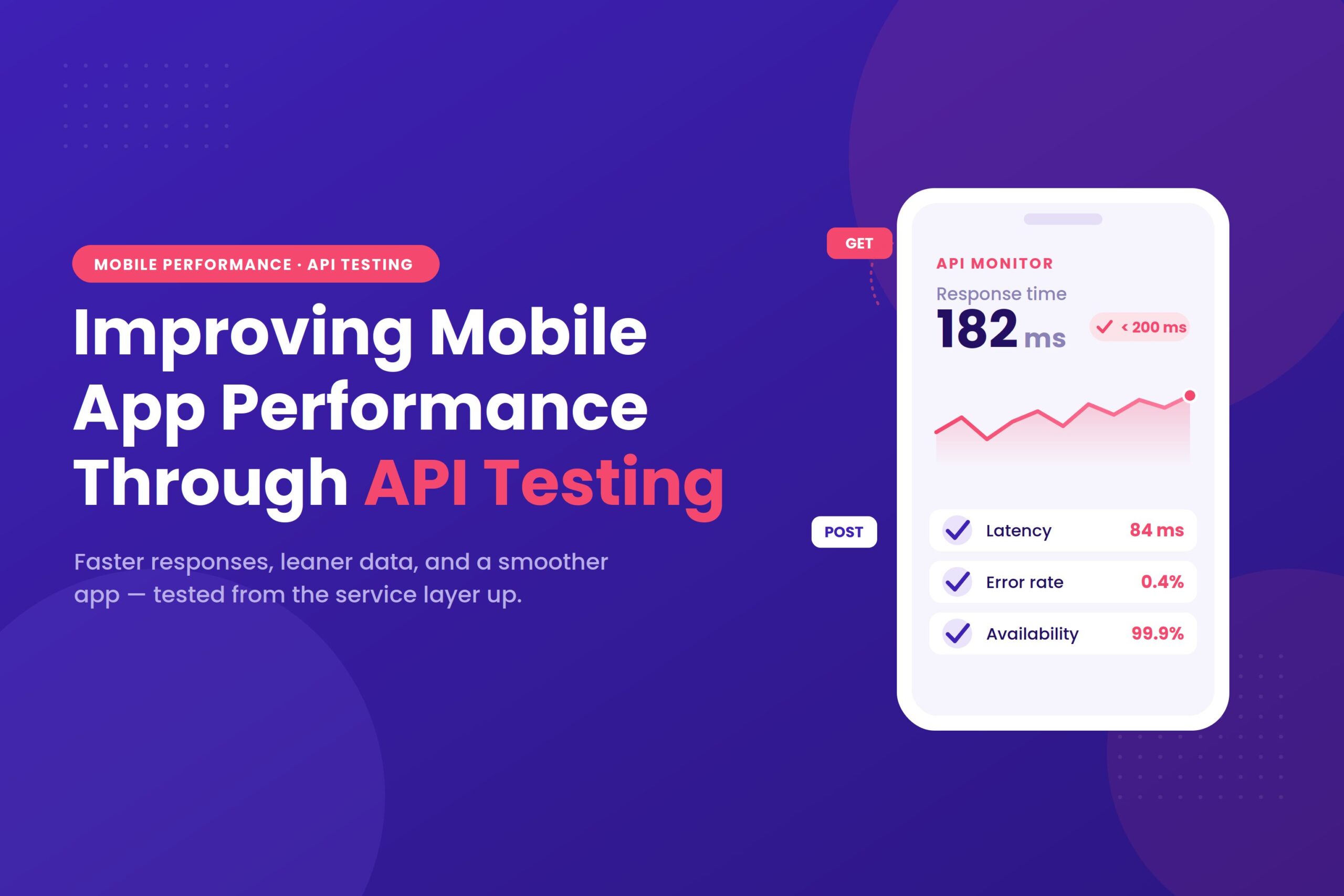
APIs have become commonplace in mobile and app development, giving apps a seamless way to integrate with other services. They are a convenient mechanism for connecting two software components in defined ways. When your service is connected through an API, you can open it up to a whole new host of functions and benefits. Read on to learn what API testing is, why it matters for mobile app performance, and how to do it well.
Before diving into definitions, it helps to understand what is actually at stake. The way your APIs behave has a direct, measurable effect on whether people keep your app installed:
In other words, API quality is not a back-end detail — it shapes retention, ratings, and discoverability.
Short for Application Programming Interface, an API is a way to connect two applications. It is usually implemented as a contract, where specific protocols are used to send and receive data between them.
APIs are typically designed as an exchange between a client and a server. The client is responsible for sending requests, while the server receives those requests and responds to them.
An API acts as a middle layer in your application: it is not part of the UI, but it is not the database either. Instead, it is purely a way to communicate and exchange data between different pieces of software.
It helps to picture an API like ordering at a restaurant. The API is the waiter who carries your order to the kitchen and brings the result back — you never touch the kitchen yourself.
An endpoint is the specific address the app talks to, much like the address of the restaurant. Requests are sent to that address, and responses come back from it.
Those requests use standard HTTP methods that describe the intent of each call:
Understanding these building blocks makes it far easier to see what each test is actually checking later on.
For an API to become a reliable part of your app, API testing must play a vital role. As the name implies, API testing is a way to ensure that the various aspects of an API are working as intended — including its performance, security, functionality, and reliability. It is a bit technical, but essential for an app’s success.
Implementing methods like automated API testing makes it faster and far more convenient for your team to deploy a fully realised app in a short time.
When a tester works with APIs, there is a strong emphasis on validating the logic behind an application — in a way that looks beyond visuals or the UI. The core service layer is where an API resides in an application.
API testing is where the main focus sits when you apply continuous and functional testing principles to your testing strategy.
With API testing, your team gets a better feel for how the business logic is sequenced, how security is handled, where the limitations are, and what the overall architecture of your application looks like.
In the long term, this can save your team from lost revenue, delays, unexpected downtime, and rework.
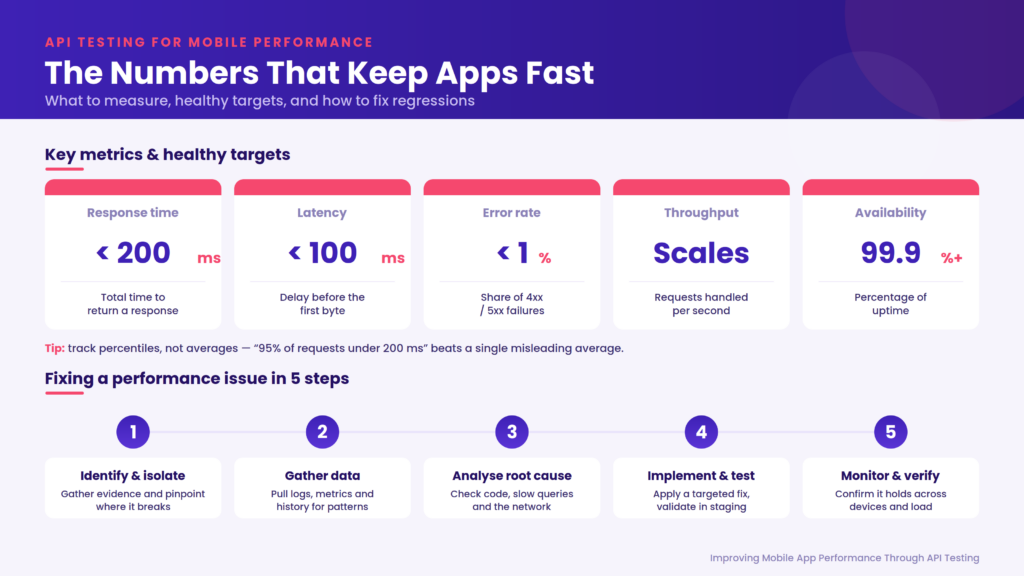
Testing is only meaningful when you know what “good” looks like. These are the core metrics worth tracking, along with sensible targets for a responsive mobile experience:
| Metric | What it tells you | Healthy mobile target |
| Response time | Total time to process a request and return a response | Under ~200 ms |
| Latency | Delay before the first byte comes back | Under ~100 ms |
| Error rate | Share of requests failing with 4xx / 5xx errors | Below ~1% |
| Throughput | Requests handled per second | Depends on app demand |
| Availability | Percentage of time the API is up | 99.9% or higher |
Tracking these consistently turns testing from a pass/fail exercise into an ongoing performance conversation, and makes regressions obvious the moment they appear.
Averages can hide real problems. If nine users get a fast response and one waits ten seconds, the average still looks acceptable — yet one in ten users had a miserable experience. Percentiles give a truer picture:
A statement like “95% of requests complete in under 200 ms” is far more useful than a single average, and it gives you a clear line to alert against.
Once testing becomes part of your workflow, the payoffs add up quickly.
In the fast-paced world of app development, moving some of your testing into an automated environment lifts a lot of worry off your team, allowing them to focus on delivering a high-quality API rather than putting out fires.
API testing with Kobiton provides a solid foundation for running tests across multiple devices. With support for Appium, a powerful mobile automation tool, Kobiton lets you implement automated testing. All you need is the Kobiton API, and you will have access to your team’s testing activity and comprehensive logs.
API testing is not language-dependent, so even the non-technical members of your team can follow the results of a test. Results are usually presented in JSON or XML format. With either one, you can view structured data and even compare it against built-in libraries used by some API testing services.
API testing does a great job of widening your organisation’s test coverage while keeping valuable resources from being spent on unnecessary development detours. During development, you can test for security, stability, and effectiveness, and see how the business logic behaves in real time.
If an API test fails, you can pinpoint the source of the problem without tearing down your whole program, because API tests cover a smaller, more isolated part of it. That also lets your DevOps team track MTTR (mean time to resolution) as a measure of how effective their bug fixes are.
App development demands attention to many different failure modes, and each of the following test types targets a specific one.
Functional testing confirms that each API function does exactly what it should: it processes the request, returns the right data, and handles errors gracefully. For example, if a user submits a form with a missing field, the API should respond with a clear, correct error rather than failing silently.
Unit testing confirms that single requests receive the appropriate response. It is often carried out manually and can even be run from the command line, though it can also be automated with the right tools.
App development requires a keen focus on security to protect your organisation and your users from external threats. API testing makes it far easier to examine every aspect of an API’s design, including its encryption methods, control structures, permissions, handling of user data, and how authorisation is implemented.
Penetration testing is designed to see whether an outsider could gain access to the API’s functions, processes, and implementation. It helps ensure the API cannot be easily breached from an attacker’s perspective.
Apps are built for many users to engage with at once, and while daily averages are predictable, there are moments when an unusually high number of users hit your service at the same time. Load testing checks that your API can handle those peaks without sacrificing performance.
Performance testing looks at how quickly and reliably the API responds under different levels of demand. It spans load, stress, and endurance testing, measuring response times, transactions per second, and resource use so you can catch slow queries or inefficient code before users feel the lag.
Sometimes an app is fed “noise”: random, unintended data. Fuzz testing deliberately puts your API through the most random and intense input it is likely to encounter. If it can detect the bad input and stay stable instead of crashing, the API has proven its integrity.
Compliance testing checks that the API meets the relevant industry rules, standards, and data-handling regulations. This matters most for apps dealing with payments, health, or personal data, where a technically working API can still fall short of legal requirements.
Reliable results depend on a realistic environment. The goal is to mirror production closely enough that the problems you catch are the same ones your real users would hit.
Good coverage comes from deliberately testing both the happy path and everything that can go wrong. Map the key journeys in your app (sign-up, login, fetching data, in-app purchases) and write cases for each:
Each case should state the endpoint, the HTTP method, any headers or parameters, and the expected status code and response. Well-documented cases are easy to reuse and become invaluable when the API changes later.
With API testing forming part of your continuous integration and continuous delivery process, it is worth paying close attention to a few habits that keep it effective.
It is good to have a passing test, but keeping a record of your results helps clear up any confusion that arises with errors later. If you build a library of all the requests and responses generated during API testing, tracking down the source of an error becomes much easier.
Some services offer robust tools built for exactly this purpose, especially on mobile. Lean on automated API testing and other detailed methods to make sure your app follows a streamlined business logic. When testing tools are involved, every team in your organisation can follow up on results far more easily. The tools below cover the main jobs you will run into:
| Tool | Primary use | Where it fits |
| Postman | Manual and automated functional tests, request/response inspection | Unit & functional testing |
| JMeter | Load, stress, and endurance testing | Load & performance testing |
| Swagger / OpenAPI | Design, document, and interactively hit endpoints | Documentation & exploratory testing |
| Appium (via Kobiton) | Real-device mobile automation | Mobile automation on real devices |
| Jenkins / GitLab CI / CircleCI | Trigger test suites automatically on code changes | CI/CD pipeline integration |
| Prometheus / Grafana / New Relic | Track live API health and visualise metrics | Monitoring & alerting |
Automated tests run faster than manual ones and are easy to repeat, which makes them ideal for checking every change. The real payoff comes from wiring them into your delivery pipeline so they run on their own.
Testing before release is only half the job; watching the API in production is the other half. Good observability lets you catch issues before users complain.
When an API slows down or throws unexpected errors, a methodical approach beats guesswork:
Mobile apps face pressures that web and desktop apps rarely do. Testing has to account for the messy reality of a phone in someone’s pocket.
Frequent network calls keep waking the device’s radio, and constant background syncing quietly drains the battery. Batching requests and cutting unnecessary calls keeps your app from becoming a battery villain.
Connectivity can swing from strong Wi-Fi to a weak cellular signal in seconds. Design and test your API interactions to survive this by caching responses, compressing data, and adapting content quality to the connection.
An offline-first mindset is a genuine advantage. Decide which features must work without a connection, store data locally, and plan how to resolve conflicts when the device syncs back up, then test each of those paths.
Testing tells you where the problems are; these techniques are how you fix them. Lean, well-designed APIs are the foundation of a fast mobile app.
With its focus on simplified mobile testing, Kobiton is exactly what you need to put an API through its paces. The platform combines real-device testing with the power of manual and automated testing to keep your team’s CI/CD running smoothly.
Kobiton’s API comes with automation built in, letting your team download all of their testing activity logs, including real-device testing results, a list of available cloud devices, and other relevant information.
Is CTA ko bhi wrapper ke saath rebuild kiya hai, taake yeh wahin rahe jahan aap paste karein.
html
Frequently Asked Questions
What makes mobile API testing essential?
Because it directly shapes the user experience. A well-tested API means data loads correctly, quickly, and securely, which is what keeps users from abandoning the app.
How do I get comprehensive test coverage?
Use an API testing tool, write both positive and negative test cases, and deliberately cover boundary and edge conditions rather than only the happy path.
What are the most common API testing challenges?
Authentication, making sure data transfers correctly, juggling different data formats, keeping test environments stable, and managing version compatibility and security.
Which tools are best for automated API testing?
Postman is popular for its ease of use and flexibility, while JMeter is the go-to for load and performance testing. Choose based on your needs and the complexity of your automation.
Final Thoughts
As you can see, API testing is vital when developing and refining mobile applications, and it deserves attention long before you prepare to launch. To ensure top performance, thorough testing should happen at every stage of the process.
From validating a single response to propagating results from one endpoint to another, and every type of testing in between, there is no shortage of best-practice checklists to follow for successful API testing.
When the stakes are high for a seamless, functional mobile experience, turning to professionals like Kobiton for help with API testing is often the most productive choice. Don’t delay: contact our experts today. They are standing by and ready to help you improve your mobile app’s performance.
 About the Author
Wahaj Ansari
Technical SEO Expert & Content Strategist at Kobiton
Wahaj Ansari is a Technical SEO expert at Kobiton, where he works as a technical content strategist specializing in mobile performance testing. His work focuses on creating clear, practical, and technically accurate content that helps developers, QA teams, and businesses understand app speed, reliability, and user experience. He connects technical insight with useful guidance to support better mobile testing decisions.
About the Author
Wahaj Ansari
Technical SEO Expert & Content Strategist at Kobiton
Wahaj Ansari is a Technical SEO expert at Kobiton, where he works as a technical content strategist specializing in mobile performance testing. His work focuses on creating clear, practical, and technically accurate content that helps developers, QA teams, and businesses understand app speed, reliability, and user experience. He connects technical insight with useful guidance to support better mobile testing decisions.