Oct 27, 2026
Can’t reproduce device bugs? 5 fixes for mobile teams
Kobiton Team
Read More
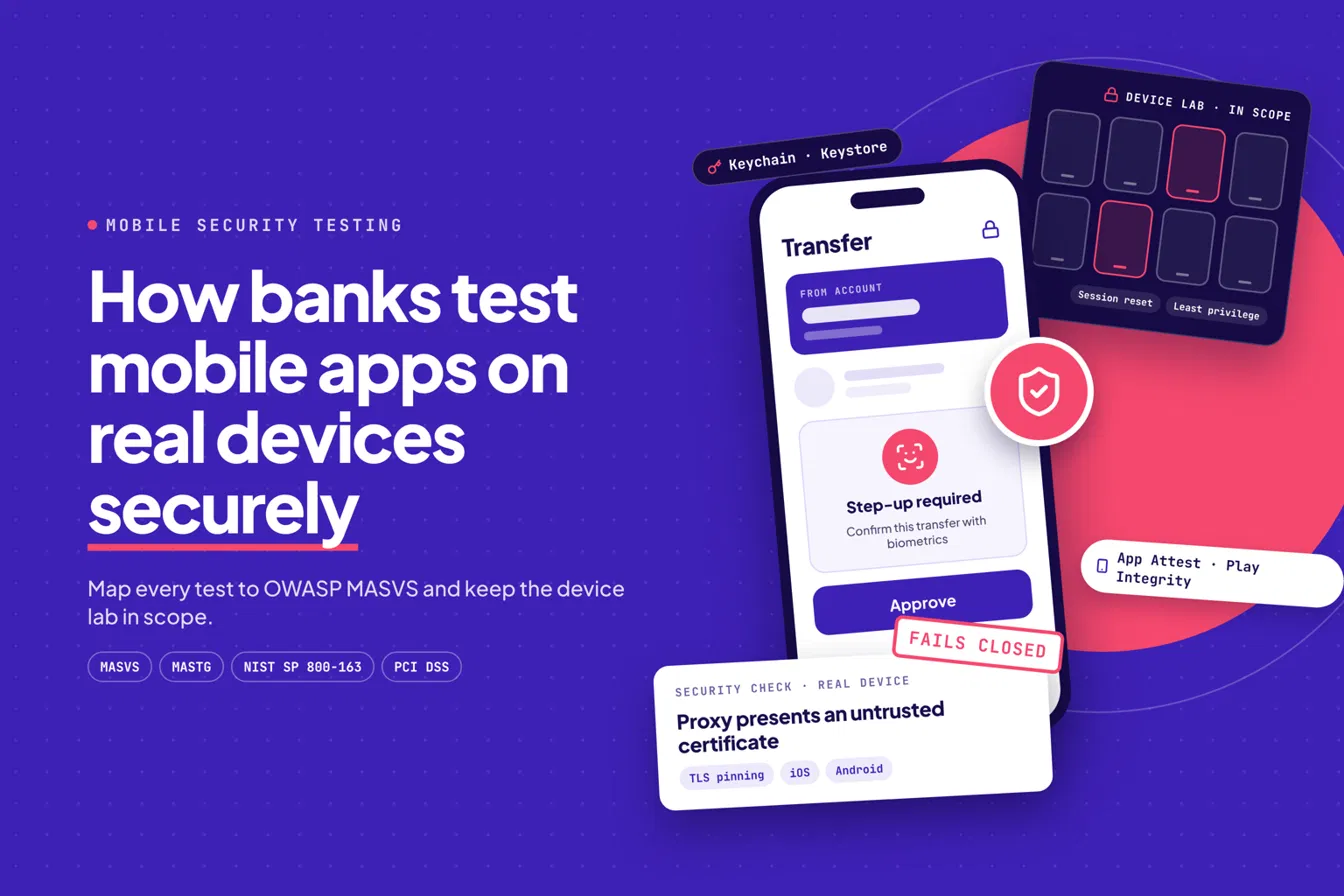
Every mobile security lead has the same moment. The build passes on the emulator, the scan comes back clean, and then someone runs it on a physical iPhone with Face ID enabled and a real carrier network. Suddenly the Keychain behaves differently, the biometric prompt fails a step-up flow, and the device integrity check returns a verdict nobody planned for.
Emulators don’t share the threat model of real hardware. Secure keystores, biometrics, device attestation and live network conditions only show up on physical devices. That’s why banks and financial-services teams test there, and why the device lab itself becomes something you have to secure.
Here’s the approach I’d use to do both: test the app hard, and keep the lab from becoming a new risk. For more on the hardware gap, see real devices vs emulators.
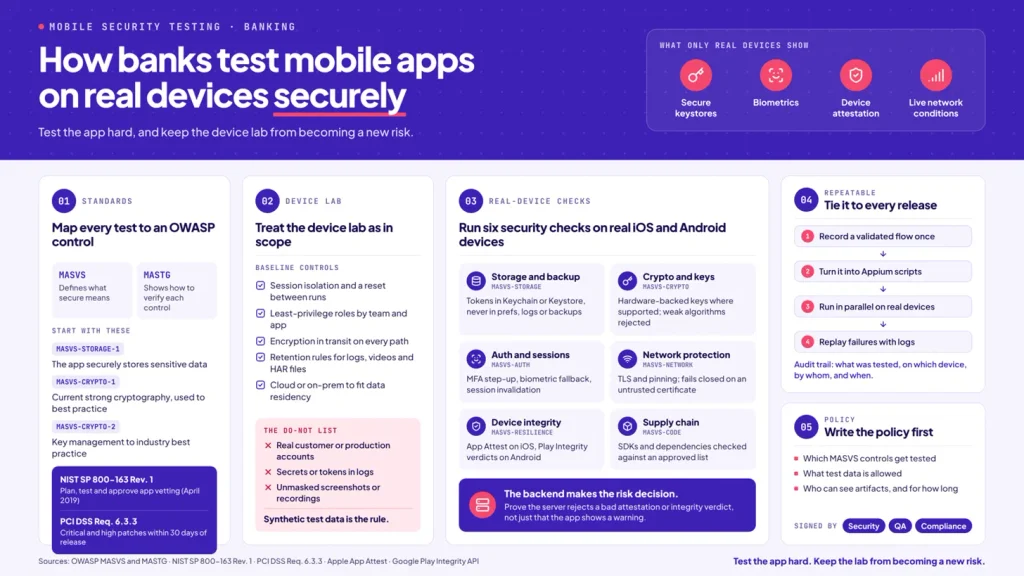
Two OWASP documents do most of the work. The OWASP Mobile Application Security Verification Standard (MASVS) defines what “secure” means. The OWASP Mobile Application Security Testing Guide (MASTG) explains how to verify each control. MASTG is maintained as a live web resource, with its v2.0.0 refactor moving away from a static checklist, so link your test cases to the current pages instead of a stale spreadsheet.
Three MASVS areas matter immediately for banking apps:
For governance, NIST SP 800-163 Rev. 1, “Vetting the Security of Mobile Applications” (published April 2019, superseding the 2015 baseline), gives you the planning, testing and approval mindset. It covers how to plan a vetting process and develop security requirements for evaluating apps. On the payment side, PCI DSS applies pressure too. Requirement 6.3.3, for example, expects critical and high-severity patches deployed within 30 days of release, which means your regression evidence has to be fast and repeatable. For a deeper treatment of how scans become proof, read our guide to mobile app security testing from scan to proof.
A device lab is infrastructure that handles your builds, credentials and screenshots. Put it in the threat model. The surface includes test runners, device pools, uploaded builds, logs, videos, screenshots, and the network paths to staging backends.
AWS Device Farm’s own documentation is a useful reference here. It publishes security best practices covering network isolation and access controls, and it notes that data can persist between sessions in some cases and needs appropriate handling. Whatever platform you pick, ask the same questions.
Baseline controls to expect:
Then write down the “do not” list. Never use real customer or production accounts. Never log secrets or tokens. Never leave sensitive screenshots and recordings unmasked. Synthetic test data is the rule, and it’s the heart of secure test data for banking apps.
Map each check to a MASVS theme so the result doubles as audit evidence.
One rule covers the integrity checks: the backend must make the risk decision. A client-side check that an attacker can patch out isn’t a control. Your test should prove the server rejects a bad attestation or integrity verdict, not just that the app displays a warning.
A one-time pen test ages out the day you ship. Treat security as secure regression, tied to every release, and the 30-day patch expectations in PCI DSS stop feeling like a scramble.
The bottleneck is usually authoring. Teams can’t script every flow by hand, so security cases get skipped. Record a validated flow once, such as a biometric login or a step-up transfer, and turn it into reusable automation. Kobiton’s Appium Script Generation converts recorded manual sessions into Appium scripts, and tests can run in parallel across selected real devices. Session Explorer then lets engineers replay a failed run and find the defect with logs and device context.
Keep the evidence clean. Use synthetic data, sanitize artifacts before they leave the lab, and record only results you can verify. An audit trail that shows what was tested, on which device, by whom, and when is worth more than any claim about speed.
The teams that do this well don’t have a secret tool. They have a short, agreed document: which MASVS controls get tested, what data is allowed, who can see artifacts, and how long they live. Security, QA and compliance should all sign it.
Draft that policy this week, then pressure-test it against your next release candidate on real devices. If you’d like to see how a real-device lab fits into that workflow, explore Kobiton’s real device testing best practices and bring your security team along.