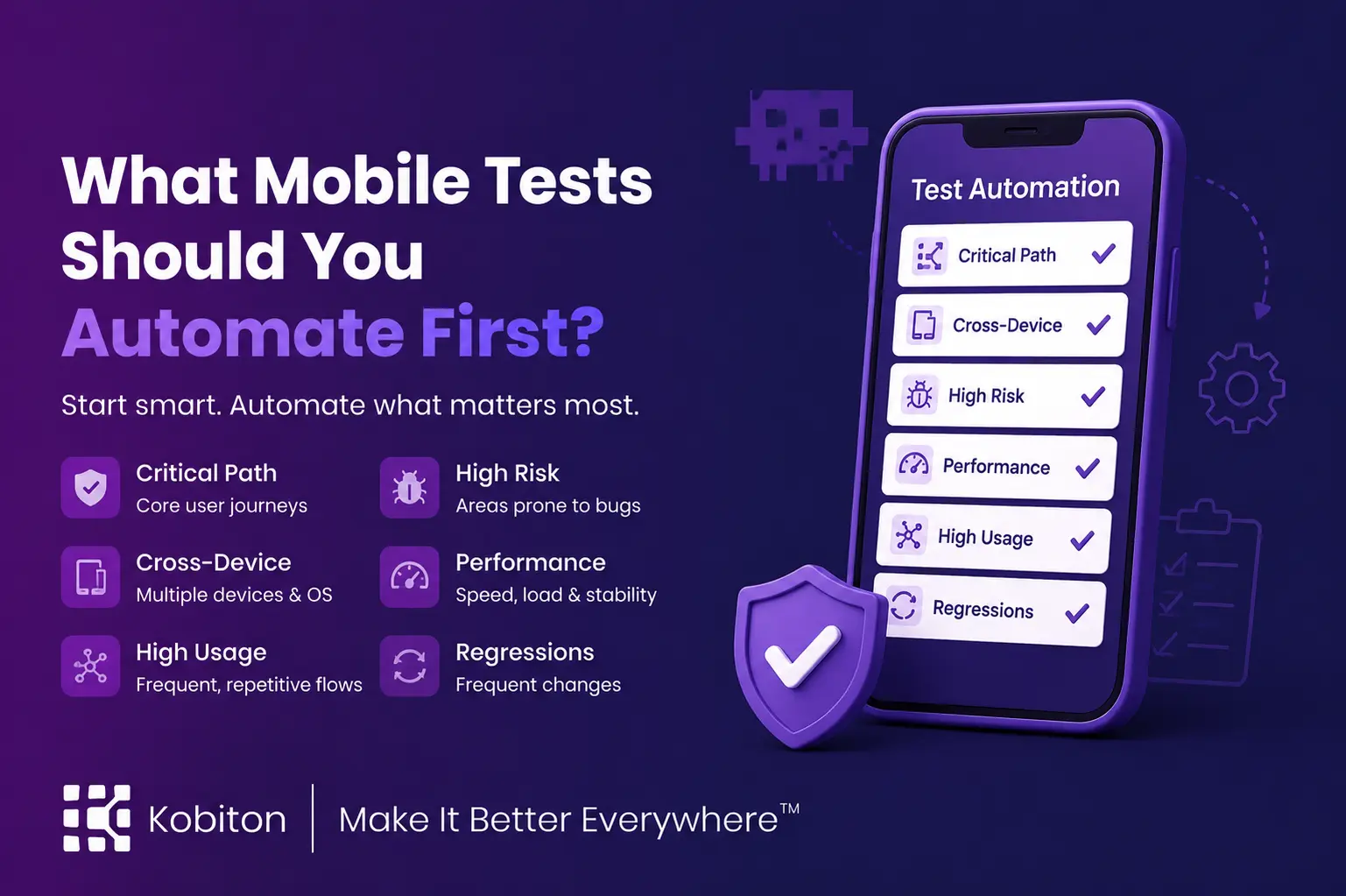
What should you automate first?
Once manual testing has helped your team understand the territory, automation helps you patrol the roads.
That does not mean every mobile test should be automated immediately. Automation is powerful, but automating the wrong tests first can create maintenance drag. Scripts need to be written, updated, reviewed, and repaired as the app changes. If the feature is still shifting, the UI is still moving, or the team is still figuring out the expected behavior, automation can become expensive overhead instead of useful coverage.
The question is not “Should we automate?”
The better question is: What should we automate first?
Mobile test automation works best when teams start with stable, repeatable, high-value workflows. Once those paths are clear, automation can help teams run them consistently across builds, devices, and release cycles.
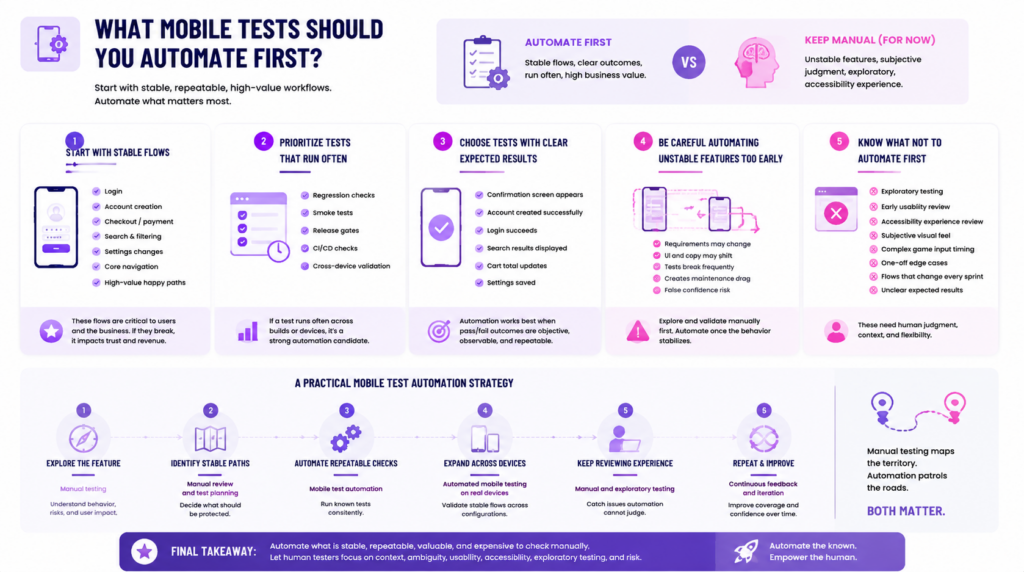
Start with stable flows
The best automation candidates are usually the flows users rely on often and the business cannot afford to break.
For many mobile apps, that includes:
- login
- account creation
- checkout or payment confirmation
- search and filtering
- settings changes
- core navigation
- high-value happy paths
These flows are good candidates because they tend to have clear steps, clear outcomes, and repeated value. If a user cannot log in, create an account, complete a purchase, or move through the main app experience, the product has a serious problem.
Payment flows are a good example. If a payment screen glitches, hangs in processing limbo, or fails to show confirmation, user trust can drop quickly. Automating that flow helps teams confirm that the purchase path continues to work as the app changes.
Search and filtering are also strong candidates when they are central to the app experience. Users expect search to return useful results and filters to narrow those results in a predictable way. If those behaviors are stable, automation can help protect them across releases.
The goal is not to automate every possible user path first. Start with the paths that are stable, important, and easy to verify.
Prioritize tests that run often
Automation becomes more valuable when a test needs to run repeatedly.
That is why mobile test automation is often strongest for:
- regression checks
- smoke tests
- release gates
- CI/CD checks
- cross-device validation
Regression tests help teams compare new builds against expected behavior from previous versions. Smoke tests provide a quick signal that a new build is stable enough for deeper testing. Release gates help confirm that critical flows still work before an app moves forward. CI/CD checks give teams faster feedback when new code is introduced.
Cross-device validation is another strong use case. Mobile apps can behave differently across operating systems, screen sizes, device models, and hardware capabilities. Running the same stable tests across multiple devices helps teams catch device-specific issues without manually repeating the same steps over and over.
A good rule: if the test needs to run often, across many builds or many devices, it is probably worth considering for automation.
Choose tests with clear expected results
Automation works best when the expected result is objective.
A strong automated test has a clear pass/fail condition:
- The user lands on the confirmation screen.
- The account is created successfully.
- The login succeeds with valid credentials.
- The search results page appears.
- The cart total updates correctly.
- The settings change is saved.
These outcomes are specific enough for a script to verify.
More subjective questions should usually stay manual, at least at first:
- Does the flow feel intuitive?
- Is the button easy to notice?
- Does the animation feel smooth?
- Is the layout visually comfortable?
- Does this experience make sense for a first-time user?
Those questions matter, but they require judgment. Automation can confirm that an element exists or that a screen appears. It cannot fully judge whether the app feels clear, usable, or trustworthy.
When deciding what to automate first, look for tests where the expected result is known, observable, and repeatable.
Be careful automating unstable features too early
There is such a thing as automating too early.
New features often change quickly. Requirements shift. Layouts move. Copy changes. Pop-ups appear. Hierarchies change. A workflow that seemed final on Monday may look different by Friday.
If teams automate too soon, they may spend more time repairing tests than learning whether the feature actually works.
Early automation can also create false confidence. A script may surface issues, but not every issue is meaningful during early development. Some failures happen because the feature is still being shaped. Others indicate real risk. Automation cannot always tell the difference.
That is where manual testing comes first.
Manual testing helps the team understand the feature, explore the flow, identify important risks, and decide what the test should prove. Once the behavior stabilizes, automation can protect the parts that need repeatable coverage.
A useful rule to remember is this: Manual first. Automate later. This may not be applicable to every individual development cycle, but it is a solid guiding principle.
Know what not to automate first
Some tests are important, but they should not be the first automation targets.
Be careful starting with:
- exploratory testing
- early usability review
- accessibility experience review
- subjective visual feel
- complex game input timing
- one-off edge cases with high maintenance
- flows that change every sprint
- tests with unclear expected results
Exploratory testing is meant to discover what the team does not already know. That makes it a poor first automation candidate. The same is true for early usability review. A script can follow steps, but it cannot decide whether the experience makes sense to a human being.
Accessibility testing also needs care. Automated checks can catch many baseline issues, but they cannot fully evaluate whether a user can complete a task with assistive technology, larger text, alternate navigation, or different device settings. Once accessibility requirements are clear, automation can support repeatable checks. But the user experience still needs human review.
Mobile games are another useful example. The login flow, store flow, inventory flow, and settings screens may be good candidates for automation. Combat mechanics, player feel, input timing, and visual clarity usually need more human judgment.
Automation is best for reliable repetition. It is not the best tool for every unusual, subjective, or constantly changing scenario.
Use manual testing to find the map, automation to patrol the roads
Manual testing and automation work best when they are used together.
Manual testing helps teams explore the app, understand how features behave, and decide which flows matter most. It helps testers notice friction, ambiguity, usability issues, accessibility problems, device-specific quirks, and unexpected behavior.
Automation helps teams protect the paths they already understand. Once a flow is stable, valuable, and repeatable, automation can run it consistently across builds, devices, and environments.
A practical mobile test automation strategy often looks like this:
| Step | Testing approach | Goal |
| Explore the feature | Manual testing | Understand behavior, risks, and user impact |
| Identify stable paths | Manual review and test planning | Decide what should be protected |
| Automate repeatable checks | Mobile test automation | Run known tests consistently |
| Expand across devices | Automated mobile testing on real devices | Validate stable flows across configurations |
| Keep reviewing experience | Manual and exploratory testing | Catch issues automation cannot judge |
Manual testing maps the territory. Automation patrols the roads.
Both matter.
Final takeaway
Automate what is stable, repeatable, valuable, and expensive to check manually.
That includes core user flows, regression checks, smoke tests, release gates, CI/CD checks, and high-value workflows with clear expected results.
Keep human testers focused on context, ambiguity, usability, accessibility, exploratory testing, and risk. Those are the places where judgment still matters most.
Mobile test automation is not about replacing every manual test. It is about giving repeatable work to the system so human testers can spend more time on the work that needs human understanding.
Manual testing discovers the map. Automation helps make sure the known roads stay open.