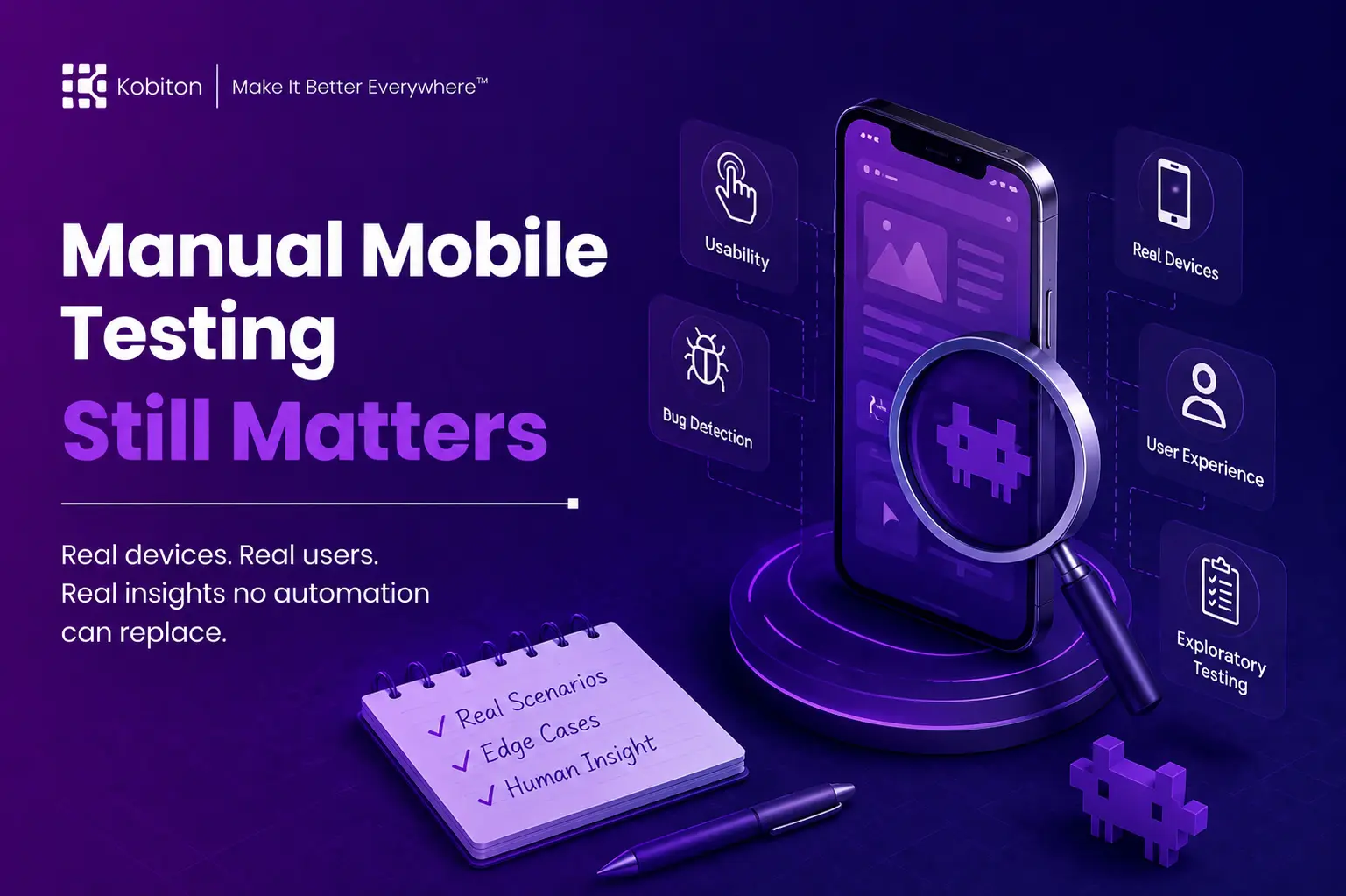
Users do not behave like scripts
Your app passed testing with flying colors.
The UI layout is clean. The automation script found every element at the right time. The frame rate stayed stable. The build looked ready.
Then real users tried it, and the feedback was unexpected.
A button worked, but it felt hard to tap. The screen loaded, but the layout felt crowded. The flow completed, but the error message made no sense. A payment screen lagged at the exact moment a user needed confirmation. A pop-up appeared on one device and blocked the next step.
The automated test did exactly what it was told to do. A human tester would have asked a different question:
Did this actually work for the person using it?
That is why manual mobile testing still matters.
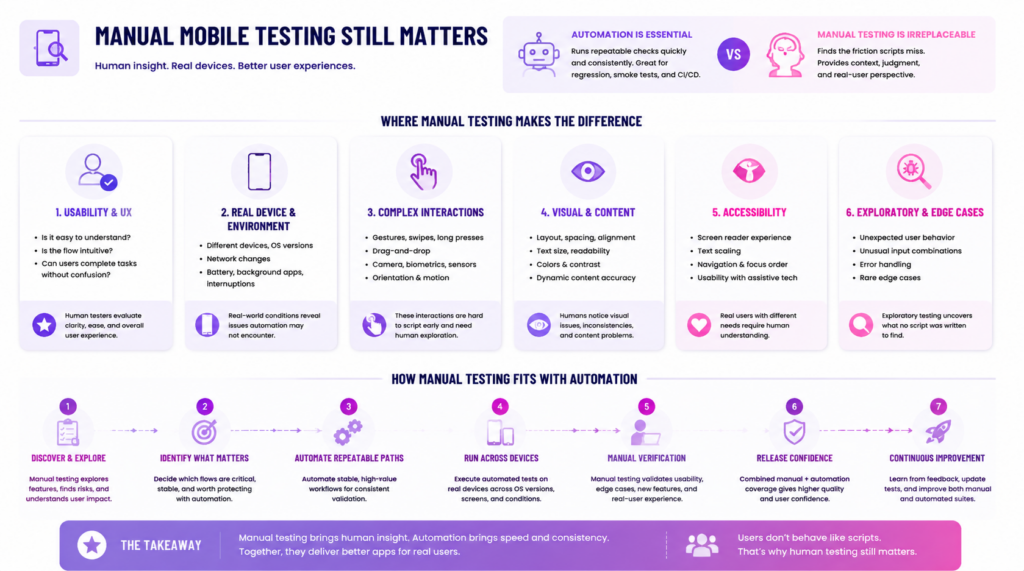
Automation is essential for modern mobile QA, but it does not replace every kind of testing judgment. It is excellent at running repeatable checks quickly and consistently. Manual testing is better at finding the friction that happens when real people interact with real apps on real devices.
The question is not whether to choose manual testing or automation. The question is where each one fits into your app development workflow.
Manual, automated, or both?
Two questions decide it: how settled the flow is, and how much of the answer depends on human judgment. Answer them below, or drop a pin straight onto the matrix.
Start anywhere
Move a slider or pick a scenario below. The pin lands in one of four zones, and the split shows roughly where the effort should go.
Recommended play
What manual mobile testing means now
The word “manual” can be misleading.
Manual mobile testing does not mean a tester has to physically hold every device in a lab. With a real-device testing platform, testers can interact with physical mobile devices remotely and evaluate the app in conditions that better reflect the end-user experience.
Manual testing also does not mean random testing. It can include:
- scripted test cases
- exploratory testing
- regression checks
- bug reproduction
- usability review
- accessibility review
- device-specific validation
- release sign-off
The key difference is human observation.
A manual tester actively observes the app, interprets context, and notices issues that a script may not be designed to catch. Automation can confirm that a step completed. Manual testing can help explain whether the experience made sense.
Manual mobile testing gets human eyes on the app experience. It helps teams understand not only what happened, but why it matters.
Manual testing is not anti-automation
Manual testing sometimes gets framed as the opposite of automation. That framing is outdated.
Automation and manual testing solve different problems.
Automation is strongest when the path is stable, repeatable, and worth checking often. It is ideal for regression testing, smoke testing, CI/CD pipelines, and flows that need to run across many builds, devices, or configurations.
Manual testing is strongest when the team needs context. It helps when a feature is new, a flow is changing, a bug is unclear, or the experience needs human judgment.
Automation ensures consistency. Manual testing provides context.
A strong mobile testing strategy uses both. Manual testing helps teams discover what matters. Automation helps protect what teams already understand.
Usability still needs human judgment
Apps are made for humans, and usability still needs human judgment.
A script can tap a button. A human can tell whether the button is easy to find, easy to understand, and easy to tap.
A script can complete a checkout flow. A human can notice that the flow feels longer than expected, that the keyboard covers the input field, or that an error message appears too late to be useful.
A script can verify that a menu opens. A human can tell whether the menu makes sense to someone using the app for the first time.
Mobile apps are not used in perfect laboratory conditions. People use them while walking, commuting, multitasking, holding a child, using one hand, changing networks, or trying to complete a task quickly.
Manual mobile testing gives teams a way to observe the app from a user’s perspective instead of only validating the path a test script expects.
This is where manual testing catches what automation was never asked to look for.
Some mobile interactions are hard to script too early
Automation scripts work best when testing an established flow across a fleet of devices and configurations. Manual testing shines when teams are still learning how a feature behaves.
Some mobile experiences are difficult to automate before the team fully understands them. This is especially true for interactions that involve:
- gestures
- swipes
- taps
- long presses
- drag-and-drop behavior
- camera flows
- biometric prompts
- maps
- games
- real-time input
- orientation changes
- motion or sensor-based behavior
- color visibility
- text size and readability
Gaming apps are a strong example. A mobile game may rely on timing, gesture combinations, visual feedback, and rapid player input. A test script may confirm that an element exists, but it may not capture whether the controls feel responsive or whether the player experience feels fair.
The same principle applies beyond games. Any app that relies on touch, movement, timing, or context can benefit from manual testing before automation is added.
Manual testing helps teams understand the behavior first. Then they can decide which parts are stable and valuable enough to automate.
Manual testing helps explain bugs, not just find them
It is not enough to know a bug exists. Teams also need to understand what the bug is doing to the user experience.
Automated test failures can show that something went wrong, but they do not always explain the full situation. A manual tester can observe what happened before the failure, what changed on screen, what the user was trying to do, and whether the issue blocks the task.
That context matters when developers need to reproduce and fix the problem.
Manual testing can help answer questions such as:
- What was the user trying to do?
- What happened immediately before the issue?
- Did the app respond slowly, incorrectly, or not at all?
- Was the issue tied to a device, OS version, gesture, network condition, or app state?
- Could the user recover?
- How severe is the issue from the user’s perspective?
- What part of the experience did this disrupt?
That last question is important. Not every bug has the same impact. Manual testing helps teams understand whether a defect is minor, confusing, frustrating, risky, or release-blocking.
It helps teams see not only that something broke, but why it matters.
Real devices make manual testing more valuable
Real device testing is where theory meets reality.
Emulators and simulators are useful during development, but they cannot fully reproduce how an app behaves on actual hardware. Real devices introduce the variability users experience every day: screen size, OS version, manufacturer behavior, battery conditions, sensors, memory limits, network changes, notifications, and physical device performance.
Manual testing on real devices helps teams observe issues that may not appear in virtual environments or scripted test runs.
Examples include:
- keyboard behavior covering an input field
- gestures responding differently across devices
- layouts breaking on smaller screens
- camera or biometric flows behaving inconsistently
- push notifications interrupting a flow
- performance slowing on lower-powered devices
- orientation changes affecting navigation
- network shifts causing incomplete or confusing states
These issues are not always obvious from logs alone. They often need someone to interact with the app, see the behavior, and understand the impact.
Testing on real devices helps teams move from “it works in development” to “it works for users.”
When to use manual testing vs automation
Manual testing and automation are both valuable, but they are useful in different situations.
| Testing need | Manual testing is stronger when… | Automation is stronger when… |
| Usability | The team needs human judgment | The flow is stable and repeatable |
| Regression | A tester needs to investigate risk or confirm visual behavior | The same checks need to run often |
| Accessibility | The experience needs contextual review | Common issues need baseline scanning |
| Visual review | Layout quality needs human interpretation | Screenshots need broad comparison |
| Real-device behavior | The team needs to observe physical device behavior | The same device matrix needs repeated coverage |
| Bug reproduction | The issue is unclear, inconsistent, or hard to isolate | The bug has clear steps and needs repeated validation |
| Early feature testing | The flow is changing or still being defined | The behavior is stable enough to script |
| Performance feel | The team needs to notice lag, hesitation, or awkwardness | The team needs repeatable performance metrics |
The most effective teams do not treat manual testing as a fallback. They use it intentionally.
How to combine manual testing and automation
A strong mobile QA strategy uses manual testing and automation together.
Start with manual testing when a feature is new, uncertain, or changing quickly. Use human review to understand the flow, identify risks, reproduce issues, and decide what matters most.
Then automate the stable paths. Once the team understands the behavior and the test steps are reliable, automation can help protect those flows across future releases.
Good automation candidates include login flows, checkout flows, account creation, smoke tests, regression checks, and other high-value scenarios that need frequent validation.
Keep manual testing for the areas where human judgment matters most: usability, exploratory testing, accessibility, visual review, device-specific behavior, and unclear defects.
This keeps automation focused and useful. It also prevents teams from automating flows before they understand what the test should prove.
Final takeaway
Manual mobile testing still has utility in modern mobile QA. It is not simply a question of whether manual testing is outdated. It is a question of purpose.
Does a new feature make sense? Can a user actually use the inventory screen in a mobile game? Does the text break in a strange place and change the meaning of the message? Can the user see what is happening on the screen? Does the UI flow make sense?
Automation helps teams move faster. Manual testing helps teams understand what automation cannot fully judge: confusion, friction, awkwardness, hesitation, usability, and context.
The strongest mobile testing strategies do not treat human testers as a fallback. They treat them as guides.
Automation maps known territory. Manual testing explores the frontier of the unknown.