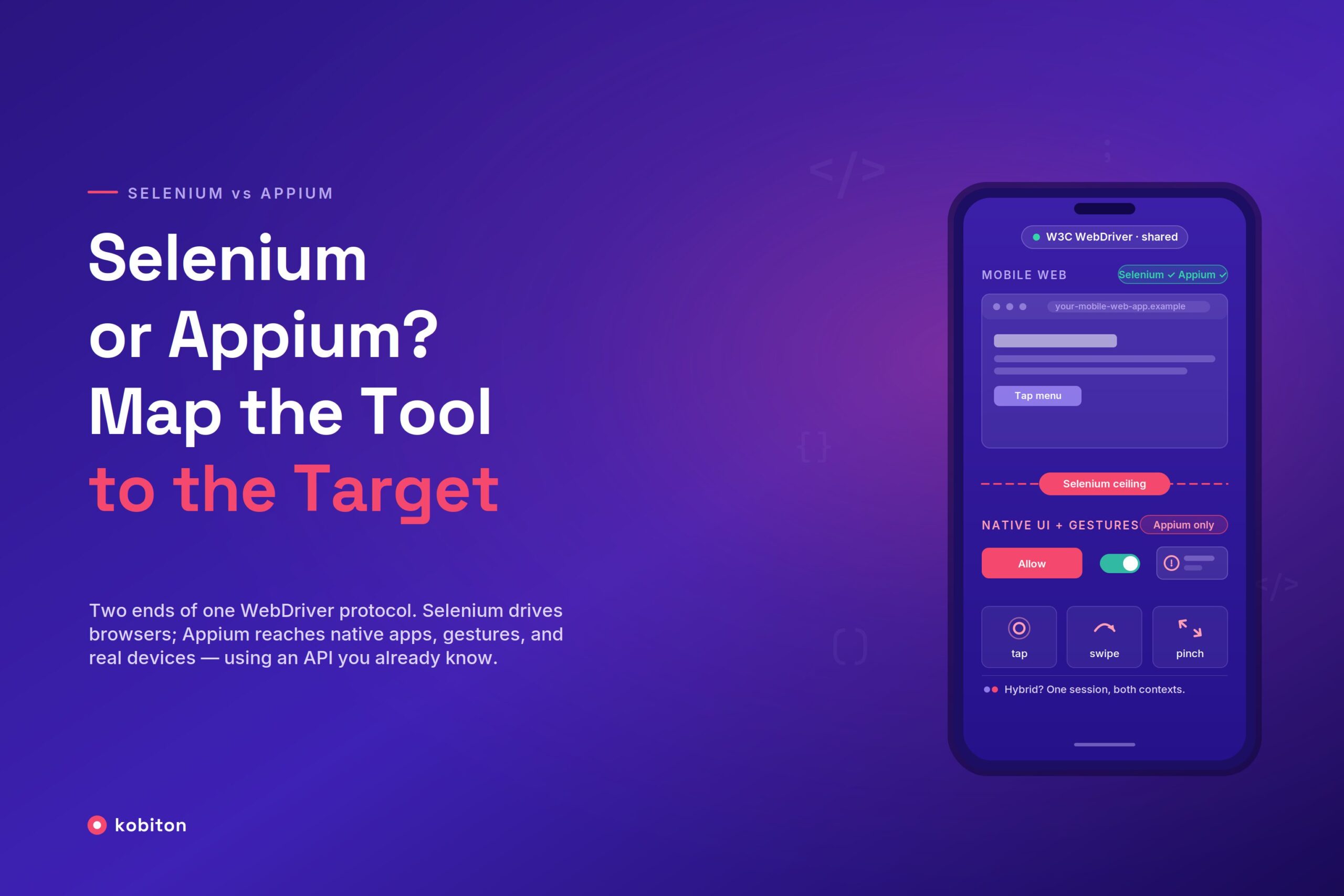
Teams that already run Selenium for web almost always ask the same question when mobile lands on the roadmap: is Selenium for mobile testing a realistic option, or do they need a different tool?
Selenium and Appium share a protocol and a mental model, but they solve different problems. Selenium drives web browsers. Appium drives mobile apps. The trouble starts when people assume the first can quietly do the second.
The short answer: can Selenium be used for mobile app testing?
Not for native apps. Selenium implements the W3C WebDriver protocol against browsers: Chrome, Firefox, Safari, Edge. It has no concept of an Android Activity or an iOS UIView. It cannot tap a native button, read a native accessibility ID, or interact with anything rendered outside a web view.
Where Selenium does fit mobile is the mobile web: your responsive site or web app running in a mobile browser. You can point Selenium at a mobile-emulated Chrome session, set a device viewport and user agent, and exercise the same DOM your desktop suite already knows. We walk through that workflow in testing mobile websites with Selenium.
That counts as mobile app testing only when the app is a website, meaning a Progressive Web App or a mobile browser flow, not a .apk or .ipa.
If your target is a native or hybrid app, Selenium alone will not reach it. That is exactly the gap Appium was built to close.
How Appium relates to Selenium
Appium extends Selenium by design. It speaks the same WebDriver protocol and exposes the same client-facing API. If you know driver.findElement(…) and driver.click() in Selenium, you already know most of Appium.
The difference is what sits behind the protocol:
- Selenium translates WebDriver commands into browser automation via each browser’s driver (chromedriver, geckodriver, and so on).
- Appium translates the same commands into native automation via platform drivers (the UiAutomator2 driver for Android, the XCUITest driver for iOS), and can also drive web views inside an app.
Because the client API is shared, an Appium test reads like a Selenium test. You still use Selenium’s client libraries under the hood. Appium adds mobile-specific capabilities (device name, platform version, app path, automation name) and mobile gestures (tap, swipe, long-press, scroll-to-element).
The examples and driver names in this guide assume Appium 2.x and Selenium 4. One thing to know if you last used Appium 1.x: in Appium 2.x the platform drivers are no longer bundled with the server. You install them explicitly (for example, appium driver install uiautomator2), which keeps the core lean and lets you version each platform driver independently of Appium itself.
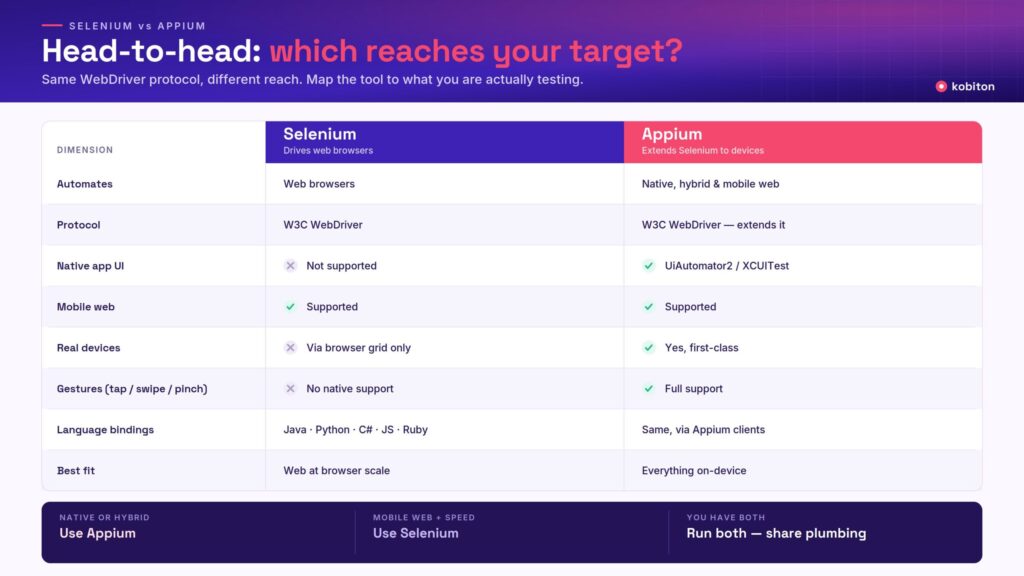
Appium vs Selenium: head-to-head
| Dimension | Selenium | Appium |
|---|---|---|
| Automates | Web browsers | Native, hybrid, and mobile-web apps |
| Protocol | W3C WebDriver | W3C WebDriver (extends Selenium) |
| Android/iOS native UI | No | Yes (UiAutomator2 / XCUITest) |
| Mobile web (browser) | Yes | Yes |
| Real devices | Only via a browser/grid (for example, a real device cloud) | Yes, first-class |
| Gestures (swipe, tap, pinch) | No native support | Yes |
| Language bindings | Java, Python, C#, JS, Ruby | Same bindings via Appium clients |
| Best fit | Web at browser scale | Everything on-device |
The split is web-only vs. web-plus-device. Appium is a superset of Selenium’s reach for mobile, at the cost of heavier setup and slower execution than a pure browser session.
Which one is right for your target?
“Better” depends entirely on what you are testing. Asking whether Appium is better than Selenium is like asking whether a truck is better than a sedan. It depends on what you’re hauling.
- Testing a native Android or iOS app? Appium wins by default, because Selenium cannot do the job at all.
- Testing a responsive website across mobile browsers? Selenium is the leaner, faster choice. You get browser-grade speed, mature grid infrastructure, and no device provisioning overhead.
- Testing a hybrid app (native shell plus web views)? Appium, because it can move between the native context and the web-view context in a single session. Selenium cannot orchestrate that.
So Appium is not universally better. It is better where Selenium physically cannot go, and heavier where Selenium is already sufficient. The teams that get this wrong tend to force everything through one tool and then fight the tooling instead of the bugs.
Mobile automation testing using Selenium: what it looks like
When your target is genuinely mobile web, this is straightforward. You configure Chrome with a mobile emulation profile and run your normal Selenium suite against it:
from selenium import webdriver
from selenium.webdriver.chrome.options import Options

mobile_emulation = {"deviceName": "Pixel 7"}
options = Options()
options.add_experimental_option("mobileEmulation", mobile_emulation)

driver = webdriver.Chrome(options=options)
driver.get("https://your-mobile-web-app.example")
driver.find_element("css selector", "[data-testid='menu']").click()This gives you a mobile viewport and a mobile user agent, enough to validate responsive layout, touch-friendly navigation, and mobile-specific web flows. What it does not give you is real device behavior: no real GPU rendering, no actual touch pressure or multi-finger gestures, no OS-level dialogs, no true device fragmentation, and no native components. Emulated mobile web is a fast first pass. It does not replace on-device coverage.
The moment your test needs to install an app, handle a permission prompt, switch between apps, or verify anything outside the DOM, you’ve hit the ceiling of Selenium and it’s time for Appium.
When to choose Selenium for mobile testing vs. Appium
Use this quick heuristic:
- Native or hybrid app: Appium.
- Mobile website, speed matters, no device-level behavior: Selenium.
- Both (many teams have a web app and a native app): run both, sharing client libraries and CI patterns so the skills transfer.
Appium is the general-purpose default, but framework-specific tools like Playwright, Cypress, Maestro, and Detox can be a better fit for certain stacks. For a side-by-side of where each one lands, see the current landscape of mobile automation tools, and the Robot Framework paired with Appium walkthrough for a keyword-driven approach.
Migrating from Selenium to Appium without a rewrite
Because Appium reuses Selenium’s WebDriver client libraries, teams rarely start from zero. A common path looks like this:
- Keep your mobile-web suite on Selenium. Your existing responsive-layout and mobile-browser tests don’t change.
- Add an Appium session for native flows. Point a new set of tests at an Appium server with mobile capabilities (platformName, appium:deviceName, appium:app, appium:automationName). The driver object behaves the way you already expect from Selenium.
- Share the plumbing. Page-object patterns, explicit waits, assertions, and CI wiring carry over directly. Only the locators (accessibility IDs and native selectors instead of CSS) and the capabilities differ.
Adopting Appium is an additive step. The language bindings, test architecture, and CI patterns your team already has transfer, which is why “Appium vs Selenium” is rarely an either/or decision in a mature suite.
Running Selenium and Appium at scale on real devices
Both Selenium mobile-web sessions and Appium native sessions run against the same WebDriver protocol, which means both can target a real device cloud without rewriting your tests. A real device cloud simply means your tests run on actual phones and tablets rather than emulators.
That matters, because emulators and mobile-emulated browsers miss the failures that only appear on actual hardware: vendor skins, low-memory throttling, real network conditions, and OS-version fragmentation.
Kobiton runs your existing Appium and Selenium scripts on real Android and iOS devices without changing your test code. You keep the scripts. You swap the endpoint.
For a broader survey of where each framework sits, see our survey of mobile testing tools and frameworks.
Bottom line
Selenium and Appium are two ends of one protocol. Selenium for mobile testing means mobile web, and it does that job well and fast. Appium uses an API you already know to reach everything Selenium can’t: native components, gestures, and real-device behavior. Map the tool to the target, run both against real devices, and the “Appium vs Selenium” debate stops being a debate.
Run your existing Appium and Selenium suites on real iPhones and Android devices. Start testing for free.
Frequently asked questions
Is Appium better than Selenium?
For native and hybrid mobile apps, yes. Selenium cannot automate them at all, so Appium is the only option. For responsive mobile-web testing, Selenium is lighter and faster and is often the better choice. They share the WebDriver protocol, so the “better” tool is simply the one that matches your target.
Can Selenium be used for mobile app testing?
Selenium can test mobile web apps, meaning websites and PWAs in a mobile browser. It cannot test native or hybrid apps, because it only speaks to browsers. For native app testing you use Appium, which extends the same Selenium WebDriver API to on-device automation.