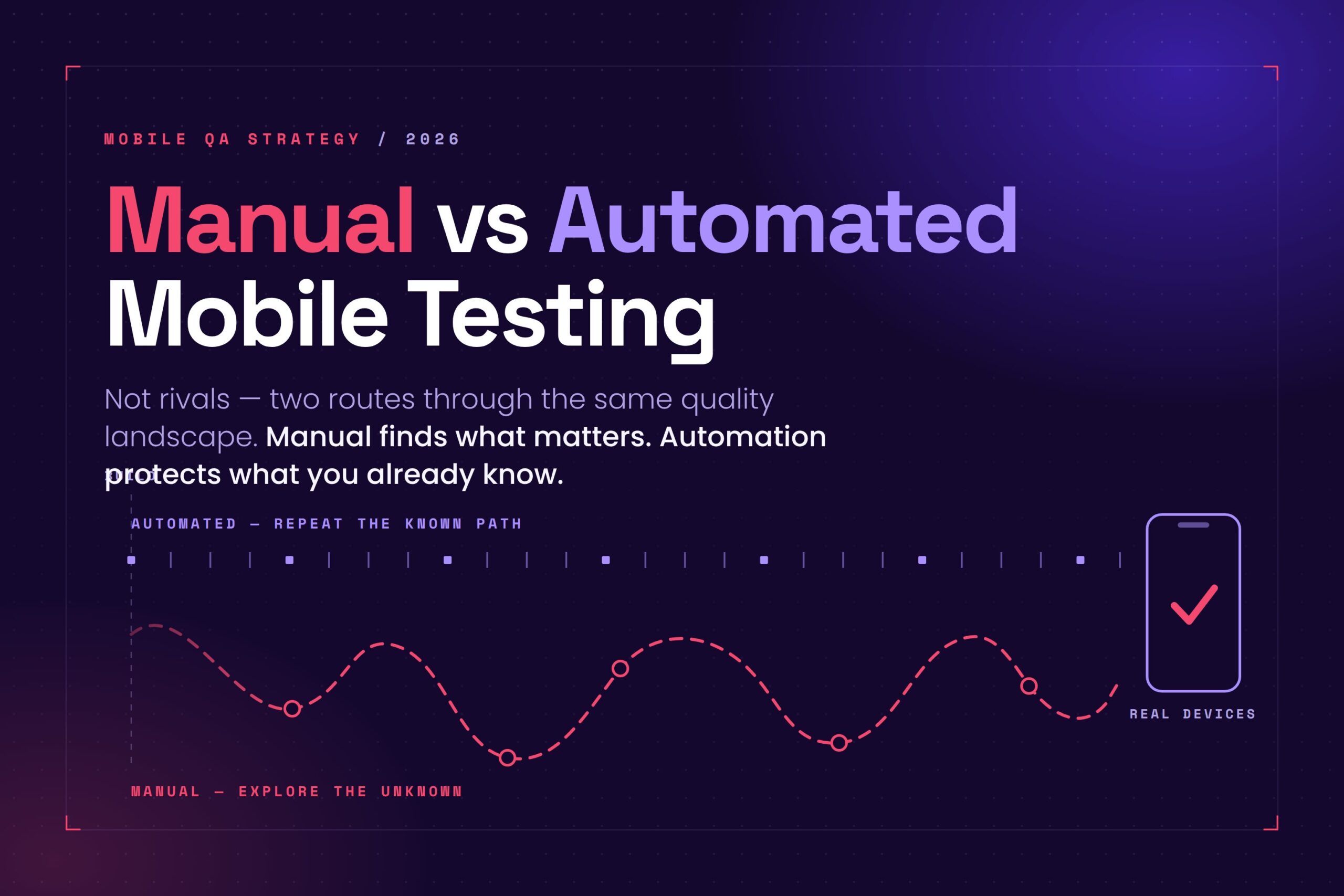
Manual and automated mobile testing are not competing strategies. They actually answer different questions.
Automated testing helps teams repeat known checks across devices, builds, and releases. Manual testing helps teams explore new behavior, understand user experience, reproduce device-specific issues, and decide what should be automated next.
The right choice depends on the risk, stability, expected result, and amount of human judgment required. In many cases, the strongest answer is a blend of both.
Automated testing repeats and scales. Manual testing explores and explains.
When manual mobile testing makes sense
Manual mobile testing makes the most sense when the team needs context, exploration, or human judgment.
Use manual testing when a feature is new, changing, unclear, or difficult to evaluate with a simple pass/fail result. It is also useful for usability, accessibility, visual review, exploratory testing, device-specific behavior, and reproducing bugs.
Manual testing is especially valuable before the team has a stable baseline. New features, early UI changes, customized apps, and device-specific issues often need human observation before they are ready for automation. A tester can explore the flow, notice unexpected behavior, and decide what needs to be protected later.
In one healthcare technology customer conversation, the team explained that most of its mobile testing was manual because each application was customized and built differently. The team was often testing one or two specific functions rather than a stable set of repeatable screens. In that context, automation was not always the fastest path. If the team had to rebuild the automated script for each variation, manual testing could provide faster feedback with less maintenance overhead.
Manual testing helps teams understand what is happening in the app and why it matters to the user.
When automated mobile testing makes sense
Automated mobile testing makes the most sense when the flow is stable, repeatable, and important enough to check often.
Automation is strongest when the expected result is clear. It works well for smoke tests, regression tests, CI/CD validation, performance checks, and high-value flows that need to run across builds, devices, and releases.
Good automation candidates include login, account creation, checkout, search, core navigation, onboarding, settings, and other paths that should behave consistently over time. These flows are worth protecting because a small regression can affect many users.
Automation is also useful when teams need broader device coverage. Instead of repeating the same checks manually across many phones and operating system versions, teams can run automated tests in parallel and review the results. Automated functional tests can also collect performance signals while they run, such as app launch time, screen load time, CPU usage, memory usage, or network response time.
Teams do not need to automate everything at once. A practical automation strategy can start with one stable, high-value flow, such as login, checkout, account creation, or app startup. Once the team understands the flow and expected result, automation can protect it across future builds.
Automation should reduce maintenance burden
Automation is valuable, but it is not free. Test scripts have to be written, reviewed, run, debugged, and maintained as the app changes.
Another customer described a common automation pain point: developers were spending a significant portion of sprint time maintaining mobile test scripts and keeping them passing. The goal was not simply to add more automation. The goal was to reduce maintenance burden so developers could spend more time building product value and specialized testers could own more of the test creation and upkeep.
That is where AI-assisted automation can be useful. The value is not that AI makes testing effortless. The value is that AI can reduce specific sources of friction, such as brittle locators, difficult element selection, and repetitive maintenance work.
A test that is expensive to maintain can become its own quality problem. Automation should reduce manual effort, not move that effort into a different pile.
Real-device testing matters for both
Real-device testing matters for both manual and automated mobile testing because device behavior cannot be taken for granted.
Mobile apps behave differently across screen sizes, OS versions, hardware, memory, sensors, battery conditions, keyboards, notifications, and network states. Even devices from the same manufacturer can behave differently depending on model, operating system version, performance limits, and configuration.
A fintech customer described using Kobiton for weekly regression testing, vendor-supported testing, cross-device requests, feature flag validation, and reproducing bugs on specific older Android or iOS devices. Team members also used real devices to verify UI changes across different screen sizes and operating system versions. That kind of testing shows why manual testing still matters at scale: teams often need to quickly observe behavior on the device where a problem appears.
Real devices also matter for automation. Automated tests can run across a broader device matrix to confirm that stable flows still work across hardware, operating system versions, screen sizes, and performance conditions.
Manual testing helps teams observe the app experience directly. Automated testing helps teams repeat important checks across more devices. Both approaches are stronger when they run where users actually experience the app.
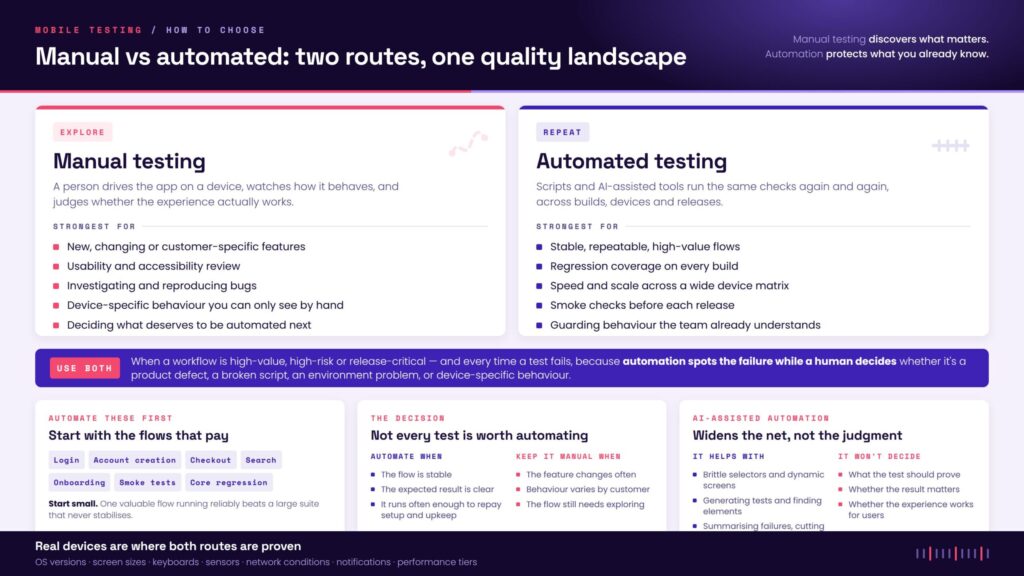
Manual and automated testing need different workflows
Manual and automated testing often require different workflows, permissions, and operational models.
In one customer conversation, the team discussed separate needs for manual testers and automation workflows. Manual testers needed access to devices for interactive testing, while the automation path needed tighter integration with CI/CD and controlled build uploads.
That distinction matters. Manual testing needs fast access to devices, builds, and exploratory sessions. Automated testing needs stable environments, controlled test data, repeatable build deployment, CI/CD integration, and clear ownership for script maintenance.
Automation works best when teams layer it. Lightweight smoke tests can run early in CI, while deeper regression, performance, and device-coverage suites can run later in the pipeline or on a scheduled cadence.
Where AI-assisted testing fits
AI-assisted testing can change what teams are able to automate, but it does not remove the need to choose the right testing method.
AI can help generate scripts, identify difficult elements, summarize failures, prioritize test results, and reduce repetitive maintenance work. For example, natural language element selection can help an Appium test describe the element it needs when a traditional selector is brittle, missing, or impractical.
That matters because mobile automation often breaks at the locator layer. A test may know what the user would tap, but the script may not have a stable accessibility ID, XPath, class name, or visible text value to target. AI can help bridge that gap when the app is dynamic, custom-rendered, or difficult to inspect.
But AI does not replace human judgment. Teams still need people to decide what the test should prove, whether the result matters, whether the failure is meaningful, and whether the app experience works for users.
AI is most useful when it reduces repetitive testing work so people can spend more time on judgment, risk, usability, accessibility, and quality decisions.
Manual or automated? Choose the testing route
Use this guide to decide whether a mobile testing task should start with manual testing, automated testing, or both.
Manual testing is the forest path: useful when the team needs exploration, observation, judgment, and context. Automated testing is the river route: useful when the path is known, repeatable, and ready to run across builds, devices, and releases.
Both routes lead to the same destination: stronger release confidence.
Two routes through the same quality landscape.
Manual testing is the forest path — slow, observant, good for unknowns. Automation is the river — fast, repeatable, strong on known ground. Answer eight questions and this planner picks the route for the test in front of you.
The forest path
Exploratory · human judgment · slower and observant · finds the bugs hiding under logs · accessibility, usability, “wait, why did that happen?”
The river route
Repeatable · scalable · carries many checks at once · regression, smoke, device coverage · strong current, poor at wandering off-trail
Choose the route for this test
Answer for one specific test or flow, not your whole suite. The route changes as a feature settles, so it is worth re-running when the flow stops moving.
Points to the river
Points to the forest
The four routes, in full
Reference · open any cardFinal takeaway
Manual and automated mobile testing are not rivals. They are different routes through the same quality landscape.
Automation is best for known paths. It helps teams repeat important checks across builds, devices, and releases. Manual testing is best for unknown terrain. It helps teams explore new behavior, understand user experience, reproduce device-specific issues, and decide what should be automated next.
AI-assisted automation can expand what teams are able to automate, especially when selectors are brittle, screens are dynamic, or maintenance work is slowing the team down. But AI does not remove the need for human judgment.
The strongest mobile testing strategies use manual testing to discover what matters, automation to protect what is known, and real devices to prove how the app behaves where users actually experience it.
FAQ
What is the difference between manual and automated mobile testing?
Manual mobile testing uses human testers to interact with an app, observe behavior, evaluate the experience, and investigate issues on real or virtual devices. Automated mobile testing uses scripts, frameworks, or AI-assisted tools to run repeatable checks without a person manually completing each step.
Manual testing is strongest when teams need exploration, context, usability review, accessibility review, or bug investigation. Automated testing is strongest when the flow is stable, repeatable, and important enough to check often.
When should teams start with manual testing before automation?
Teams should start with manual testing before automation when the feature is new, changing, customized, or not fully understood. Manual testing helps teams explore the flow, identify risks, understand user behavior, and decide which parts are stable enough to automate.
Once the team understands the expected behavior and the path becomes repeatable, automation can help protect that flow across future builds, devices, and releases.
Is automated testing better than manual testing?
Automated testing is not automatically better than manual testing. It is better for certain jobs. Automation is useful for repeatability, speed, scale, and regression coverage. Manual testing is better for discovery, judgment, usability, accessibility, and understanding real user experience.
The strongest mobile testing strategies use both. Manual testing helps teams discover what matters. Automation helps protect what teams already understand.
Should teams automate every mobile test?
No. Not every mobile test is worth automating. Tests are better candidates for automation when the flow is stable, the expected result is clear, and the test will run often enough to justify the setup and maintenance effort.
If a feature changes frequently, varies by customer, or still needs exploration, manual testing may provide faster and more useful feedback. Teams can start manually, learn the behavior, and automate the stable paths later.
How does AI-assisted testing change manual vs automated mobile testing?
AI-assisted testing can make automation easier to create and maintain, especially when selectors are brittle, screens are dynamic, or scripts require frequent updates. AI can help generate tests, identify elements, summarize failures, or reduce repetitive maintenance work.
But AI does not remove the need for human judgment. Teams still need people to decide what the test should prove, whether the result matters, and whether the app experience works for users.
Why do real devices matter for both manual and automated testing?
Real devices matter because mobile apps behave differently across hardware, operating systems, screen sizes, keyboards, sensors, network conditions, notifications, and device performance levels. Some issues only appear on specific devices or under real usage conditions.
Manual testing on real devices helps teams observe the app experience directly. Automated testing on real devices helps teams repeat important checks across a broader device matrix.
What mobile tests should teams automate first?
Teams should start by automating stable, high-value flows that are important to the user experience and likely to break during future releases. Good starting points include login, account creation, checkout, search, onboarding, smoke tests, and core regression paths.
Start small. Automating one valuable flow and running it consistently is more useful than planning a large automation suite that never becomes reliable.
When should teams use both manual and automated testing?
Teams should use both when a workflow is high-value, high-risk, or important to the release. Manual testing can help explore the flow, identify risks, reproduce issues, and decide what matters. Automated testing can then protect the stable parts of that flow across future builds and devices.
Both approaches are also useful when automated tests fail. Automation can detect the failure, while manual review can help determine whether the issue is a product defect, test script problem, environment issue, or device-specific behavior.