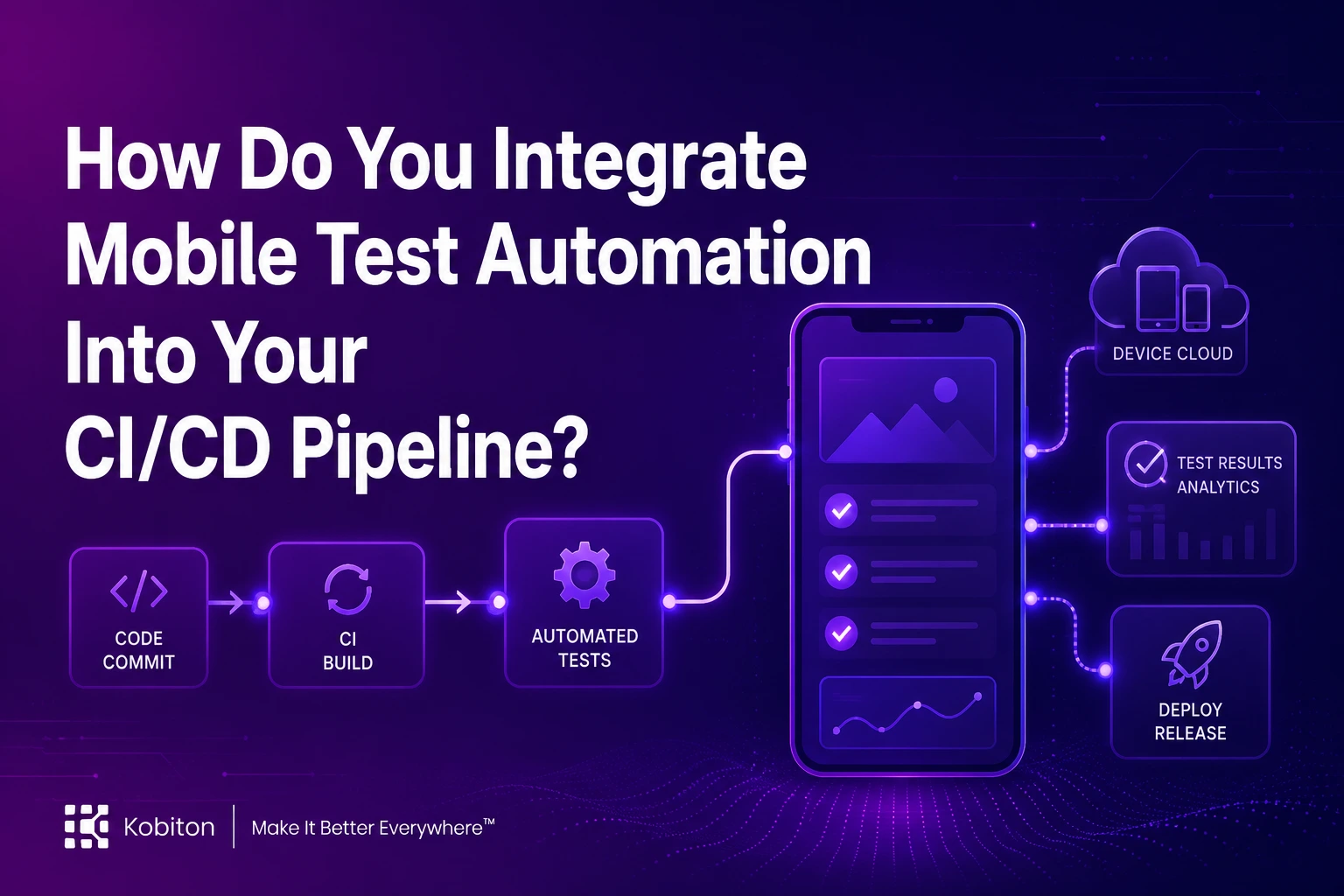
In today’s fast-paced mobile development landscape, delivering high-quality apps quickly is more important than ever. To achieve this, mobile app development teams are increasingly adopting Mobile Test Automation as a crucial part of their testing process. One of the best ways to streamline this process is by integrating automated mobile app testing into a CI/CD pipeline for mobile apps. But what does this integration really look like, and why is it essential for modern mobile development?
The Role of Mobile Test Automation in CI/CD
Mobile Test Automation refers to using automated scripts and tools to test mobile applications across various devices, operating systems, and configurations. This allows teams to test their apps quickly and efficiently, ensuring that quality is maintained throughout the development process. However, as mobile app testing can be complex due to the variety of devices and OS versions, it's essential to automate the process to keep up with fast release cycles.
Integrating mobile test automation into a CI/CD pipeline for mobile apps enables teams to automate both testing and deployment. This allows them to continuously build, test, and deliver updates in an automated manner, enhancing both speed and reliability.
What Is a CI/CD Pipeline?
A CI/CD pipeline for mobile apps is a set of automated processes that enable developers to frequently integrate code changes (Continuous Integration or CI) and automatically deliver those changes to production (Continuous Delivery or CD). This integration includes running tests at each stage of the development cycle to detect issues early and ensure smooth deployments.
Incorporating Mobile Test Automation into this pipeline enhances its efficiency by ensuring that mobile apps are rigorously tested with every new code change. Automated tests verify the app’s functionality, performance, and security before any code is deployed to production, reducing the risk of bugs reaching users.
What Makes a Mobile CI/CD Pipeline Different?
The principle is the same as any CI/CD pipeline: every change is built and tested automatically before it moves closer to users. What changes for mobile is what happens after the build. A web pipeline deploys to a server and the fix is live in seconds. A mobile pipeline produces a binary that has to be signed, submitted to Apple or Google, reviewed, and then installed by users on their own schedule. That makes a defect that slips through far more expensive, and it is why testing has to happen before the build leaves the pipeline rather than after release.
| Pipeline area | Web CI/CD | Mobile CI/CD |
| Build environment | Standard Linux containers | macOS with a pinned Xcode version for iOS; Android SDK and Gradle for Android |
| Code signing | Not required | Mandatory on every release build: certificates and provisioning profiles for iOS, a keystore for Android |
| Test surface | A handful of browser engines | Thousands of device, OS version and screen size combinations |
| Where UI tests run | Headless browsers | Emulators, simulators or real devices |
| Release | Push to server, live immediately | Store submission and review, which can take hours or days |
| Rollback | Redeploy the previous version | Ship a new version, wait for review, wait for users to update |
| Versions in production | One | Several at once, because not every user updates |
The practical consequence is that the test stage carries more weight in a mobile pipeline. It is the last point at which a defect is cheap to fix.
Steps to Integrate Mobile Test Automation Into Your CI/CD Pipeline
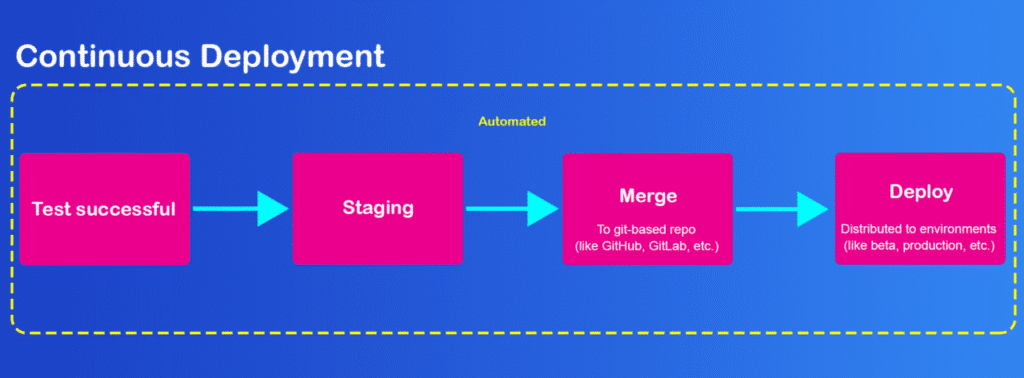
1. Choose the Right Testing Frameworks
The first step is to choose the right mobile testing frameworks that can easily integrate into your CI/CD pipeline. Frameworks like Appium, Espresso, and XCUITest are popular choices. These tools allow you to write automated tests for both Android and iOS apps and run them on real devices or emulators.
| Framework | Platform | How it runs | Best fit in a pipeline |
| Espresso | Android | Runs inside the app process and synchronises with the UI thread automatically | Fast, stable Android UI tests written by the app's own developers |
| XCUITest | iOS | Apple's native UI testing framework, built into Xcode | Stable iOS UI tests maintained alongside the iOS codebase |
| Appium | Android and iOS | Drives the app from outside through the WebDriver protocol, using native automation engines underneath | One cross-platform suite, written in the language your QA team already uses |
Many teams use both kinds: native frameworks for fast developer-owned checks on each platform, and Appium for a shared end-to-end suite. Whichever you pick, confirm your device platform runs it as-is, so moving tests into the pipeline doesn't mean rewriting them.
Selecting a framework that supports parallel test execution across different devices and OS versions is critical for ensuring that your app functions as expected on all target platforms. This is particularly important when considering the wide variety of mobile devices and OS versions in the market.
2. Set Up Automated Mobile App Testing
Once the framework is chosen, you need to configure your automated mobile app testing suite. Test scripts should cover core functionality, UI interactions, performance metrics, and security vulnerabilities. The key is to automate tests that are critical to the app’s functionality, such as login, user interaction, network connectivity, and database calls.
Make sure the tests run on different network conditions, devices, and screen sizes to provide comprehensive test coverage. Continuous testing for mobile apps can help identify defects early in the development cycle and prevent delays in releasing new features.
3. Integrate the Testing Suite Into the CI/CD Pipeline
Once the testing suite is configured, the next step is integrating it into your CI/CD pipeline for mobile testing in DevOps pipeline. This ensures that every time a new feature is pushed to the repository, the mobile app is automatically built, deployed to a testing environment, and tested.
CI/CD tools such as Jenkins, GitHub Actions, GitLab CI, CircleCI, Azure DevOps and mobile-focused platforms like Bitrise all integrate with mobile testing frameworks and device clouds.
Decide which tests run at each stage
Not every test belongs on every commit. Mobile UI tests are slow compared with unit tests, and device time is a finite resource, so the most effective pipelines run cheap, fast checks first and save the full device matrix for later stages. If a build fails a compile step, there is no reason to spend device time on it.
| Trigger | What runs | Where it runs | Goal |
| Every commit | Lint, compile, unit tests | CI build machine | Feedback in minutes on the most common failures |
| Pull request | Smoke suite covering login, core navigation and one key transaction | Emulator or simulator, plus one or two real devices | Confirm the build installs, launches and completes its critical path |
| Merge to main | Full functional regression suite | Real devices in parallel across your priority device list | Catch device- and OS-specific defects before the build is distributed |
| Nightly or pre-release | Extended device matrix, performance, accessibility and network-condition tests | Broad real-device coverage | Validate the release candidate the way users will actually run it |
Treat each stage as a gate: if it fails, the build does not move on. That keeps the main branch releasable and means a defect is reported to the developer who introduced it while the change is still fresh.
CI/CD tools like Jenkins, CircleCI, and GitLab CI provide seamless integrations with testing frameworks. By setting up automated testing as a stage within your CI/CD pipeline, you ensure that no code change is merged or deployed until it has passed the necessary tests.
Here is what a typical Android pull-request pipeline looks like in practice. The same shape applies to iOS, with an Xcode build on a macOS runner in place of Gradle.
| Pipeline step | What it does | Typical command or action |
| Checkout | Pulls the commit that triggered the run | Your CI's checkout step |
| Unit tests | Fails fast on logic errors before anything is packaged | ./gradlew testDebugUnitTest |
| Build | Produces the app and instrumentation test packages | ./gradlew assembleDebug assembleDebugAndroidTest |
| Upload build | Sends the APK to your device cloud's app storage | Device cloud API or CI plugin, with credentials stored as CI secrets |
| Run smoke suite | Executes critical-path tests on real devices in parallel | Your test runner, pointed at the device cloud endpoint |
| Publish results | Attaches reports, logs and session video to the build | JUnit report upload plus the device cloud's result link |
| Gate | Blocks merge if any test in the stage failed | Required status check on the pull request |
4. Use Cloud-Based Testing for Scalability
Testing across a wide range of devices is essential, but building and maintaining an in-house device lab is expensive and slow to keep current. Frameworks such as Appium, Espresso and XCUITest are free and flexible, yet they only define how tests are written. They don't supply the devices to run them on, and running a lab of your own means someone has to buy, charge, update and replace hardware.
Real-device cloud platforms such as Kobiton close that gap. Your pipeline sends each build and test run to a shared pool of physical iOS and Android devices, runs the suite in parallel, and returns results, logs and session recordings to the CI job. Look for a platform that runs your existing framework without rewriting tests, exposes an API or plugin for your CI tool, and offers public cloud, private or on-premises devices if you have data-residency constraints.
These platforms allow you to run tests on multiple real devices and operating systems without the need to maintain physical devices yourself. This not only speeds up testing but also increases test coverage across a broader range of devices and configurations, which is critical for delivering a flawless mobile experience.
5. Gate Beta and Store Distribution on Test Results
Automated tests only protect users if their results decide where a build is allowed to go. Configure the pipeline so that a build moves forward only when the tests for its stage pass: merge-stage regression gates internal and beta distribution, and the pre-release suite gates store submission.
- Beta distribution. Builds that pass regression on real devices go automatically to internal testers through TestFlight on iOS or a Google Play test track on Android.
- Store submission. Only a release candidate that passes the full pre-release suite is signed for distribution and submitted for review. Because any defect found after submission means a rebuild and another review cycle, this is the gate that matters most.
- Phased rollout. Both the App Store and Google Play let you release to a percentage of users first. Use it, and watch crash and stability data before expanding the rollout.
6. Monitor and Improve the Process
Finally, once your mobile test automation is integrated into your CI/CD pipeline, it’s important to continuously monitor the results and improve the process. Review test reports and logs to identify flaky tests, bottlenecks, and any failures that need addressing. By maintaining a feedback loop, your team can continually improve the quality and speed of mobile app development.
Flaky tests, the ones that pass and fail on the same build, deserve their own policy. Mobile suites are especially prone to them because of animation timing, network variability and device state. If flaky failures are tolerated, developers learn to rerun and ignore red builds, and real regressions slip through with them.
- Track pass rate per test across runs, so a test that fails intermittently is identified by data rather than by frustration.
- Quarantine flaky tests out of the gating suite while they are fixed, so they stop blocking merges without being silently deleted.
- Limit automatic retries. One retry can absorb genuine environmental noise; unlimited retries hide problems.
- Use session video, device logs and screenshots from the failed run to find the cause. Most flakiness comes from a wait condition, a locator or test data, not the device.
Best Practices for Mobile Test Automation in CI/CD
- Automate your highest-value flows first. Login, payments, onboarding and core navigation break most visibly and cost the most when they do. Get these stable in the pipeline before expanding coverage.
- Start with regression, then widen scope. A reliable regression suite is what makes it safe to merge often. Add performance, accessibility and network-condition tests once regression runs green consistently.
- Use stable locators. Accessibility IDs and resource IDs survive layout changes that break absolute XPath. Brittle locators are one of the most common reasons mobile suites go red for reasons that have nothing to do with the app.
- Balance emulators with real devices. Emulators and simulators give fast feedback early in the pipeline; real devices catch the hardware, OS-skin and performance issues that emulators miss. Use both, at different stages.
- Run tests in parallel and shard large suites. Splitting a long UI suite across several devices cuts wall-clock time roughly in proportion to the number of devices, which keeps merge-stage feedback fast enough that developers don't start batching changes.
- Set a time budget for the pipeline and treat regressions as bugs. A commit-stage build that creeps from ten minutes to thirty quietly erodes the discipline CI depends on.
- Integrate early. Adding tests to the pipeline from the first sprint is far cheaper than retrofitting a large manual suite later.
Benefits of Integrating Mobile Test Automation into Your CI/CD Pipeline
- Faster Release Cycles: Automated tests ensure that every code change is validated before it reaches production, enabling teams to release updates faster and more frequently.
- Improved Code Quality: By detecting issues early in the development process, Mobile Test Automation helps ensure that the app’s quality is consistently maintained throughout its lifecycle.
- Scalability: Cloud-based testing and parallel test execution allow you to scale testing efforts across a wide range of devices and OS versions, ensuring thorough coverage without the need for extensive hardware.
- Reduced Costs: Automation reduces the need for manual testing, saving time and resources. Additionally, catching bugs early in the development process prevents costly post-release fixes.
- Continuous Feedback: The integration of automated mobile app testing into your CI/CD pipeline provides developers with immediate feedback, enabling faster detection and resolution of issues.
Conclusion
Integrating Mobile Test Automation into your CI/CD pipeline for mobile apps is a critical step towards achieving fast, reliable, and scalable mobile app development. By automating testing and aligning it with your CI/CD processes, you not only improve the efficiency of your workflow but also enhance the quality of the mobile experience for users. With continuous testing in place, your mobile apps will be more robust, perform better, and be ready for release in record time.
Incorporating this automated testing process ensures that every mobile update is thoroughly tested, enabling your team to deliver high-quality apps with greater confidence and speed.
FAQs
What is mobile test automation in CI/CD?
Mobile test automation in CI/CD means automatically running mobile app tests whenever new code is added, helping teams detect issues earlier in the development process.
Why should mobile test automation be added to a CI/CD pipeline?
It helps improve release speed, reduce manual testing effort, catch bugs earlier, and maintain app quality across frequent updates.
Which tools are commonly used for mobile test automation?
Common mobile testing frameworks include Appium, Espresso, and XCUITest, while CI/CD tools include Jenkins, CircleCI, and GitLab CI.
How does cloud-based testing help in CI/CD?
Cloud-based testing allows teams to run tests on multiple real devices and operating systems without maintaining a physical device lab.
What are the main benefits of integrating mobile testing into CI/CD?
The main benefits include faster release cycles, improved code quality, better scalability, reduced testing costs, and continuous feedback for developers.
Should mobile UI tests run on every commit?
Usually not the full suite. Run unit tests and a compile check on every commit, a short smoke suite on each pull request, and the full real-device regression suite on merge or nightly. That keeps feedback fast without skipping device coverage.
Are emulators enough for mobile testing in CI/CD?
Emulators and simulators are good for fast early feedback, but they don't reproduce real hardware, manufacturer OS changes, or real performance and network behaviour. Most teams use emulators early in the pipeline and real devices for regression and pre-release testing.
How do you handle flaky tests in a mobile CI pipeline?
Track each test's pass rate across runs, quarantine intermittent failures out of the gating suite while they're fixed, limit automatic retries, and use session logs and video to find the root cause, which is usually a wait condition, locator or test data.
How is mobile CI/CD different from web CI/CD?
Mobile pipelines need platform-specific build machines, mandatory code signing, device-based UI testing and app store review before release. Because a fix takes a new build and another review to reach users, catching defects before distribution matters more than it does on the web.