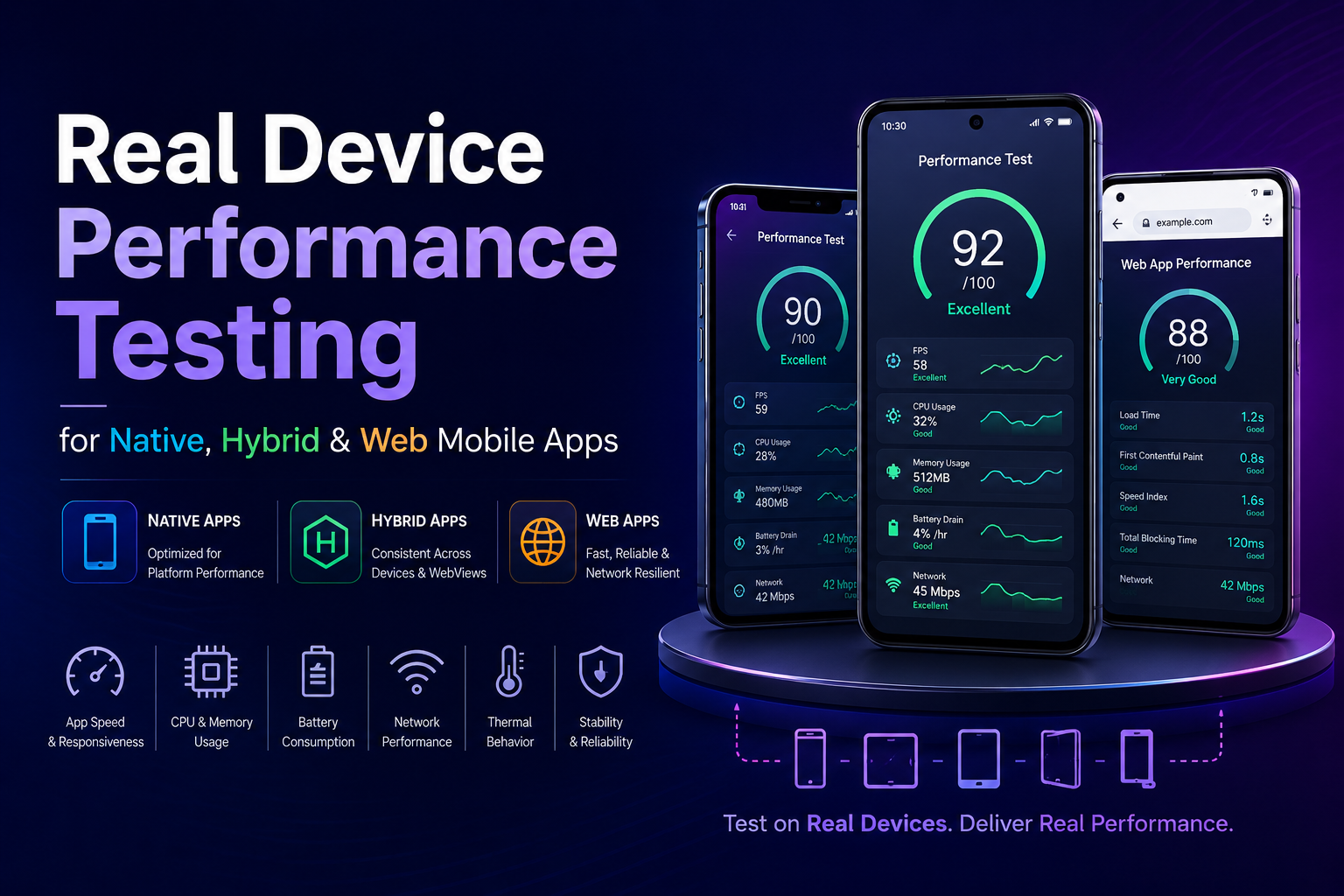
Mobile users decide whether they like an app in the first few seconds. If a screen stutters, a tap lags, or a checkout flow freezes, they rarely file a bug report they uninstall and move to a competitor. For mobile engineering teams shipping production apps, that makes performance a feature, not an afterthought.
The challenge is that performance problems are hard to catch where most teams look for them. Emulators and simulators are fast and convenient, but they reproduce an operating system, not the messy reality of a phone in someone’s pocket: a mid-range chipset under thermal pressure, 12 background apps competing for RAM, a flaky cellular signal on a train. An app can pass every emulator check and still overheat, drain the battery, or crash in the wild.
Real Device Performance Testing closes that gap. By running tests on the physical hardware your customers actually use, you measure how the app truly behaves — across CPU limits, memory pressure, battery constraints, sensors, and unpredictable networks. This guide explains what real device performance testing covers, how it differs across native, hybrid, and web apps, the metrics that matter, how to run it effectively, and how to scale it without drowning in device maintenance.
What Is Real Device Performance Testing?
Real Device Performance Testing (RDPT) evaluates how a mobile app performs on physical smartphones and tablets to measure speed, responsiveness, and stability under realistic user conditions.
Instead of inferring behavior from a virtualized environment, it observes the app on real silicon and real operating systems. The areas it focuses on include:
- App launch time and screen transitions — how quickly the app becomes usable and moves between views.
- UI rendering smoothness — frame drops, lag, and jank during scrolling and animation.
- Memory usage and leaks — how RAM consumption trends over a session.
- CPU and GPU load — processing behavior under heavy interaction.
- Battery consumption — how aggressively the app drains power during use.
- Network response — behavior across Wi-Fi, 4G/5G, and unstable connections.
Real devices surface problems that emulators routinely miss, especially those tied to hardware differences and OS-level behavior.
Why Real Devices Matter for Speed and Stability
When an app reaches a real user, it lands in conditions you cannot fully predict: limited RAM, background processes, an incoming call, or a weak signal. Testing on physical hardware lets you observe the app under those constraints rather than guessing at them.
Three real-world factors are especially hard to fake in a lab:
True performance under hardware constraints. Mid-range and older devices show slower rendering, memory pressure, and CPU throttling that flagship-only testing hides. These directly affect how smooth the app feels.
Real network behavior. Live networks introduce packet loss, jitter, and handoffs between Wi-Fi and cellular. That variability is difficult to replicate with artificial network simulation.
OS-level interruptions. Notifications, background synchronization, and system tasks can interrupt the app’s flow and trigger crashes or UI freezes that a clean virtual environment never encounters.
Real Device Performance Testing Across App Types
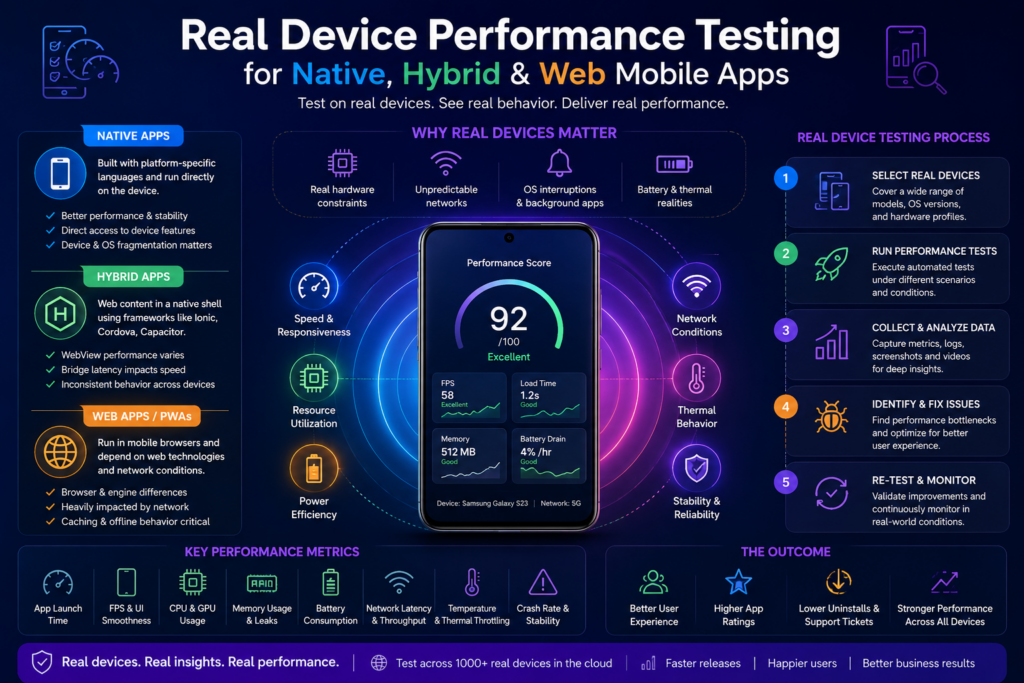
Most discussions of real device testing treat “the app” as a single thing. In practice, the architecture of your app changes what breaks under load, which metrics matter most, and how you should instrument your tests. Native, hybrid, and web apps each stress real hardware differently — and real device testing is the only reliable way to see those differences.
Native Apps
Native apps are built with platform-specific languages and SDKs (Swift/Objective-C for iOS, Kotlin/Java for Android) and compile down to code that talks directly to the hardware. That direct access is their performance advantage — and the reason their bottlenecks are so device-dependent.
What to watch on real devices:
- Cold and warm launch time, which varies heavily with storage speed and initialization work on older hardware.
- Frame rate during animation and scrolling, where GPU differences between chipsets become obvious.
- Memory footprint and leaks, since native apps manage memory closer to the metal and behave differently across OEM memory-management policies.
- Battery and thermal behavior during sustained use, camera access, or location tracking.
Because native apps lean directly on platform APIs and sensors, OEM-specific behavior (how Samsung, Xiaomi, or OnePlus handle background processes and power) shows up clearly only on the real thing.
Hybrid Apps
Hybrid apps wrap web content (HTML, CSS, JavaScript) inside a native shell using frameworks such as Ionic, Cordova, Capacitor, or a WebView-based stack. They ship faster across platforms, but they add a layer — the WebView and the bridge between web and native code — that becomes the prime suspect for performance issues.
What to watch on real devices:
- WebView rendering performance, which differs between the system WebView versions installed across Android OEMs and OS releases.
- Bridge latency — the cost of passing data between the JavaScript layer and native modules, which can introduce lag in interactions that feel instant on a desktop preview.
- JavaScript execution and memory overhead, often heavier than equivalent native code and more punishing on low-RAM devices.
- Inconsistent behavior across WebView implementations, where the same build renders smoothly on one device and janks on another.
Real device testing matters disproportionately for hybrid apps precisely because WebView fragmentation is invisible on a single emulator image.
Mobile Web Apps and PWAs
Web apps and Progressive Web Apps run inside the device’s mobile browser rather than as an installed binary. Here, performance is shaped by the browser engine, the network, and the device’s ability to execute JavaScript efficiently.
What to watch on real devices:
- Page load and time-to-interactive under real cellular conditions, not stable office Wi-Fi.
- Browser rendering and scroll performance across mobile browser versions and engines.
- JavaScript and main-thread responsiveness on mid-range CPUs.
- Browser and OS fragmentation, where layout, gesture handling, and feature support diverge across the long tail of real browsers.
Mobile web testing benefits most from breadth of coverage — many browser/OS/device combinations — which is where a real device cloud earns its keep.
Quick takeaway: Native testing emphasizes hardware-level metrics (memory, GPU, thermal, battery). Hybrid testing emphasizes the WebView and bridge. Web testing emphasizes browser fragmentation and network-bound load times. Real devices are the common denominator that exposes all three.
How Real Device Testing Improves App Speed
Speed is the first thing users notice. Testing on physical hardware uncovers slowdowns that lab environments hide:
- Slow startup. Apps that launch instantly on an emulator can stall on real devices because of storage speed, initialization tasks, and background services.
- UI rendering delays. Frame drops and scroll lag often appear only against real GPU limits.
- API response bottlenecks. Network variability exposes latency that stable lab conditions mask entirely.
By analyzing these patterns, teams can pinpoint exactly where time is being lost and tighten responsiveness across every interaction.
How Real Device Testing Strengthens App Stability
Stability is how reliably an app behaves over time and across conditions. Real devices reveal:
- Memory leaks. Apps that gradually slow or crash after extended use, especially on low-memory hardware.
- Crashes under load. Heavy user flows or stacked background tasks that trigger unexpected terminations.
- Device-specific failures. Different OEMs allocate resources differently, producing inconsistent behavior that uniform emulator testing never catches.
These issues stay invisible on emulators and only emerge on physical devices.
Key Metrics to Track
A structured performance practice tracks measurable indicators rather than impressions:
| Metric | What it tells you |
| App launch time (cold & warm) | How fast the app becomes usable from scratch vs. resumed |
| Frame rate (FPS) | UI smoothness during scrolling and animation |
| Memory consumption | RAM usage trends and leak detection |
| CPU utilization | Processing load under interaction |
| Battery drain rate | Power efficiency during sustained use |
| API latency | Network responsiveness under real conditions |
| Crash rate & ANR | Frequency of crashes and “Application Not Responding” events |
Tracked together, these metrics connect technical behavior to the experience users actually feel.
Real Device vs Emulator: Why the Gap Matters
Emulators are valuable early in development for fast smoke checks and quick iteration. But they cannot reproduce real-world usage, and that limitation is structural, not incidental.
| Aspect | Emulator / Simulator | Real Device |
| Setup speed | Fast | Moderate |
| Cost | Low | Higher, but accurate |
| Sensors (camera, GPS, fingerprint) | Simulated | Real |
| Battery, heat, network behavior | Not measurable | Fully measurable |
| GPU rendering | Simplified pipeline | True hardware behavior |
| OEM optimizations | Missing | Present |
| User realism | Partial | Complete |
The practical rule: use emulators for early-stage builds and fast feedback, then switch to real devices to validate final builds, performance, and hardware-dependent features like camera, GPS, and biometric authentication. This hybrid model keeps delivery fast without sacrificing accuracy.
Physical Device Lab vs Real Device Cloud
Owning the hardware is one way to access real devices; renting it on demand is another. Both are legitimate, and many mature teams use both.
A physical (on-premise) lab gives you full control and privacy, which suits enterprise teams handling sensitive data. The trade-off is cost and overhead. Common limitations of running everything in-house include:
- High procurement and maintenance cost. Buying, repairing, and replacing a representative fleet is expensive, and batteries and aging models degrade over time.
- Location and availability barriers. Not every device ships to every region, which makes geolocation testing and device sourcing harder.
- Procurement lead time. Waiting on hardware — or dealing with shipping delays and defects — slows the team down.
- Device selection difficulty. Deciding how many handset types you need and which ones is a real skill given how many models exist.
- On-premise dependency. Lab-bound testing is awkward when teams work remotely.
- Weaker IDE/debugging integration compared with managed environments.
A real device cloud addresses most of these by hosting real Android and iOS devices remotely, accessible from a browser. The advantages compound:
- Always up to date with the latest devices, OS versions, and browsers.
- Work from anywhere, so distributed teams test without being tied to a lab.
- Parallel execution across many devices at once, dramatically shortening feedback cycles.
- Built-in collaboration — log and route bugs through tools like Jira and Slack instead of email threads.
- Lower cost and maintenance, with no internal device library to manage.
| Factor | Physical Device Lab | Real Device Cloud |
| Cost | High | Low |
| Maintenance | High | Low |
| Remote flexibility | Limited | Full |
| Testing speed | Slower | Faster |
| Parallel testing | Possible but hard | Easy and scalable |
| Geolocation testing | Difficult | Straightforward |
| Device/OS/browser breadth | Limited by budget | Very broad |
| Procurement effort | High | None |
Historically, cloud testing was weaker for certain hardware-bound features (camera, fingerprint, Bluetooth, fine-grained sensor input), and that was a fair reason to keep a small physical lab for those specific cases. Modern real device clouds have closed much of that gap Kobiton, for example, provides access to real devices with genuine network, GPS, and hardware behavior — so the practical answer for most teams is a hybrid: keep a handful of critical or security-sensitive devices in-house and use a cloud for breadth, scale, and speed.
Types of Real Devices and Deployment Models
“Real device” covers more than the latest flagship phone. A complete coverage strategy considers:
- Smartphones across Android and iOS and across major manufacturers.
- Tablets, which expose layout and touch-responsiveness issues that phones don’t.
- Wearables and IoT devices used alongside companion apps.
- Legacy models that a meaningful slice of your audience still runs.
You can access these through a local lab, a cloud device farm, or a combination of both — choosing based on control, scale, and security needs.
Choosing the Right Device Coverage
Testing every device ever made isn’t realistic, so focus effort where it matters:
- Start with analytics. Identify the devices, OS versions, and browsers your customers actually use. On Android especially, fragmentation means testing across multiple versions and OEMs.
- Account for hardware diversity. Include a mix of screen sizes, memory tiers, and sensor capabilities — and deliberately include mid-range and older hardware, not just flagships.
- Apply a risk-based approach. Test core journeys — login, purchase, camera, payments — across a broader device set than secondary flows.
This balance controls cost without sacrificing the accuracy that matters most.
Common Performance Issues Found Only on Real Devices
In practice, real device testing routinely surfaces problems that simply don’t appear in virtual environments:
- Scroll lag on low-end Android phones.
- Camera or GPS delays caused by hardware differences.
- UI freezing when switching between background apps.
- Longer load times on older or slower storage.
- Battery-drain spikes during continuous use.
Each of these directly affects retention and store ratings, which is what makes real device testing a business concern, not just an engineering one.
How to Run Effective Real Device Performance Testing
A practical, repeatable approach combines coverage, realistic conditions, automation, and clean measurement.
1. Cover device diversity. Test across low-end, mid-range, and flagship models with varied screen sizes and OS versions.
2. Simulate real network conditions. Test under weak 3G/4G, switching between Wi-Fi and cellular, and offline/online transitions — not just stable office Wi-Fi.
3. Test full user journeys, not isolated functions. Validate end-to-end flows such as login → browse → checkout, where real performance problems compound.
4. Set up and reset the environment consistently. Provision devices with consistent settings, automate scheduling so tests don’t collide, and after every run reset apps, clear caches and storage, and restore a clean state so one test never contaminates the next.
5. Isolate test data and state. Clear caches and temporary files before each run, isolate user profiles so sessions don’t leak into one another, and use sandboxed environments for sensitive flows. Clean data is what makes results trustworthy.
6. Instrument for observability. Collect logs, screenshots, and video recordings for every run, and track CPU, memory, and temperature so you catch issues that don’t trigger an obvious failure. This is also where real devices prove indispensable for validating GPS, geofencing, and map rendering, which simulators can’t replicate honestly.
7. Handle hardware-driven flakiness. Queue tests so devices aren’t overbooked, retry when sensors misbehave, account for touch-responsiveness variation between screens, and use frameworks that support parallel execution.
8. Integrate into CI/CD. Run performance checks inside your build pipeline so regressions are caught early rather than discovered after release.
9. Report and correlate results. Bring test results, logs, and video into one dashboard, compare behavior across devices and OS versions, and use trend analysis over time to surface recurring device-specific issues. If a test fails only on one model, that’s where the next investigation starts.
Choosing a Testing Strategy: Questions to Ask First
Before committing to physical, cloud, or hybrid testing, weigh:
- Objective — full app validation or narrow unit testing?
- Requirements — does it depend on camera, GPS, or specific sensors?
- Project timeline — short-lived effort or long-term product needing continuous logs?
- App type — native, hybrid, web, e-commerce, VR — and at what scale?
- Time and budget — cloud usually wins on speed and cost; physical can be heavier on both.
- Compliance and documentation — does the approach meet your industry’s regulations and offer the technical docs you’ll need when stuck?
- SDLC/ATLC fit — testing is continuous; the method must support every stage.
- Team capability and morale — the process shouldn’t burn out your testers.
Cost, Scaling, and Maintenance
A device fleet is a depreciating asset — batteries fail, new models launch constantly, and older ones need replacing. A hybrid setup usually scales best: keep a small internal lab for core or sensitive devices, and lean on a real device cloud for large-scale coverage. Automated health checks keep devices ready, and scheduled rotation keeps your matrix aligned with the models your users are adopting.
Best Practices That Keep Results Accurate
A few habits separate dependable testing from noisy testing:
- Calibrate devices regularly to avoid sensor drift.
- Standardize frameworks so results stay comparable across runs.
- Run pre-test health checks to verify connectivity before execution.
- Log everything — network, performance, and user actions.
- Assign clear device ownership and usage schedules.
These practices build trust in your results and cut down on false failures from hardware variance.
How Kobiton Fits In
Maintaining a large physical lab to cover native, hybrid, and web apps across every relevant device is expensive and slow. A real device cloud lets teams scale coverage without that overhead. Kobiton provides:
- Parallel execution across many real devices simultaneously.
- Broad, up-to-date device coverage spanning Android and iOS, from flagships to legacy models.
- Real-time performance analytics to track speed and stability metrics as they happen.
- CI/CD integration for faster feedback and early regression detection.
Together, these let engineering teams keep coverage consistent and test breadth high without draining resources on hardware management.
What an Effective 2026 Strategy Looks Like
The strongest approach pairs flexibility with precision. Most teams will run a mix of on-premise devices and scalable cloud access: emulators for early-stage builds and fast smoke checks, real devices for validation and release readiness. Expect the focus to keep shifting toward automation that adapts to each device type, and toward AI-driven analytics that predict which devices are most likely to expose bugs so testing gets faster and smarter without giving up accuracy.
Final Thoughts
Improving mobile app speed and stability is about more than clean code, it’s about understanding how the app behaves in real user environments. Real Device Performance Testing delivers the most accurate picture by exposing issues tied to hardware, networks, and OS behavior, and by accounting for the real differences between native, hybrid, and web architectures.
Users never experience your app on an emulator. They use real devices, under unpredictable conditions, every single time. When your testing mirrors that reality, combining real hardware, structured metrics, and the scale of a real device cloud, your releases get faster, smoother, and more reliable, and the trust you build with users follows.