What Features and Conditions Can Be Tested on Real Devices That Can’t Be Replicated Virtually?
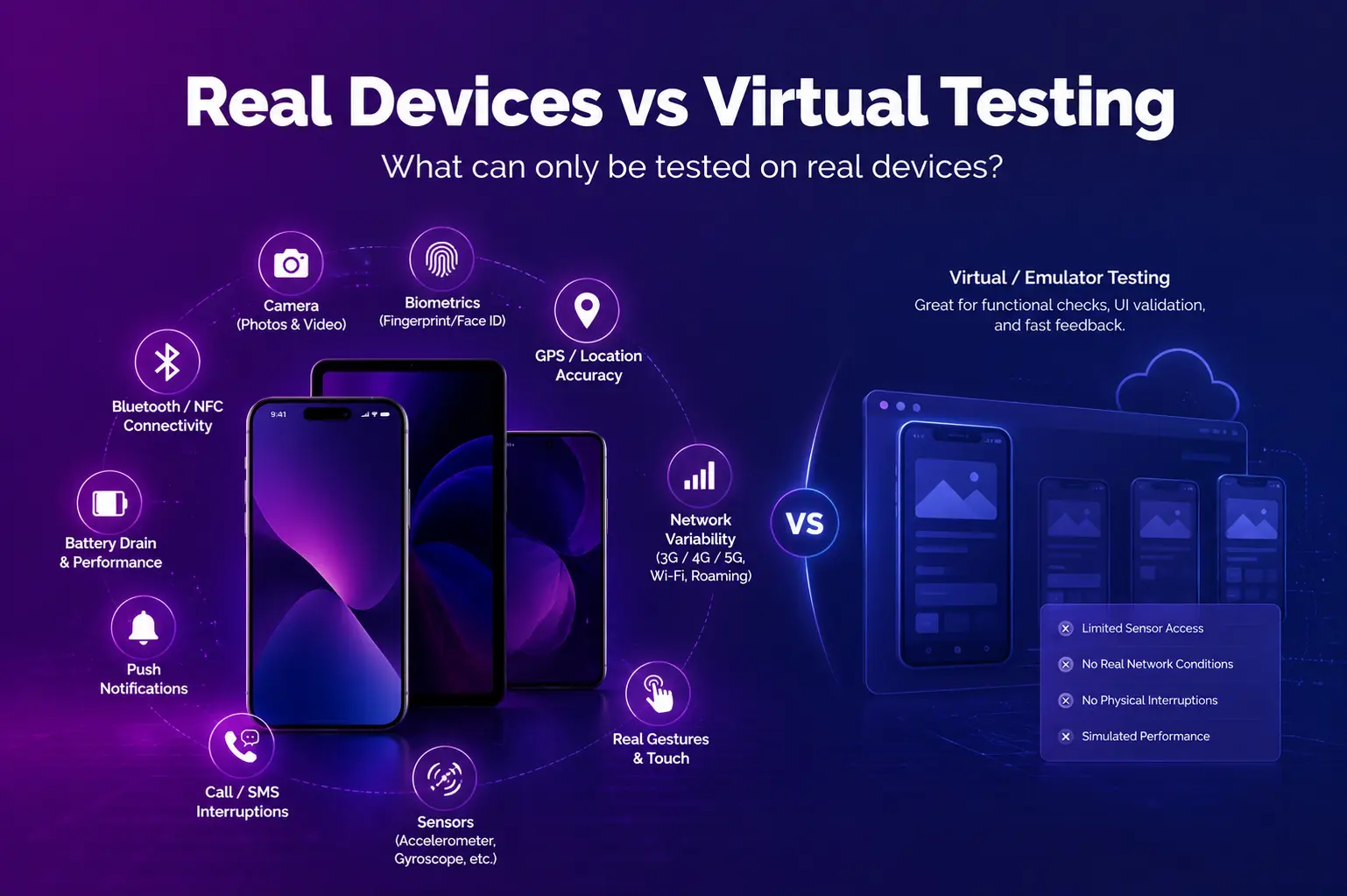
When it comes to delivering a flawless mobile app experience, nothing beats testing features on real devices. While emulators and simulators play an important role in early development stages, they simply cannot replicate the full spectrum of hardware behaviors, environmental variables, and performance nuances that actual devices exhibit.
Real Device vs Virtual Testing
Explore which mobile features need real hardware and which can be tested virtually
Tap a Feature to See Coverage
Click any feature on the phone to compare how well real devices vs emulators can test it.
Testing Coverage by Category
How real devices and emulators stack up across major testing dimensions.
When to Use Each Approach
A smart testing strategy uses both — here’s when each one fits.
In this blog, we’ll explore the critical features and conditions that can only be accurately tested through mobile testing on real devices, and why they are essential for ensuring high app quality in real-world scenarios. Platforms like Kobiton make this process more accessible by providing real device access without the complexity of managing physical hardware.
1. Hardware-Dependent Features
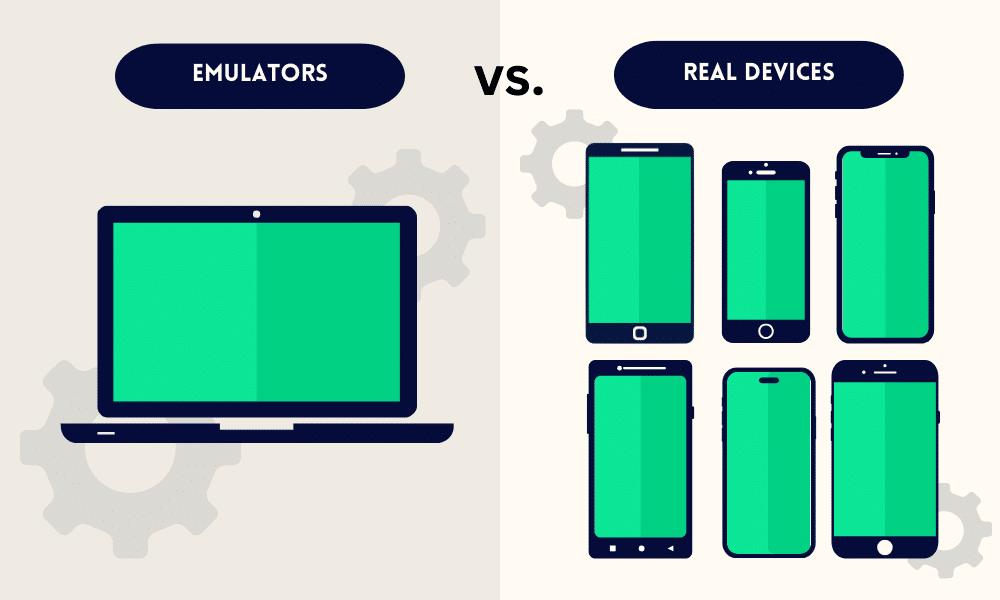
Many app features are directly tied to the physical components inside a device. These include:
- Camera performance – Testing capture speed, focus accuracy, zoom functionality, and low-light behavior.
- Biometric authentication – Verifying fingerprint scanning and facial recognition accuracy under real conditions.
- NFC and Bluetooth – Ensuring smooth contactless payments, device pairing, and reliable data transfer.
Additionally, only real devices can accurately validate sensors such as GPS, accelerometers, and gyroscopes. This ensures that location-based services, motion tracking, and fitness applications function correctly in real-world environments.
2. Network Conditions and Connectivity
In real-world usage, users rarely experience perfect network conditions. Testing on actual devices allows you to:
- Simulate weak or fluctuating signals.
- Switch between Wi-Fi, 3G, 4G, and 5G during active sessions.
- Evaluate app behavior during network interruptions and recovery scenarios.
While emulators can mimic bandwidth changes, they often fail to capture real-world issues such as latency spikes and network handoff problems. This is why mobile testing on real devices, especially through solutions like Kobiton, is critical for validating network reliability.
3. Performance Under Real Workloads
One of the biggest advantages of testing on physical devices is obtaining accurate performance data. Real hardware enables QA teams to monitor:
- CPU and memory usage under sustained workloads.
- Battery drain across different usage patterns.
- Device temperature changes during intensive operations.
These metrics are essential for understanding how your app performs in real-world scenarios, such as gaming, video streaming, or prolonged background activity, which virtual environments often fail to simulate accurately.
4. UI/UX Validation Across Devices
Users interact with apps on a wide range of screen sizes, resolutions, and aspect ratios. Testing on real devices ensures:
- Pixel-perfect layouts in both portrait and landscape orientations.
- Responsive touch interactions and accurate gesture recognition.
- Proper font rendering and consistent color display.
Although virtual tools can provide a general preview of your interface, only real devices can reveal subtle user experience issues like touch latency or gesture misinterpretation.
5. Environmental and Sensor-Based Conditions
Environmental interactions are nearly impossible to replicate accurately in virtual environments. Testing on real devices allows teams to evaluate:
- GPS accuracy across different locations.
- Automatic brightness adjustments based on ambient lighting.
- Motion sensor responsiveness for gaming or augmented reality applications.
These real-world validations are critical for apps that depend on environmental inputs, such as ride-sharing, navigation, and fitness tracking applications.
6. Benefits of Using a Device Cloud
Building and maintaining an in-house device lab can be costly and time-consuming. Device cloud testing offers a practical alternative by providing on-demand access to a wide range of real devices, including:
- Global accessibility for distributed teams.
- Instant scalability without hardware maintenance.
- Support for both manual and automated testing at scale.
Platforms like Kobiton enable teams to test across hundreds of device and OS combinations while still benefiting from real hardware interactions, making testing both efficient and reliable.
Conclusion
If your goal is to deliver a high-quality, reliable, and user-friendly mobile application, testing features on real devices is essential. From hardware-dependent functionality to environmental conditions and real-world performance metrics, these insights can only be achieved through access to physical devices either via an in-house lab or a device cloud solution.
By integrating mobile testing on real devices into your QA strategy and leveraging platforms like Kobiton, you can ensure your app performs seamlessly across all real-world scenarios. Prioritizing battery, performance, and sensor validation will ultimately help you deliver a superior user experience that consistently meets user expectations.
FAQs
Why is real device testing important for mobile apps?
Real device testing helps validate how an app performs on actual smartphones and tablets under real-world conditions.
What features should be tested on real devices?
Features like camera performance, biometric login, GPS, NFC, Bluetooth, accelerometer, gyroscope, and motion tracking should be tested on real devices.
Can emulators fully replace real device testing?
No. Emulators are useful during early development, but they cannot fully replicate real hardware behavior, battery usage, network handoffs, sensors, or touch responsiveness.
How does real device testing improve app performance?
It allows teams to measure CPU usage, memory consumption, battery drain, device temperature, and app stability under real workloads.