Mobile applications today are expected to perform smoothly, scale without friction, and deliver a consistent user experience across devices. The tools a team chooses have a direct impact on how efficiently they can design, build, test, and release their apps.
This guide compares open source and paid mobile app development tools, explains the real trade offs teams face, and helps you decide which approach fits your project, team structure, and release goals.
What Are Mobile App Dev Tools?
Mobile app development tools include the platforms, frameworks, and software used throughout the app lifecycle, from initial design to deployment and testing.
These tools typically include:
- Development frameworks such as cross platform SDKs
- UI builders and app creation platforms
- Testing and automation solutions like Kobiton
- CI and CD integrations that support deployment workflows
In general, these tools fall into two categories:
- Open source tools which are free, customizable, and community driven
- Paid tools which are subscription based and come with built in features and vendor support
Open Source Mobile App Dev Tools
What They Are
Open source tools give developers access to the underlying source code. This allows teams to modify, extend, and adapt the tool based on their specific requirements.
Key Benefits
1. No Licensing Cost
These tools are free to use, which makes them a practical choice for startups or teams working with limited budgets.
2. High Level of Customization
Developers can adjust the codebase to match their workflows, which is especially useful for complex or unique applications.
3. Freedom from Vendor Dependency
Teams are not tied to a single provider, which gives them more control over their long term tech stack.
4. Active Community Support
Popular tools often have large communities that contribute updates, plugins, and fixes. This can be helpful when solving common issues.
Limitations
1. Hidden Costs Over Time
While the tools themselves are free, infrastructure, hosting, and maintenance can add ongoing costs.
2. Full Responsibility for Maintenance
Teams are responsible for managing updates, fixing bugs, and handling security patches.
3. Learning Curve
Setup and scaling often require strong technical knowledge, which can slow down early progress.
4. Limited Built In Features
Advanced capabilities such as AI based testing or detailed analytics usually require additional tools or integrations.
Examples of Open Source Tools
- React Native
- Flutter with a partially open ecosystem
- Apache Cordova
- Ionic with an open core model
- Selenium for testing
Paid Mobile App Dev Tools
What They Are
Paid tools are commercial platforms designed to simplify development and testing. They provide ready to use features, managed infrastructure, and ongoing support.
Key Benefits
1. Faster Setup and Deployment
These tools reduce the time required to get started, which helps teams move from planning to execution more quickly.
2. Built In Capabilities
Most paid platforms include features such as:
- AI driven testing
- Visual dashboards for tracking performance
- Direct integration with CI and CD pipelines
3. Dedicated Support
Vendors provide documentation, service level agreements, and technical assistance, which reduces downtime and uncertainty.
4. Scalable Infrastructure
These tools are built to handle growth without requiring manual configuration.
Limitations
1. Ongoing Subscription Costs
Pricing can increase as usage grows, especially for larger teams or high test volumes.
2. Limited Customization
Compared to open source tools, flexibility is often restricted to what the platform allows.
3. Vendor Dependency
Switching to another platform later can be difficult if the tool is deeply integrated into your workflow.
Examples of Paid Tools
- Kobiton for mobile testing
- Appy Pie for no code app creation
- Zoho Creator
- Appian
- Appery.io
Open Source vs Paid Tools (Side by Side Comparison)
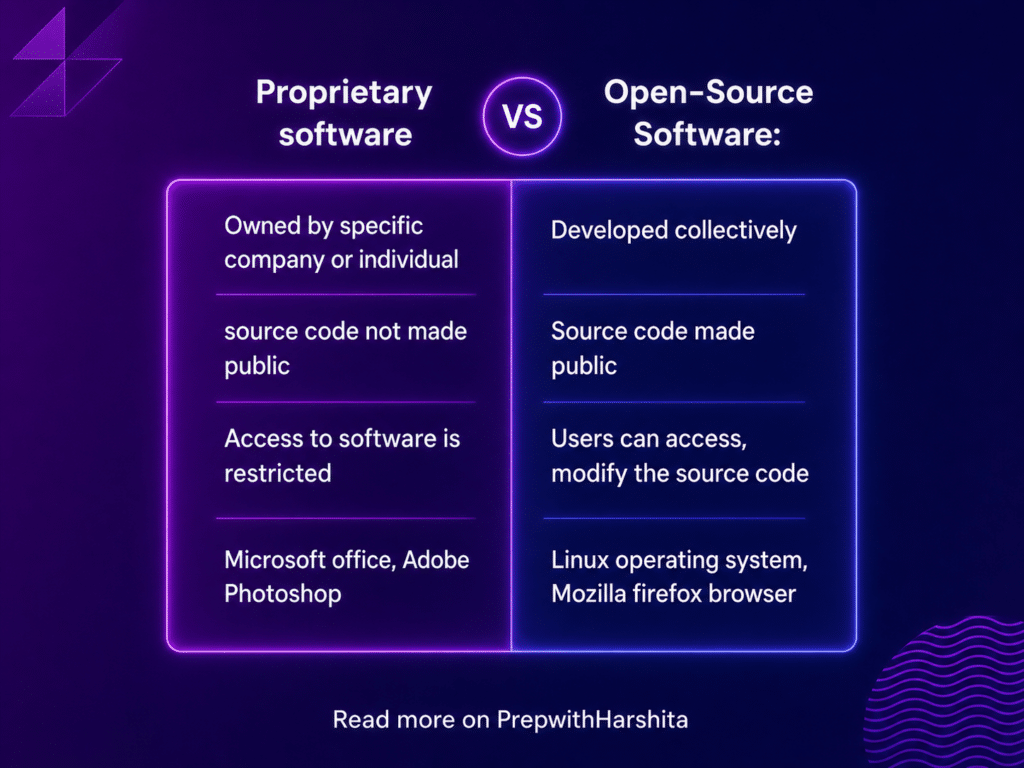
| Factor | Open Source Tools | Paid Tools |
| Cost | Free to use | Subscription required |
| Setup | More complex | Simple and ready to use |
| Customization | High | Limited |
| Maintenance | Managed internally | Handled by vendor |
| Support | Community driven | Dedicated support |
| Scalability | Requires engineering effort | Built in scaling |
| Features | Basic with extensions | Advanced features included |
| Time to Market | Slower | Faster |
When to Use Open Source Tools
Open source mobile app development tools are a good fit when:
- Your team has strong technical skills
- Budget constraints are a major factor
- You need full control over workflows
- Long term flexibility matters more than speed
These tools are commonly used by startups, independent developers, and engineering focused teams.
When to Use Paid Tools
Paid mobile app development tools are more suitable when:
- Fast release cycles are a priority
- Testing and automation play a central role
- Your team does not have deep DevOps experience
- You want reliable support and minimal downtime
These tools are often preferred by enterprises, scaling startups, and teams that rely heavily on quality assurance.
The Hybrid Approach Most Teams Use Today
In practice, many teams combine both approaches instead of choosing one over the other.
A typical setup looks like this:
- Open source frameworks for building the application
- Paid tools for testing, monitoring, and deployment
This balance allows teams to control costs while still maintaining speed and product quality.
Where Kobiton Fits In
Kobiton represents the advantage of using a paid platform for mobile testing. It provides access to real devices in the cloud, which allows teams to test under real world conditions without managing physical hardware.
It also supports AI driven automation, which reduces repetitive testing work and helps teams identify issues earlier in the release cycle. Compared to open source setups like Appium, which require configuration and maintenance, Kobiton simplifies the process and reduces the operational load on engineering teams.
For teams that want to move faster without spending time managing infrastructure, Kobiton becomes a practical addition to the workflow.
Key Takeaways
- Open source tools provide flexibility and control, but require ongoing effort to maintain
- Paid tools offer speed, support, and built in functionality, but come with recurring costs
- The right choice depends on your team, budget, and timeline
- Most high performing teams use a mix of both to balance efficiency and control.