AI-Powered Visual Testing: How Machine Learning Detects UI Regressions in Real Time
Modern applications evolve quickly. Layouts change, components get updated, and responsive adjustments are pushed multiple times a day. In this fast release cycle, UI issues can easily slip through even when functional tests pass.
AI-powered visual testing uses machine learning and computer vision to catch these issues as they happen. It compares how an interface is supposed to look with how it actually appears across devices and browsers, helping teams catch visual regressions before users ever see them.
1. What is AI-Powered Visual Testing?
AI-powered visual testing is an automated way to validate the visual layer of an application using intelligent image analysis rather than basic pixel matching.
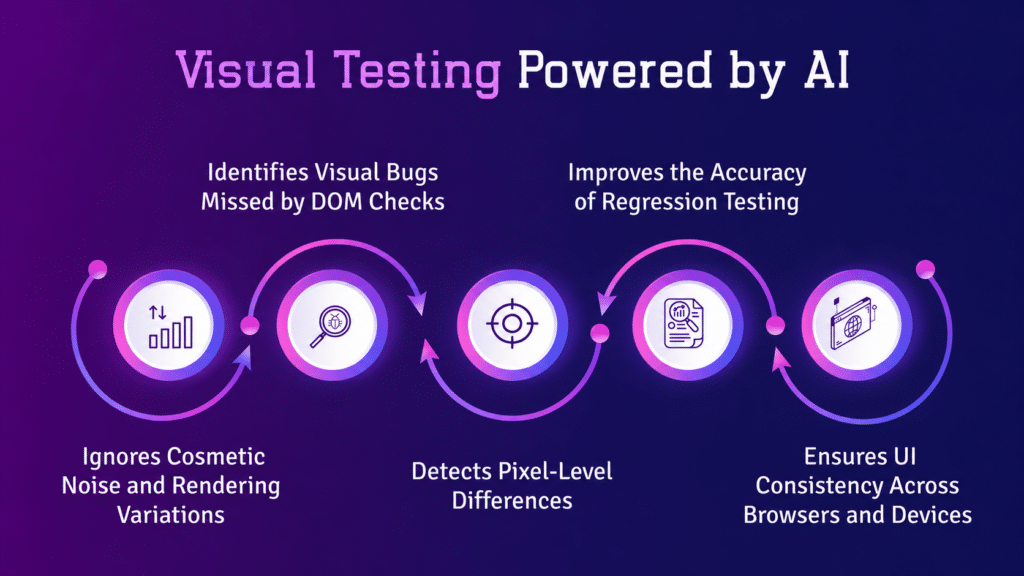
Traditional visual testing relies on pixel-by-pixel comparisons. This approach often breaks down due to small rendering differences like font smoothing, anti-aliasing, or browser inconsistencies. These minor changes can trigger false alerts even when the UI is working as expected.
AI-based systems take a more human-like approach. They:
- Recognize UI elements such as buttons, forms, and images
- Understand the layout structure and how elements relate to each other
- Ignore visual noise that does not impact user experience
- Focus only on meaningful UI changes
This makes the testing process far more aligned with how users actually experience an interface.
2. Why UI Regressions Are Hard to Catch
UI regressions are often subtle. They may not break functionality, but they directly affect usability and perception.
Common examples include:
- Misaligned buttons after a CSS change
- Overlapping text on smaller screens
- Missing images in certain browsers
- Layout shifts caused by dynamic content
Traditional automation struggles here for a few reasons:
- Pixel comparisons produce too many false alerts
- Selector-based tests cannot interpret layout issues
- Dynamic content constantly alters the visual state
AI closes this gap by interpreting visual meaning rather than relying only on code or pixels.
3. How Machine Learning Detects UI Changes
Machine learning models used in visual testing are trained on large sets of UI screenshots and design patterns. Over time, they learn what a stable and correct UI should look like and flag anything that deviates from that expectation.
Here is how the process works:
1. Baseline creation
A reference version of the UI is captured after a stable release. This becomes the standard for comparison.
2. Screenshot capture
Each new build generates fresh UI snapshots across different devices and browsers.
3. Intelligent comparison
The system analyzes changes in:
- Layout structure
- Element positioning
- Colors and typography
- Component hierarchy
4. Change classification
The system separates:
- Meaningful issues, such as broken layouts or missing elements
- Non-critical differences, such as animations or timestamps
5. Regression detection
Only real UI defects are flagged, which reduces unnecessary noise and speeds up review.
4. Real-Time Detection in CI/CD Pipelines
One of the biggest advantages of AI-powered visual testing is how quickly it fits into modern development workflows.
When integrated into CI/CD pipelines:
- Tests run on every commit or pull request
- Screenshots are captured automatically
- AI compares changes instantly
- Results are available within minutes
This allows teams to catch UI regressions early, before they reach production. Platforms like Kobiton extend this further by running tests across real devices, giving teams a more accurate view of how the UI behaves in real-world conditions.
5. Core Machine Learning Techniques Behind Visual Testing
AI visual testing combines several machine learning techniques to analyze interfaces effectively.
Computer Vision
Identifies UI components such as buttons, input fields, navigation elements, and images, treating them as structured objects rather than raw pixels.
Pattern Recognition
Detects inconsistencies in layout alignment, spacing, and typography hierarchy.
Adaptive Learning
Improves over time by learning from accepted changes, rejected false positives, and historical regression data.
Context Awareness
Distinguishes between intentional UI updates and random rendering differences, reducing unnecessary alerts.
6. Key Benefits for QA and Engineering Teams
AI-powered visual testing changes how teams approach UI quality.
Fewer false alerts
Irrelevant visual differences are filtered out, so teams focus only on real issues.
Faster feedback loops
Developers get immediate visibility into UI problems after each change.
Better cross-device consistency
UI is validated across different screen sizes, operating systems, and browsers.
Lower maintenance effort
Tests adapt to UI updates more naturally, reducing the need for constant script adjustments.
7. Common Use Cases
1. Design system validation
Confirms that components remain consistent after updates.
2. Mobile UI testing
Validates layouts across a wide range of devices and screen sizes.
3. Frequent UI releases
Identifies cascading issues caused by small CSS or component changes.
4. Cross-browser testing
Checks consistent rendering across Chrome, Safari, Firefox, and Edge. Platforms like Kobiton support this by combining visual validation with real device testing.
8. Challenges in AI Visual Testing
Even with advanced machine learning, some challenges remain:
- Highly dynamic content, such as ads or live feeds
- Initial effort required to set up baselines
- Defining what counts as an acceptable UI change
- Occasional misclassification in complex layouts
Teams typically handle these with techniques like ignore regions and baseline adjustments.
9. Best Practices for Implementation
To get reliable results from AI-powered visual testing:
- Start with high-impact user flows such as login, checkout, and onboarding
- Maintain clean and stable baselines
- Integrate visual tests early in the CI/CD pipeline
- Combine visual testing with functional testing
- Regularly review flagged changes to improve accuracy
10. Future of AI in Visual Regression Testing
The direction of AI-powered visual testing is moving toward:
- Automated test creation based on UI behavior
- Closer alignment with design tools like Figma
- Real-time monitoring of UI health in production
- More accurate validation based on user intent rather than static rules
Over time, testing systems will behave less like scripted tools and more like intelligent observers of UI behavior.
Final Thoughts
AI-powered visual testing is changing how teams approach UI quality. Instead of relying on manual comparisons or fragile automation, teams can now use intelligent systems that understand context and visual structure.
By combining machine learning, computer vision, and adaptive learning, tools like Kobiton help teams catch UI regressions in real time and maintain a consistent user experience across devices and platforms.