Mar 8, 2017
Addressing Testing in the Face of Device Fragmentation

Adam Creamer
Read More

However, when the same application is installed on a different device, issues can appear such as layout shifts, overlapping buttons, or features that stop working entirely.
This is a common scenario caused by mobile device fragmentation, one of the biggest challenges in mobile app testing.
Unlike desktop environments where hardware and operating systems are more standardized, the mobile ecosystem includes thousands of device models with different configurations and system behaviors.
Understanding device fragmentation helps explain why applications behave differently across devices and highlights the importance of comprehensive testing.
This article is part of a series exploring key challenges in mobile app testing and infrastructure.
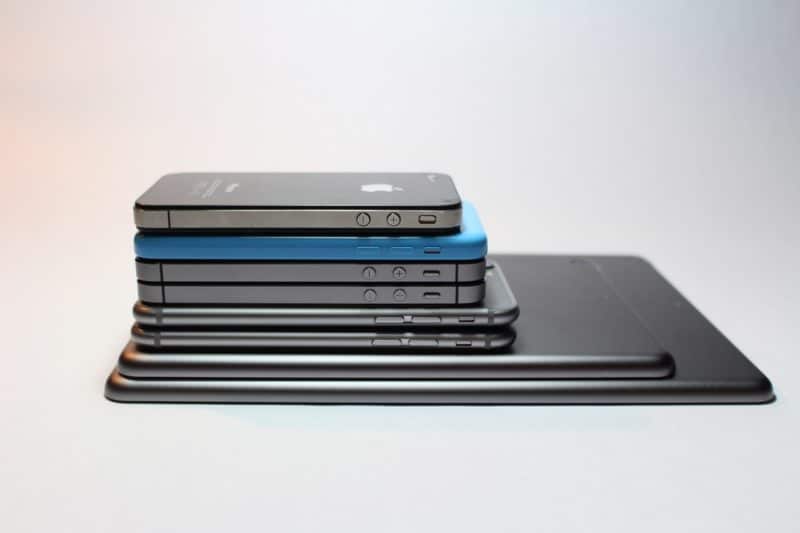
Device fragmentation refers to the wide variety of hardware, operating systems, and manufacturer customizations across mobile devices.
Two devices running the same application may behave differently because of variations in processors, screen sizes, operating system versions, manufacturer modifications, and hardware capabilities.
While this diversity makes mobile platforms flexible and powerful, it also introduces complexity for developers and testers.
Mobile fragmentation appears in multiple forms, each affecting application behavior in different ways.
Hardware differences are one of the most visible causes of fragmentation. Devices vary widely across brands, generations, and product lines, meaning there is no single standard configuration.
Differences in processors, RAM, camera hardware, sensors, and GPU performance can affect how applications perform.
A feature that works smoothly on a high-end device may lag, behave inconsistently, or even crash on lower-powered devices with limited resources.
Operating system fragmentation is particularly common in the Android ecosystem, where multiple OS versions are used simultaneously.
Because manufacturers and carriers control updates, many users remain on older versions for long periods.
This requires applications to support multiple OS versions at the same time, which can lead to compatibility challenges.
For example, a feature built on a newer API may work correctly on a recent Android version but fail on older devices.
Device manufacturers often customize operating systems with their own user interfaces and system behaviors.
Examples include Samsung One UI, Xiaomi MIUI, and Huawei EMUI.
These modifications can introduce subtle differences in how applications behave.
For instance, aggressive battery management systems can restrict background processes, affecting features such as push notifications, background services, and location updates.
Mobile devices vary greatly in screen size, resolution, and aspect ratio, including small phones, tablets, and foldable devices.
Layouts that work well on one screen may break on devices with different resolutions or scaling.
Foldable devices introduce additional complexity, as screen size and layout can change dynamically when the device is opened or closed.
This requires applications and testing strategies to adapt to changing screen configurations.
Fragmentation often leads to device-specific issues that may not appear during initial development.
Common problems include user interface layout shifts, gesture inconsistencies, delayed push notifications, camera permission errors, and restrictions on background processes.
These issues may only occur on certain devices or configurations, making them difficult to detect without broad testing coverage.
Emulators and simulators are useful for development and early testing but cannot fully replicate real device behavior.
They typically simulate a limited number of configurations and do not capture the full diversity of hardware and manufacturer customizations.
As a result, some issues only appear when applications are tested on physical devices.
Testing across multiple devices can quickly become complex and difficult to manage manually.
Teams often need to test across different device models, operating system versions, hardware configurations, and distributed environments.
Device labs help address this challenge by providing access to a wide range of physical devices without requiring teams to maintain their own hardware.
Platforms like Kobiton allow teams to combine real device testing with virtual environments, enabling both speed and accuracy in testing workflows.
Mobile device fragmentation is a core challenge in mobile development due to the wide variety of hardware, operating systems, and manufacturer customizations.
Because applications rarely behave identically across all devices, testing across multiple environments is essential.
By combining emulator testing with real device validation, teams can identify compatibility issues early and deliver more reliable mobile experiences.