Ionic Appflow

Reading Time : 7 min read
Build and test apps on lonic

Welcome to Ionic Appflow

What Is Ionic Appflow?

Appflow is a fully integrated mobile DevOps solution, and part of the Ionic Development Platform. Appflow makes it easier to generate native apps, ship real-time updates, streamline build processes, and organize workflows without the hassle.

Ionic Appflow has several core concepts that help you through the full app lifecycle, including:

  • Deploy: Update your app remotely in real-time without app store delays.
  • Package: Build app binaries in the cloud for iOS and Android.
  • Automate: Automate the building, testing, and distribution of Package & Deploy to ship better updates faster.

Each one of these services is based around a simple git-based workflow that should be familiar to any app developer.

Before reading through this article, we need to go through the process to create an app on Ionic Appflow. You can see the details how to create an app through Ionic CLI below.

https://kobiton.com/blog/develop-deploy-and-test-ionic-apps/

What are the key features of Appflow

With Appflow, you can fully automate your team’s app development workflow, and go from idea to production. Appflow contains multiple proportions of the deployment process. To set up your application with Ionic Appflow, we need to know how to connect your application to Appflow, how to set up the Appflow SDK (Deploy plugin) for live updates, and how to configure your first automated Android and iOS builds using native build environments. Ionic also defines the simple guideline with step-by step for us, we can navigate directly to the documentation for the component that interests you.

App dashboard

View and manage all of your Ionic apps in a central, shared dashboard with live activity feeds to see how your development projects are progressing.
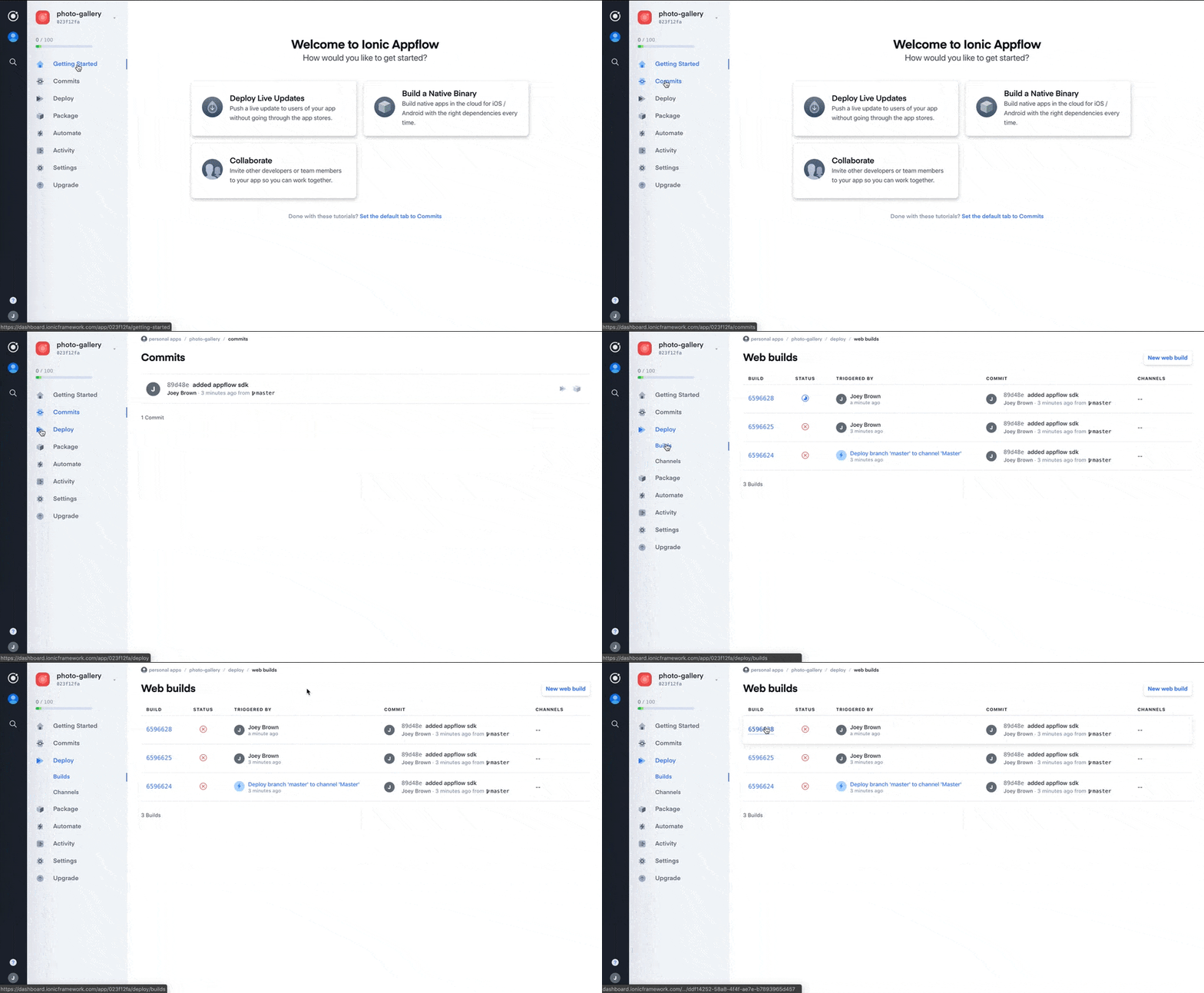
Ionic dashboard interface preview

Live Updates

The Ionic Deploy feature works by using the installed Appflow SDK in your native application to listen to a particular Deploy Channel.

When a Deploy build is assigned to a Channel, that update will be deployed to user devices running binaries that are configured to listen to the specified Channel. This feature let you update the UI and business logic of your app remotely, in real-time. Push HTML, JS, and CSS updates directly to your users without going through the app store to instantly fix bugs and ship new features.

Packaging Native Binaries

Ionic Appflow’s Package feature makes it easy to build native app binaries for iOS and Android in the cloud. Perfect for automating binary builds and for developers using Windows that want to build iOS apps.

Automations

Ionic Appflow’s automation features let you generate builds whenever you need them. Webhooks with secure, signed download URL’s and build information are also easily configurable and updatable, ensuring your app gets in the necessary hands quickly and automatically.

Automations enable you and your team to utilize the full CI/CD powers of Appflow. You can create automations that trigger package builds and deploy builds every time your team checks in new code to a given branch and you can even configure the automations to use different environments and native configurations so that you can build different versions of your app for development, staging, and production.

Ionic Appflow · Automate
Run the pipeline
Pick a branch and what you want to ship, then start the run. Watch one commit travel from git push to a device — the git-based workflow Deploy, Package and Automate all share.
Branch
Every push builds. Nothing reaches users. Testers get the build. The store does not. Live users. Handle with care.
What ships
Both lanes run at once, from the same commit. Web assets only. Skips the store entirely. Fresh .ipa / .aab from the cloud build machines.
Platforms to build
Pick at least one platform, or switch to Live update only.
Simulated build · about 6s Running… Finished in 03:05 (simulated)
Appflow watches your GitHub, GitLab or Bitbucket repo. A commit is the only trigger the platform needs — Deploy, Package and Automate all start from the same git workflow.
An automation watches one branch. When a commit lands on it the automation fires on its own, so nobody has to open a dashboard to start a build.
Each automation carries its own environment variables and native config, so one repo can produce development, staging and production versions of the same app.
The cloud runner checks out the commit, installs packages and runs your build script. Everything downstream starts from this output.
Live update lane Deploy
HTML, JS and CSS only. No store review.
Deploy packages only the web layer — HTML, JS and CSS. Native code is untouched, which is what lets this update bypass store review.
A channel is the pointer between a build and the devices watching it. Reassigning a channel is how you roll an update forward — or roll it back.
The Appflow SDK inside the installed app listens to its channel and fetches the new build on next launch. Fixes land in minutes instead of review cycles.
Native binary lane Package
Cloud build machines, including macOS for iOS.
Appflow runs the native toolchain on its own machines, including macOS runners — so a Windows machine can produce an iOS build.
Signing credentials live in Appflow and are scoped per environment, so the right certificate is applied to the right build every time.
A webhook fires with build metadata and a secure, signed download URL — enough to hand the binary straight to Slack, a test service, or a device cloud like Kobiton.
Build log Idle Running Succeeded
Waiting for a run.
00:04gitgit push origin developstagingmain  →  7f3c2a1
00:11automateAutomation "developstagingmainDevelopmentStagingProduction" matched
00:19automateEnvironment: DevelopmentStagingProduction · Native config: DebugRelease (ad hoc)Release (store)
01:02automatenpm ci && npm run build — web assets ready (2.1 MB)
01:20deployDeploy build #1042 created from 7f3c2a1
01:35deployAssigned build #1042 to channel "DevelopmentStagingProduction"
01:38packageCloud build finished: iOS + Android (DebugRelease (ad hoc)Release (store))
01:52deploySDK on "DevelopmentStagingProduction" devices pulls on next launch — no store review
02:40packageSigned with development certificatead hoc distribution certificateproduction distribution certificate
03:05packagePOST webhook — signed download URL (expires in 24h)
Shipped
Live update on channel DevelopmentStagingProduction — devices pull it on next launch, no review queue.
Binaries readyApp-1042.ipa app-release-1042.aab signed with the development certificatead hoc distribution certificateproduction distribution certificate.
Webhook fired with build info and a signed download URL, ready for testers or a device cloud.
Simulated run — timings are illustrative. Appflow quickstart

Interested in Learning More?

Subscribe today to stay informed and get regular updates from Kobiton

Ready to accelerate delivery of
your mobile apps?

Request a Demo