Sep 2, 2026
Automated Mobile Testing with AI Agents: What’s Real in 2026

Sushma Kannedari
Read More
Most AI testing tools stop at generating code. You describe a flow, the tool writes an Appium script, and someone on your team still has to run it, fix it, and babysit it.
ARTEMIS is different. It drives the device itself.
That raises an obvious question. ARTEMIS talks to Android over ADB, which normally means a phone on someone’s desk, plugged into a laptop. Devices in a lab don’t work that way. They sit in a rack, often in a different building or a different state from the person running the test. Would an AI agent built around a local phone work against a real device hosted in Kobiton?
It does. We ran a proof of concept using virtualUSB, ADB, and ARTEMIS: connect to a Kobiton-hosted Android device, install an app, launch a specific package, interact with the UI, and have the agent report back what it sees on screen.
ARTEMIS is an Android automation project from Google that turns natural-language instructions into actions on a device. It works with real devices and emulators, uses ADB to talk to them, and includes reactive execution modes such as Flash, where the agent looks at the screen and decides what to do next. (google/artemis on GitHub)
Instead of writing this:
driver.findElement(...).click();you give it a goal:
Launch the app, open the account screen, and tell me what you see.ARTEMIS reads the Android UI, works out the steps, runs them, and reports back. That makes it useful for exploratory testing, AI-assisted debugging, and mapping a flow before anyone writes a test for it.
ARTEMIS expects an Android device to be reachable through ADB. On a desk, that’s trivial. The more useful question is whether it can drive a real device nobody is holding.
That’s what virtualUSB does. It lets you control a remote real device as if it were plugged into your machine over USB, so your team can debug from anywhere. For Android, Kobiton documents ADB as the requirement for working with devices over virtualUSB. (Set up virtualUSB, Kobiton Docs)
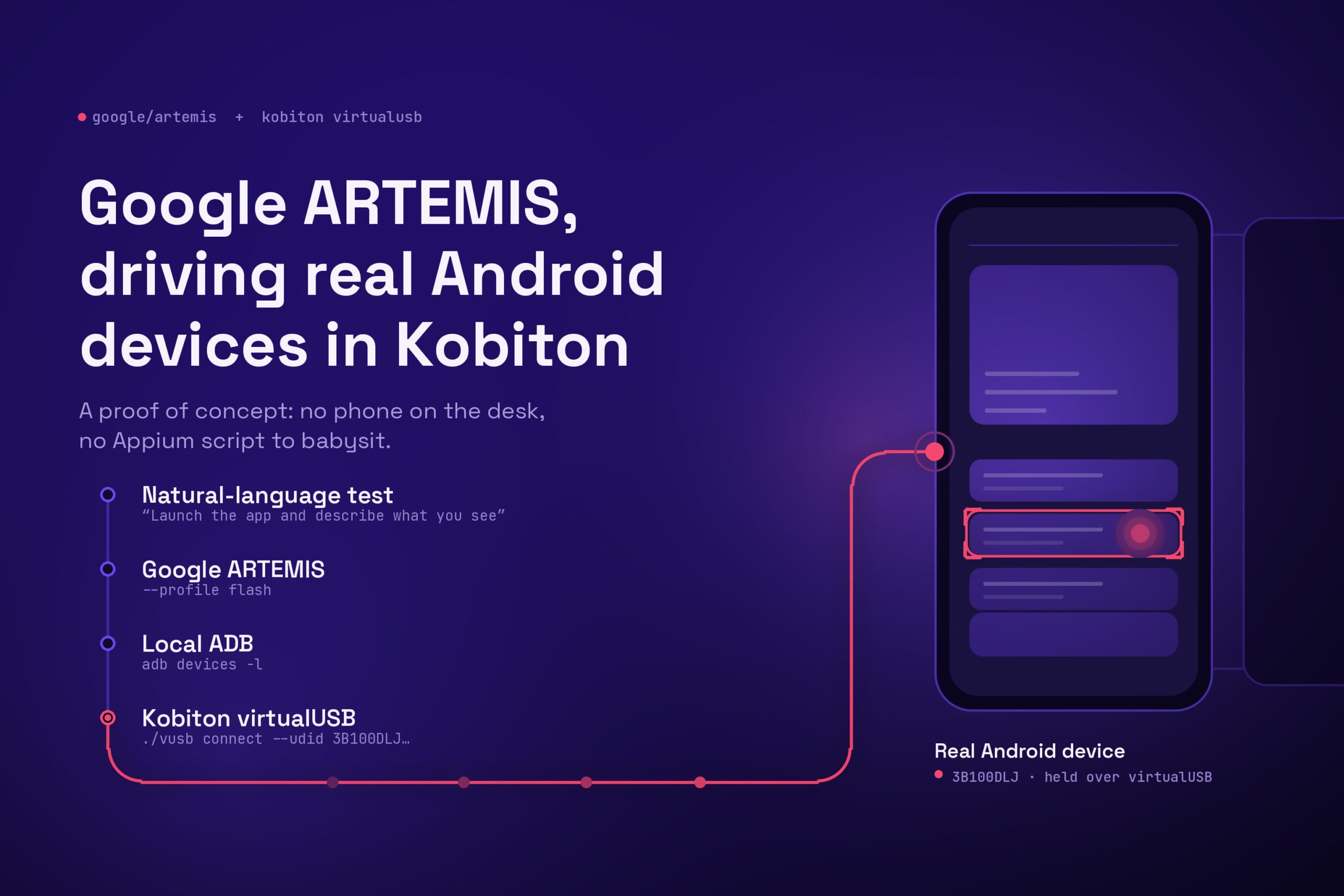
Which gives you this path:
Natural-language test
        ↓
Google ARTEMIS
        ↓
Local ADB
        ↓
Kobiton virtualUSB
        ↓
Real Android device in Kobiton
From ARTEMIS’s side, a private Kobiton device in a rack looks exactly like a phone on your desk.
First, expose the Kobiton Android device to the local machine. Connect a device using its UDID:
./vusb connect --udid 3B100DLJ...Leave that terminal open once the connection is up. Then confirm ADB can see the device:
adb devices -lARTEMIS picks it up from there, pulls the screen dimensions and device ID, and initializes its Android environment against that serial.
One environment note for private device labs: you may need to be on the right VPN before virtualUSB can reach the deviceConnect server that fronts the lab.
With ADB seeing the device, start with something basic:
uv run artemis run \
"Open Chrome, navigate to kobiton.com, and verify that the Kobiton homepage loads successfully." \
--profile flash \
--device-serial 3B100DLJ... \
--standaloneARTEMIS opened Chrome, typed the URL, pressed Go, and verified the page rendered. The logs show real ADB-level interactions against the hosted device: input tap, input_text, click. The run closed out reporting that the homepage loaded correctly.
That’s the integration proven. Everything after it is a question of how far the agent can go.
Install app through ARTEMIS via local APK with –app-path:
uv run artemis run \
"Launch the app and verify the first screen loads successfully" \
--profile flash \
--device-serial 3B100DLJ... \
--app-path ~/Downloads/my-app.apk \
--standaloneThe install landed on the remote device, and ARTEMIS then worked through the app’s first-run screens and confirmed the initial screen loaded. That’s a full loop: local APK, installed on a real Kobiton device, launched and explored, without anyone touching the phone.
One limitation to plan around. –app-path wants an actual APK file. A Kobiton App Repository reference like kobiton-store:694845 won’t work there. For App Repository builds, install through Kobiton first, or download the APK locally before handing it to ARTEMIS.
Natural-language automation gets a lot more predictable when you tell the agent exactly which app to open.
uv run artemis run \
"Launch the Android app with package com.yahoo.mobile.client.android.weather. Do not open any other app. Once the app home screen is visible, describe what you see on the screen." \
--profile flash \
--device-serial R3CT605F... \
--standalone \
--disable-step-summarizerRather than hunting for an icon on the home screen, ARTEMIS uses its app management call:
manage_app({
  action: launch,
  app_name: com.yahoo.mobile.client.android.weather
})It confirmed the package launched, read the UI, and came back with:
The Yahoo Weather app was successfully launched,
displaying the weather for San Francisco with
current conditions and temperatures.virtualUSB holds the device and exposes it through ADB. Open a manual session against that same device in the Kobiton portal and you can watch ARTEMIS launch apps, tap elements, enter text, swipe, and move between screens in real time.
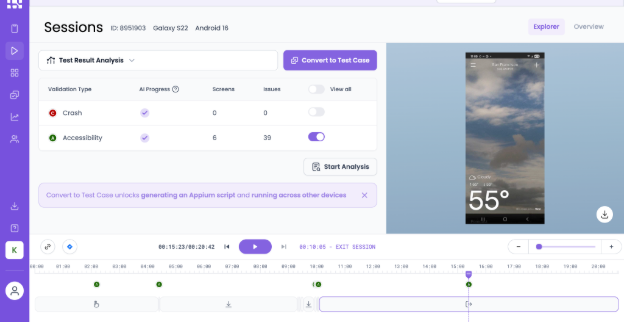
For demos, and for debugging a run that went sideways, that beats reading terminal output.
ADB connectivity is the whole foundation. If adb devices -l doesn’t show the Kobiton device in the device state, nothing downstream works. Debug that first, every time.
Package names beat descriptions. Naming the Android package is far more predictable than “open my app.”
The app has to exist on the device first, unless you pass an APK with –app-path.
One limitation today: Android only
ARTEMIS currently targets Android devices and emulators. iOS support sits on the project roadmap. (google/artemis on GitHub)
So everything here applies to ARTEMIS plus Kobiton Android devices. Not iOS, not yet.
ARTEMIS drives the device. Kobiton supplies the device, the session recording, and the logs. If you want to try this against your own Android devices, book a demo and we’ll get you set up on virtualUSB.