Real devices vs emulators and simulators: where automated mobile device testing belongs
Automated mobile device testing forces every team into the same choice. Emulators and simulators are fast, free, and easy to spin up in CI. Real devices are slower to manage but behave like what your users actually hold. The instinct to pick one side is the mistake. Automated mobile device testing works best when you run each type of test where it belongs, and that requires knowing exactly what emulators and simulators can and cannot tell you.
Emulators, simulators, and real devices: the difference
The three terms get used loosely, but they are not the same thing.
An Android emulator virtualizes a full device, running a real Android OS image on top of virtualized hardware, as Android Studio’s emulator documentation describes. It behaves close to a physical phone, at the cost of speed. An iOS simulator does less. Per Apple’s guide to running apps in Simulator, it simulates the iOS software environment on your Mac and runs apps compiled for the simulator, so it never touches phone hardware. That makes it fast but lower fidelity. A real device is an actual phone or tablet, running the shipping OS build on the shipping hardware.
The short version: emulators imitate hardware, simulators imitate software, and real devices are the real thing. That fidelity gap is the whole story.
What emulators and simulators do well
Virtual environments earn their place at the start of the pipeline:
- Speed and cost. They launch in seconds, cost nothing per device, and need no procurement.
- Scale in CI. You can spin up many instances in parallel on cloud runners for every commit.
- Early feedback. For unit checks, functional smoke tests, and layout validation during development, they catch the majority of bugs fast.
For the fast inner loop, virtual environments are the right call. They keep developer feedback tight and cheap.
What only real devices reveal
The fidelity gap shows up in the failures that reach users. Emulators and simulators miss:
- Real rendering and performance. GPU behavior, frame drops, and thermal or low-memory throttling only appear on real silicon.
- Hardware and sensors. Camera, GPS, biometrics, NFC (near-field communication), and real multi-touch gestures are approximated or absent in virtual environments.
- Device fragmentation. Vendor skins, OEM modifications, and manufacturer-specific bugs exist only on the actual hardware that ships them.
- Real conditions. Carrier networks, incoming-call interruptions, real battery drain, and push-notification quirks behave differently off-device.
None of these are edge cases. They are exactly the conditions your app meets in production, which is why release gating, performance validation, and visual checks belong on real hardware.
A concrete case makes the gap obvious. A login flow that relies on biometric authentication can pass on a simulator that stubs the sensor, then fail on a real phone where Face ID times out or the fingerprint reader is mid-reset after an OS update. The test is identical. Only the environment tells the truth.
Head-to-head: emulator, simulator, real device
| Dimension | Emulator / Simulator | Real device |
|---|---|---|
| Fidelity to production | Approximate | Exact |
| Speed to launch | Seconds | Provisioning required |
| Cost per device | None | Hardware or cloud cost |
| Scale in CI | Easy, parallel | Needs a device cloud |
| Hardware and sensors | Limited or simulated | Full |
| Performance and rendering | Unreliable | Accurate |
| Device fragmentation coverage | None | Real |
| Best fit | Fast inner-loop automation | Pre-release, performance, visual, compatibility |
Where automated mobile device testing fits in your strategy
A good strategy is layered, not either-or. The same automated suite, written in Appium, Selenium, Espresso, or XCUITest, can target both types of environment. Only the endpoint changes. In practice that is close to a one-line change: an Appium test keeps its logic and repoints its server URL and capabilities.
# Inner loop: local emulator
driver = webdriver.Remote("http://localhost:4723", options=emulator_caps)

# Release gate: the same test, a real-device-cloud endpoint
driver = webdriver.Remote(
    "https://<user>:<apiKey>@<device-cloud>/wd/hub",
    options=real_device_caps,
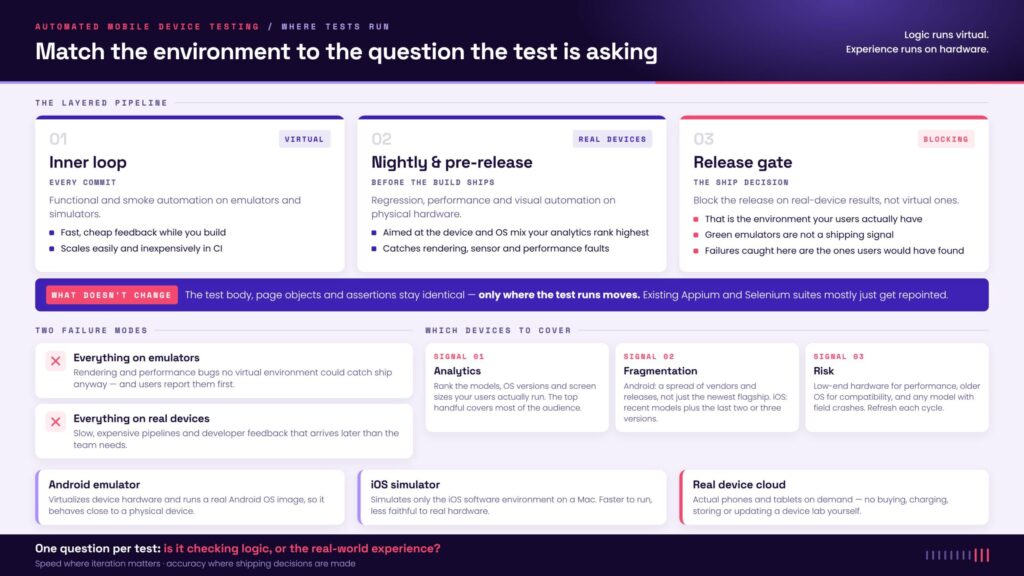
)The test body, page objects, and assertions stay identical. Only where the test runs moves.
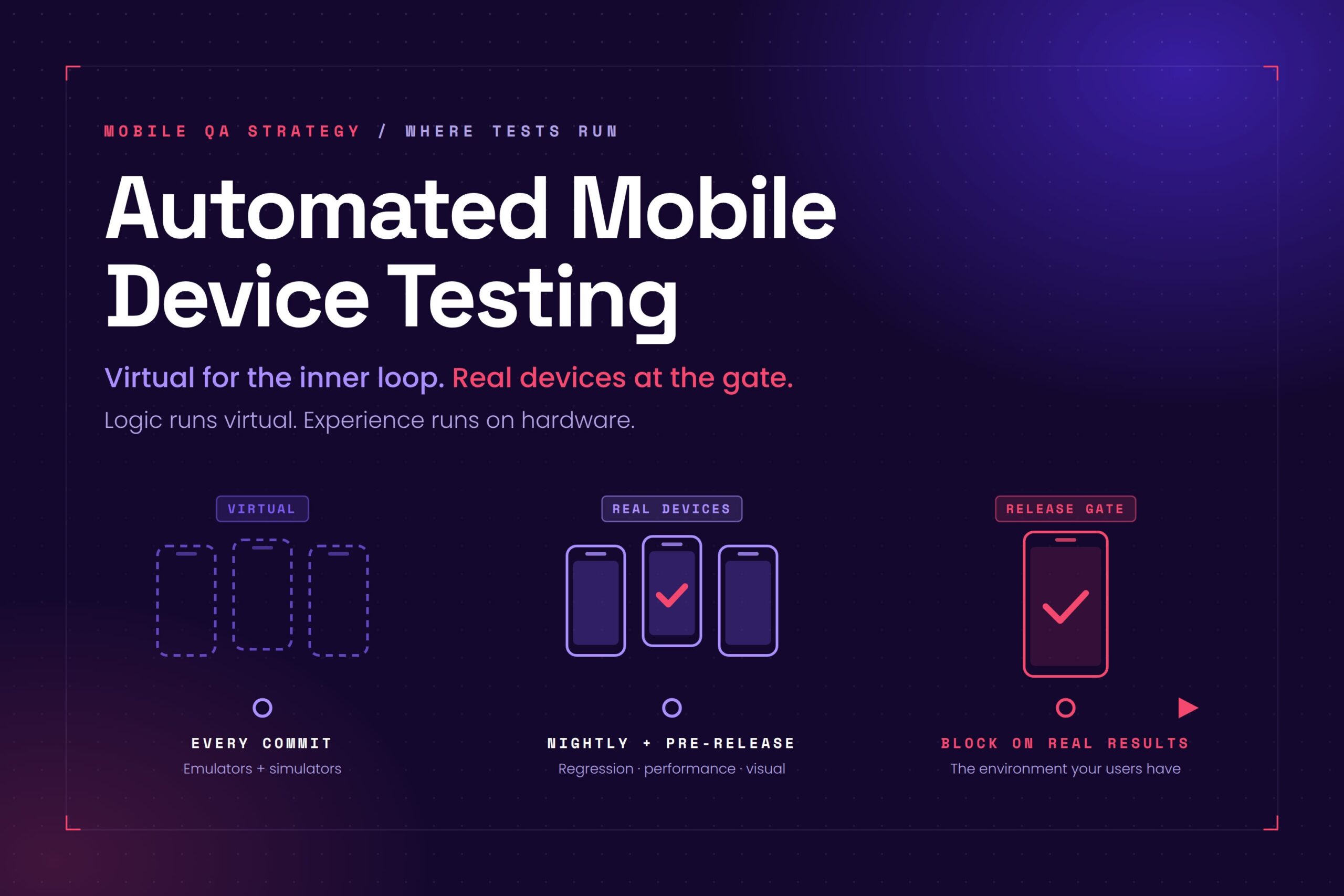
- Inner loop, every commit: run functional and smoke automation on emulators and simulators for fast, cheap feedback.
- Pre-release and nightly: run regression, performance, and visual automation on real devices, focused on the device and OS combinations your analytics say matter most.
- Release gate: block on real-device results, because that is the environment your users have.
Two failure modes bracket this. Teams that run everything on emulators ship rendering and performance bugs that no virtual environment could have caught, and they find out from users. Teams that run everything on real devices pay for slow, expensive pipelines and get slower developer feedback than they need. The layered approach avoids both by asking, for each test, a single question: is it checking logic, or is it checking the real-world experience? Logic runs virtual. Experience runs on hardware.
This split gives you the speed of virtual environments where iteration matters and the accuracy of real devices where shipping decisions are made. If you already run Selenium or Appium, the transition is mostly about where the tests point. We cover that framework overlap in Selenium for mobile testing: where it works, and where Appium takes over, and compare the broader tool set in the best mobile testing tools and frameworks.
Which real devices should automated mobile device testing cover?
You cannot test every device, and you do not need to. The goal is coverage that matches your users, not the whole market. Prioritize by three signals:
- Your analytics. Pull the device models, OS versions, and screen sizes your actual users run, and rank them by traffic. The top handful usually covers most of your audience.
- Market fragmentation. Android spans many vendors and OS versions at once, so include a spread of manufacturers and Android releases, not only the newest flagship. iOS is more concentrated, so a few recent iPhone and iPad models plus the last two or three iOS versions go a long way.
- Risk. Add devices tied to known-risky conditions: low-end hardware for performance, older OS versions for compatibility, and any model where you have seen field crashes.
Refresh that list each release cycle as new devices ship and old ones fade. A focused matrix of real devices, chosen from data, beats an exhaustive one chosen from guesswork.
Scaling automated mobile device testing on real devices
Real-device testing has one classic problem: owning devices means buying them, charging them, storing them, and updating their operating systems. A real device cloud removes that overhead by giving your automated tests actual phones and tablets on demand.
Bottom line
Emulators and simulators are the right tool for fast, cheap feedback during development. Real devices are the right tool for the failures that reach users: performance, rendering, sensors, and fragmentation. Automated mobile device testing is strongest when it uses both virtual environments for the inner loop and real devices at the release gate. Match the environment to the question the test is asking, and you get speed and confidence instead of a tradeoff between them.
Run your existing Appium and Selenium suites on real iPhones and Android devices. Start testing for free.
Frequently asked questions
Should automated mobile device testing run on emulators or real devices?
Both, at different stages. Use emulators and simulators for fast functional and smoke automation during development, because they are cheap and scale easily in CI. Use real devices for regression, performance, visual, and compatibility testing before release, because they reproduce the conditions your users actually experience.
What is the difference between an emulator and a simulator?
An Android emulator virtualizes device hardware and runs a real Android OS image, so it behaves close to a physical device. An iOS simulator only simulates the iOS software environment on a Mac and runs apps built for the simulator, so it is faster but less faithful to real hardware. Neither replaces testing on an actual device.
How many real devices do I need for release testing?
Fewer than most teams expect. Start from your analytics and cover the device models and OS versions that carry the most user traffic, then add a few low-end and older-OS devices for risk. A focused set of the top real-device and OS combinations usually covers the large majority of your users, and you refresh it each release cycle.