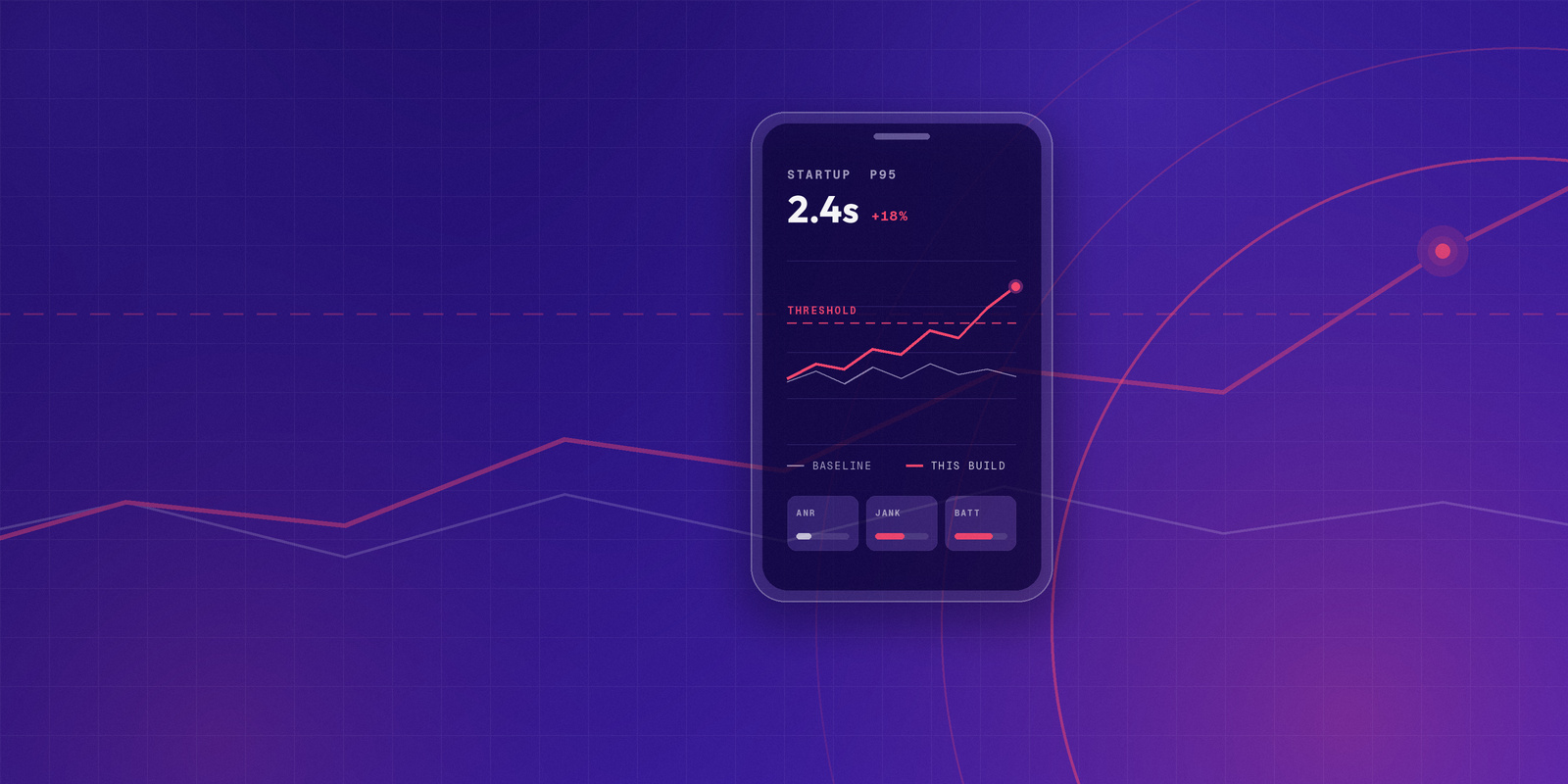
You finally have the app under test. The flow runs, the test passes, and the report looks clean.
That may mean the app performs well. It may also mean the test was built around conditions that were too easy to pass.
Mobile performance testing can create false confidence when the test environment does not reflect the conditions users actually experience. A backend load test can pass while the mobile app still feels slow. A test on a stable office network can miss retry, timeout, or offline issues. A test on only newer devices can miss crashes, ANRs, memory pressure, slow rendering, or battery drain on the devices customers actually use.
The best practices are not about running more tests; they are about designing tests that answer specific questions. Does this critical flow stay responsive? Does the app behave the same way across supported devices? Does performance hold up when the network changes? Did this release make the experience worse than the last one?
A useful performance test replaces assumption with evidence. It connects the test method to real app flows, real devices, realistic network conditions, clear success criteria, and enough detail to help the team fix what it finds.
Why passing results can still mislead mobile teams
Mobile app performance is not shaped by one system. It depends on the app, device, operating system, network, API layer, release quality, and user behavior. A test that isolates only one part of that system can still be useful, but it should not be treated as proof that the entire mobile experience performs well.
Android vitals tracks app quality metrics such as stability, performance, battery use, and permission issues. Android identifies core vitals such as user-perceived crash rate, user-perceived ANR rate, and excessive partial wake locks.
[Source: Android vitals]
Android’s ANR documentation explains that ANRs occur when the app’s main thread cannot process user input events or draw the UI. That makes ANRs a performance and responsiveness issue, not only a crash-adjacent stability signal.
[Source: Android ANR documentation]
Android’s slow rendering guidance also connects rendering delays to jank. When the system skips frames, users perceive stuttering in the app.
[Source: Android slow rendering]
Apple’s MetricKit reinforces the same broader view for iOS apps. MetricKit collects performance data from real devices running the app, including CPU usage, memory consumption, network activity, launch time, disk I/O, and related signals that may be difficult to reproduce during development.
[Source: Apple MetricKit]
These signals show why mobile performance testing cannot rely on one clean metric. A passing result is more useful when the team knows exactly which question the test answered and which parts of the mobile experience it did not cover.
Build the Test Around the Question
A useful mobile performance test starts with the question the team needs to answer, not the test type someone happens to run most often. Before choosing a tool, metric, or environment, define the risk: what could fail, who would notice, and what evidence would help the team decide what to do next. From there, the test can be built around the flow, device, network, data, and success criteria that actually matter.
1. Start with the app flows users depend on
A performance test is more useful when it begins with a user flow, not a dashboard metric.
Metrics matter, but they need context. Startup time, API latency, memory usage, crash rate, ANR rate, and battery consumption only become meaningful when they connect to something users are trying to do.
Start with the flows people use often and the flows where delay or failure has consequences. Login is a gate. If users cannot get into the app, the rest of the experience does not matter. Search, account loading, data sync, and app startup often sit close to the center of daily use because users depend on them before they can do anything else.
Payment and booking flows deserve special attention because failure can create consequences beyond annoyance. A hanging checkout screen can lead to duplicate submissions, uncertainty about whether a transaction completed, or avoidable support issues. A failed booking flow can block something time-sensitive. These are not just slow screens. They are moments where performance affects trust.
Media playback, messaging, and communication flows carry their own expectations. A streaming app that only plays smoothly under ideal conditions is not meeting the user where the app is actually used. A messaging flow that delays, drops, or fails under common network conditions can make the app feel unreliable even if the individual API calls appear healthy in isolation.
This keeps teams from testing a technically measurable path that does not represent the experience users actually care about. A performance test around checkout, for example, should not only ask whether one payment API responds within a target. It should ask whether the user can move through the full checkout flow without delay, duplicate actions, failed requests, confusing loading states, or lost progress.
2. Define the result you need before you test
Performance results become harder to use when the team decides what they mean after the test has already run.
Before testing starts, the team needs to define the minimum acceptable result. Otherwise, the test may produce numbers without producing a decision.
A result can look acceptable to one team and risky to another. Backend teams may focus on throughput or API response time. Mobile teams may care more about startup behavior, jank, memory growth, battery drain, or ANRs. Product teams may care most about whether the user can complete the flow without delay, confusion, or abandonment.
A useful target gives direction to the test. It keeps the team from getting stuck in the mire of running different tests because testing feels productive. You cannot work toward a result if no one has defined what that result should be.
The target does not have to represent perfect success. It needs to define what is acceptable for the flow, release, and risk being tested. For one test, that might mean startup stays within an agreed range. For another, it might mean API latency remains under a threshold, the crash rate does not increase, memory does not grow across a long session, or the user can complete a transaction without duplicate submissions or failed recovery.
Grafana k6 defines thresholds as pass/fail criteria for test metrics. That concept is useful beyond k6 because it gives teams a shared way to decide whether a performance result is acceptable, risky, or release-blocking.
[Source: Grafana k6 thresholds]
This keeps a report from looking useful just because it contains numbers. The result needs to answer the question the team asked before the test started.
3. Separate backend health from mobile experience
A backend load test can pass while the mobile app still feels slow.
The API may respond within its target, but the app still has to parse the response, render the screen, handle retries, manage local state, and stay responsive on the device in someone’s hand. If the client blocks the main thread, renders inefficiently, retries too aggressively, or struggles with a large payload, the user still experiences poor performance.
The reverse can also happen. The mobile client may be optimized, but a critical API call can still slow down login, checkout, search, playback setup, account loading, or sync.
Backend performance and mobile app performance should be tested as connected layers, not collapsed into one result. API and backend tests show whether services can handle demand. Mobile client tests show whether the user flow remains responsive while those services are used. Real-device sessions show whether hardware, operating system, network, and app behavior introduce issues backend metrics cannot reveal.
This distinction matters because technical performance does not always equal user-facing performance. An API can function correctly, but if the user cannot type into the login field, tap Submit, recover from a failed request, or continue through the next screen, the app experience is still broken.
The same applies to network variation. A flow that behaves correctly on Wi-Fi may not behave the same way on cellular data, weak Wi-Fi, or a connection that drops and returns. Backend health is one part of the performance picture. The mobile experience is the part the user actually feels.
4. Test high-risk flows on real devices
Many teams use emulators, simulators, and controlled environments for good reasons. They are useful for early development, repeatable checks, and broad validation. But when the question is whether a critical flow performs well for real users, physical devices provide signals those environments can miss.
Physical devices add the hardware, operating system, battery, network radio, and manufacturer-specific behavior that shape the actual mobile experience. Removing those variables from every test can make results easier to control, but it can also remove the conditions where performance problems appear.
Android’s benchmarking guidance recommends running benchmarks on physical Android devices because emulators do not represent a realistic user experience and can produce numbers tied to the host machine rather than the device.
[Source: Android benchmarking in CI]
Apple’s responsiveness guidance notes that code performing well on one hardware model can hang on another because devices have different hardware capabilities and performance characteristics.
[Source: Apple responsiveness / hangs]
Real-device testing is most important when the flow depends on device behavior or when failure would affect trust. Startup, rendering, memory pressure, battery use, thermal behavior, network transitions, camera, GPS, Bluetooth, biometrics, payments, and device-specific crashes or ANRs can all behave differently across physical devices.
This keeps teams from passing tests in environments that do not represent the devices users actually hold.
5. Build the device matrix around usage, risk, coverage, and capability
A useful device matrix does not start with every device. It starts with the devices most likely to affect confidence in the result.
A practical matrix usually comes from four inputs: usage, risk, coverage, and capability.
Usage tells you which devices customers actually rely on. Risk points to devices associated with crashes, ANRs, hangs, support tickets, or weaker hardware. Coverage keeps important OS versions, Android OEMs, and iOS generations represented. Capability adds devices needed for hardware-dependent flows such as camera, GPS, Bluetooth, biometrics, payments, wearables, or external hardware.
This prevents the device list from becoming a convenience list. The newest devices may be easy to test, but they may not reveal the performance problems that affect older, lower-spec, or more failure-prone devices.
In one gaming customer conversation, the team described keeping both popular devices and “most problematic” devices in house, including devices associated with ANRs and crashes in their monitoring tools. They also wanted broader lower- to mid-spec coverage, older OS versions, better iOS automation, and more reliable device setup so false positives did not hide the real performance signal.
That is a better model than choosing devices only because they are new, available, or easy to access. The device matrix should reflect the parts of the user base and app behavior that carry the most risk.
6. Include realistic network conditions
A mobile app does not run on one clean connection.
A user might start on home Wi-Fi, switch to cellular in the car, lose signal in an elevator, or hit congestion in a stadium, airport, store, or train station. Performance testing does not need to recreate every possible network condition, but it should include the conditions most likely to affect critical flows.
Network conditions can change how the app handles API latency, media loading, retries, timeouts, offline behavior, sync, payload size, perceived screen load time, and battery use. A test that passes on a fast, stable connection may not show what happens when latency increases, a request fails, or the app has to recover without losing user progress.
This is especially important for flows that depend on timing or continuity. A checkout flow needs to prevent duplicate actions. A media app needs to recover from buffering or playback setup delays. A messaging app needs to handle send, retry, and sync behavior clearly. A field app may need to preserve work when the connection drops.
In one mobile testing conversation, the team described scenarios that stressed device and network behavior directly: repeated calls, SMS and MMS events, browser activity, large downloads, and email activity on reference devices. The point was not only to generate backend traffic. The team needed to know whether real device and network behavior held up under the kinds of activity their users or carriers cared about.
This keeps teams from assuming performance is acceptable just because the app passed on a connection that made the test easy.
7. Use baselines to catch performance drift
Performance problems often appear as drift.
The app still works, but startup takes longer. A screen renders less smoothly. Memory usage climbs. Battery drains faster. An API response moves from acceptable to borderline. A single result may not look dramatic, but the trend shows that the experience is getting worse.
A baseline records how the app performed under known conditions. Later results can be compared against that baseline to identify regressions or improvements.
A threshold answers, “Is this result acceptable?” A baseline answers, “Is this result better or worse than before?” Teams need both because they answer different questions. A result may still be technically acceptable while trending in the wrong direction across releases.
Android’s benchmarking documentation says teams can run benchmarks in CI to track performance over time and recognize performance regressions or improvements before release.
[Source: Android benchmarking in CI]
Baselines are most useful when the test conditions are clear. The team should know which app build, device model, OS version, network profile, user flow, test data, environment, and metric definitions produced the result. Without that context, teams may confuse environment noise with actual performance change.
This keeps teams from treating each performance result as isolated. The more useful question is not only whether the app passed today, but whether the app is becoming slower, less stable, or more resource-intensive over time.
8. Automate repeatable checks
Automation helps when the result is repeatable, timely, and tied to a decision. Otherwise, it becomes another signal the team has to interpret, ignore, or defend.
Some performance checks are good candidates for automation: startup checks, API performance checks, critical-flow regression checks, smoke performance tests, threshold-based checks, nightly runs, and release candidate validation.
Other tests may run less frequently because they are longer, heavier, or more environment-sensitive. Stress tests, spike tests, soak tests, large-scale load tests, and broad device-matrix tests may be scheduled, manually triggered, or reserved for high-risk releases.
Grafana’s k6 automated performance testing documentation describes performance testing automation as a repeatable and consistent process that checks reliability issues at different stages of the development and release cycle. It also notes that automation can include CI/CD pipelines, nightly jobs, scheduled runs, and manual triggers, and that not every performance test is suited only for CI/CD or pass/fail release gates.
[Source: Grafana k6 automated performance testing]
One customer conversation showed performance automation as a maturity path rather than an instant switch. The team was already running regular performance tests with JMeter and wanted to move toward CI/CD, but first needed a stronger automation framework, stable test data, and more coverage in the sanity suite. Useful automation starts with repeatable checks the team can trust, then expands as the workflow matures.
Another customer conversation showed why feedback time matters. A streaming-app team described a previous automation platform that could take up to 40 hours to run a regression suite. Their target was closer to a few hours, with parallel execution, real-device coverage, and device-level metrics such as battery and performance data. A test result that arrives too late may be technically accurate, but it is much less useful to the release process.
This keeps teams from believing performance testing is covered just because something runs automatically. Automated tests still need a clear purpose, a reliable signal, and a place in the release process where the team can act on the result.
9. Capture enough evidence to diagnose the issue
A performance test should not only say that something failed. It should help the team understand why.
Without enough evidence, teams can lose time debating whether the problem came from the app, backend, device, network, test data, automation script, or test environment. That weakens trust in the result and delays the fix.
The useful evidence depends on the test, but the team should be able to reconstruct the conditions around the result. That may include the test steps, app build, device model, OS version, network profile, timestamps, session video, logs, screenshots, API details, crash or ANR details, memory, CPU, battery data, and comparison against baseline results.
This section is less about collecting every artifact and more about making the result actionable. A failure without context can prove that something went wrong, but it may not give the team enough information to fix it.
How Kobiton supports mobile performance testing
Kobiton helps teams test mobile apps on real iOS and Android devices, capture session evidence, and support manual and automated workflows across real device coverage.
For performance testing, that real-device context matters. Teams can use Kobiton to evaluate app behavior across device models, operating system versions, and device configurations instead of relying only on virtual or controlled environments. Manual and automated testing can also work together as teams move from exploratory checks toward repeatable regression and release workflows.
Kobiton is not a replacement for every performance tool. Backend load testing, API performance testing, monitoring, and profiling may involve other tools in the team’s stack. Kobiton’s role is strongest where the team needs to understand how the mobile app behaves on real devices and capture the evidence needed to investigate failures.
That distinction keeps the workflow honest. A backend test can show whether a service handled demand. A real-device session can show whether the app remained usable while the flow ran on a device similar to what customers use. Together, those layers help teams understand not only whether a test passed, but whether the result represents the mobile experience.
Customer conversations show why that matters. Some teams are trying to reduce long regression cycles. Some are building toward CI/CD gradually. Some need problematic devices because crashes and ANRs appear only on certain hardware or OS versions. Some need real devices because hardware, peripherals, or network behavior are part of the test. In each case, the testing approach needs to reflect the actual risk, not just the easiest test environment to run.
Final takeaway
False confidence in mobile performance testing is easy to create when teams examine the result but not the method behind it.
A passing test means more when it uses relevant flows, realistic conditions, clear thresholds, useful baselines, and devices that represent actual risk. Teams need to know what they are testing for, what pass or fail looks like, and whether the test conditions match the app experience users are likely to have.
More testing does not automatically create more confidence. Specific tests with specific targets are usually more useful than a cloud of results no one can interpret.
That may require more planning before the test runs, but the payoff is a result the team can actually use: one that shows whether the app is ready, where it needs work, and what should happen next.
Frequently Asked Questions
What is mobile app performance testing?
Mobile app performance testing measures how a mobile app behaves under different conditions, including expected demand, heavy usage, changing networks, long sessions, different devices, and new releases. It helps teams understand whether important app flows stay fast, stable, responsive, and usable before performance issues reach users.
Why is mobile app performance testing important?
Mobile app performance testing is important because an app can work correctly and still feel slow or unstable. Users may experience delayed startup, slow screens, janky scrolling, crashes, ANRs, battery drain, failed requests, or device-specific issues even when functional tests pass.
What are the best practices for mobile app performance testing?
Mobile app performance testing best practices include testing critical user flows, defining success before the test starts, separating backend performance from mobile client performance, using real devices for high-risk flows, choosing devices based on usage and risk, testing realistic network conditions, measuring the right performance signals, comparing results against baselines, automating repeatable checks, and collecting enough evidence to diagnose failures.
How can mobile performance testing create false confidence?
Mobile performance testing can create false confidence when the test does not reflect real user conditions. For example, a backend load test may pass while the mobile app still feels slow on older devices. A test on a fast network may miss retry, timeout, or offline issues. A test on only new devices may miss crashes, ANRs, memory pressure, or rendering problems on devices customers actually use.
Why should performance testing start with user flows?
Performance testing should start with user flows because metrics are only useful when they connect to something users need to do. Testing login, checkout, search, playback, booking, messaging, account loading, or sync helps teams understand whether important experiences remain fast and reliable under real conditions.
What is the difference between backend load testing and mobile app performance testing?
Backend load testing shows whether APIs, databases, and services can handle expected demand. Mobile app performance testing shows whether the app experience remains responsive and stable on real devices, operating systems, and networks. Both matter, but backend load results do not prove that the mobile client performs well for users.
Why should teams test mobile app performance on real devices?
Real devices reveal performance conditions that emulators and simulators cannot fully reproduce, including CPU and GPU behavior, memory limits, battery use, thermal behavior, network radios, touch responsiveness, OS behavior, and device-specific issues. Real-device testing is especially important for performance-critical flows and devices customers actually use.
How should teams choose devices for mobile performance testing?
Teams should choose devices based on usage, risk, coverage, and capability. Usage shows which devices customers rely on. Risk points to devices associated with crashes, ANRs, hangs, support tickets, or weaker hardware. Coverage keeps important operating systems, Android OEMs, and iOS generations represented. Capability adds devices needed for hardware-specific flows such as camera, GPS, Bluetooth, biometrics, payments, or external hardware.
How do network conditions affect mobile app performance?
Network conditions affect API latency, media loading, retries, timeouts, sync, offline behavior, payload size, perceived screen load time, and battery use. Testing only on fast, stable Wi-Fi can miss problems users experience on cellular networks, weak connections, congested networks, or during network transitions.
Which mobile app performance metrics should teams track?
Teams should choose metrics based on the risk being tested. Common mobile app performance metrics include startup time, screen load time, API latency, p95 and p99 response times, error rate, crash rate, ANR rate, hang rate, memory usage, CPU usage, battery consumption, frame rendering, jank, network usage, payload size, and transaction completion rate.
What is a mobile performance baseline?
A mobile performance baseline records how an app performs under known conditions, such as a specific build, device, operating system, network profile, and test flow. Teams can compare later results against that baseline to identify regressions, improvements, or slow performance drift across releases.
Should mobile app performance testing be automated?
Some mobile app performance testing should be automated, especially repeatable checks for critical flows, startup time, API performance, regression testing, and release validation. Heavier tests, such as stress, spike, soak, or broad device-matrix tests, may run on a schedule, before major releases, or when specific risks require deeper validation.
How does mobile performance testing fit into CI/CD?
Mobile performance testing can fit into CI/CD through layered checks. Lightweight tests can run early to catch obvious regressions, while deeper performance tests can run before release, overnight, or on a schedule. Teams can use thresholds or performance budgets to warn, flag, or block builds when key metrics cross agreed limits.
What makes mobile app performance testing results trustworthy?
Mobile app performance testing results are more trustworthy when tests use realistic user flows, relevant devices, realistic network conditions, clear success criteria, repeatable test data, useful baselines, and enough session evidence to diagnose failures. A trustworthy result should help the team decide what to fix, not just produce a report.