
Real device testing means validating mobile applications on actual physical devices instead of relying only on simulators or emulators. This approach gives a much clearer picture of how an app behaves in real-world conditions, including hardware limitations, operating system differences, network changes, and real user interactions.
Today’s mobile apps are built using different approaches such as native, hybrid, and web. Each of these behaves differently once deployed on real devices. Because of this, testing cannot follow a single method. It needs to match how the app is built and how users actually interact with it.
Why Real Device Testing Matters Across App Types
Testing on real devices helps teams catch issues that are often missed in simulated environments. It allows you to:
Identify bugs that only appear on specific devices
Validate real-world performance including CPU, memory, and battery usage
Check UI and UX consistency across different screen sizes
Test behavior under changing network conditions such as 3G, 4G, and WiFi
Verify integrations like camera, GPS, and biometric authentication
Emulators are useful early in development, but they cannot fully replicate real hardware behavior or performance under actual usage conditions.
Understanding Mobile App Types
Before getting into testing strategies, it is important to understand how each type of mobile app works.
1. Native Apps
Native apps are built specifically for a single platform such as iOS or Android. They are developed using languages like Swift, Kotlin, or Java and are distributed through app stores. Since they have full access to device hardware, they offer strong performance but also require deeper testing.
2. Hybrid Apps
Hybrid apps use web technologies like HTML, CSS, and JavaScript but run inside a native container. This allows a single codebase to work across platforms. They can access device features through plugins, which introduces additional testing complexity.
3. Web Apps (Mobile Web)
Web apps run directly in mobile browsers and do not require installation. They are designed to be responsive across screen sizes but have limited access to device hardware. Their performance depends heavily on browser behavior and network conditions.
Real Device Testing for Native Apps
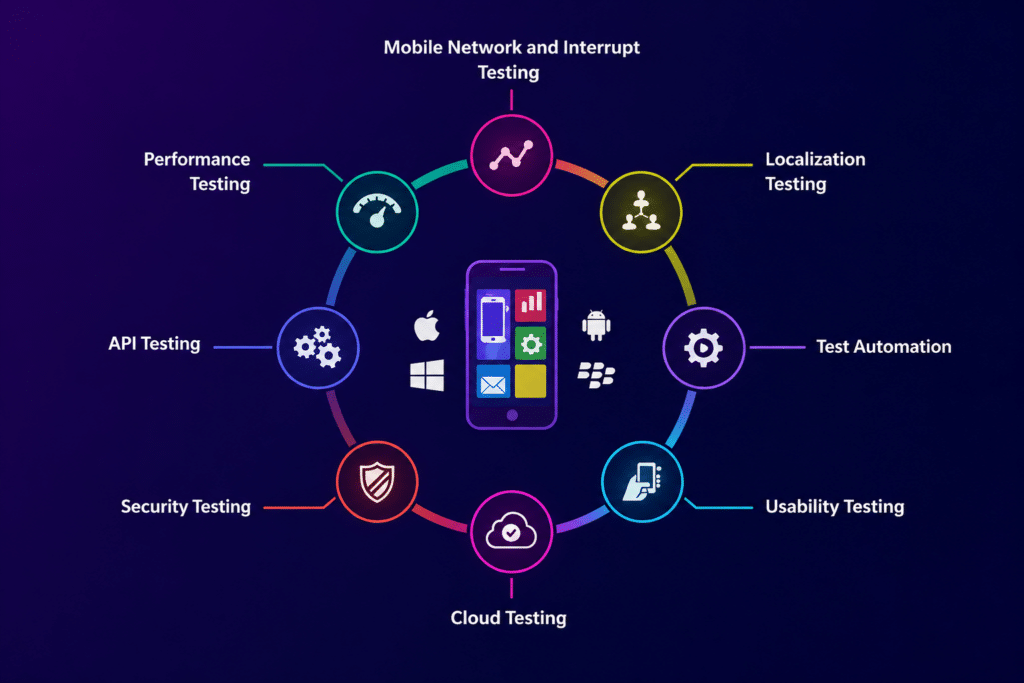
Native apps interact directly with the operating system and hardware, so testing needs to go deeper than basic functionality.
Key Focus Areas
Hardware interactions such as camera, sensors, and GPS
Operating system specific behaviors
Push notifications and background processes
Performance under different workloads
Testing Strategies
Run tests across multiple real devices and OS versions to capture variations
Validate gestures, touch responsiveness, and animations carefully
Test under different network conditions to simulate real usage
Monitor CPU, memory, and battery usage during execution
Challenges
High variation in Android devices
Frequent operating system updates
Cost and effort involved in maintaining physical device labs
Real Device Testing for Hybrid Apps
Hybrid apps combine web and native components, which means issues can arise from either layer.
Key Focus Areas
Consistency of WebView rendering
Plugin integrations such as camera, storage, and geolocation
UI behavior across platforms
Performance differences between Android and iOS
Testing Strategies
Test on both Android and iOS real devices to compare behavior
Validate plugin functionality across different devices
Check how UI renders inside the WebView environment
Monitor startup time and responsiveness
Challenges
Plugin behavior may vary across devices
UI inconsistencies between platforms
Debugging can be difficult due to mixed web and native layers
Real Device Testing for Web Apps
Mobile web apps depend heavily on browsers, which makes testing across browser and device combinations essential.
Key Focus Areas
Responsive layouts across different screen sizes
Browser compatibility with Chrome, Safari, and Firefox
Page load performance
Touch interactions and scrolling behavior
Testing Strategies
Test on real devices using multiple browsers
Validate responsiveness across various resolutions
Simulate slower network conditions to observe performance
Check rendering differences between browsers
Challenges
Differences between browsers and versions
Performance inconsistencies across devices
Limited ability to test hardware-related features
Real Device Testing vs Emulators
| Aspect | Real Device Testing | Emulators or Simulators |
| Accuracy | High | Limited |
| Hardware Testing | Yes | No |
| Performance Testing | Realistic | Approximate |
| Speed | Slower | Faster |
| Cost | Higher | Lower |
Real devices give you real-world validation, while emulators are better suited for quick checks during early development.
Building a Real Device Testing Strategy
An effective strategy depends on your app type, audience, and release goals.
1. Define Device Coverage
Focus on devices your users actually use based on analytics data
Include multiple operating system versions
Cover different screen sizes and resolutions
2. Prioritize Test Scenarios
Focus on core user journeys
Pay attention to high-risk features
Include device-specific functionalities
3. Use Cloud-Based Device Labs
Platforms like Kobiton make it easier to access real devices without maintaining your own lab. With Kobiton, teams can run manual and automated tests, capture logs and videos, and track performance metrics in one place.
4. Combine Manual and Automation Testing
Manual testing helps with usability and exploratory scenarios
Automation handles regression testing and repetitive tasks efficiently
Real Device Testing in CI/CD Pipelines
Integrating real device testing into your CI and CD workflow helps maintain quality while keeping release cycles fast.
Best Practices
Trigger automated tests on real devices after each build
Run tests in parallel across multiple devices to save time
Use detailed test reports to identify and fix issues quickly
Integrate with tools like Jenkins, GitHub Actions, or GitLab
Using platforms like Kobiton within CI pipelines allows teams to scale testing without slowing down development.
Common Challenges and How to Handle Them
Device Fragmentation
Use analytics data to focus on the most commonly used devices
Prioritize testing on high-impact models
High Maintenance Costs
Shift from physical labs to cloud-based device platforms
Slow Test Execution
Run tests in parallel and automate repetitive workflows
Debugging Issues
Use session recordings, logs, and device-specific data
Reproduce issues on the same device model for accuracy
Best Practices for Real Device Testing
Start testing on real devices early in development
Keep device coverage aligned with real user data
Automate regression testing wherever possible
Validate performance under real-world conditions
Update test cases regularly to match new OS releases
Conclusion
Real device testing plays a key role in validating mobile apps across native, hybrid, and web environments. Each app type comes with its own challenges, whether it is hardware interaction in native apps or browser behavior in web apps.
A balanced approach that combines real devices, automation, and cloud-based platforms allows teams to maintain quality while keeping up with fast release cycles.