
Modern mobile apps don’t fail because of missing features they fail when they can’t perform under real-world conditions. Mobile app testing is no longer a one-time QA phase; it’s a continuous, scalable system that supports rapid releases, device diversity, and unpredictable user behavior.
This guide explains how to design a scalable QA process that evolves alongside your product, your team, and your release pace.
What is Mobile App Testing?
Mobile app testing is the process of validating an app’s functionality, performance, usability, security, and compatibility across various devices, operating systems, and network conditions. It ensures your app functions reliably in real-world scenarios, where challenges like device fragmentation, network instability, and fluctuating user expectations often collide.
Why Scalability is Key in Mobile QA
Testing strategies that work for small apps often fall short when scaled up.
As your app grows:
- Device combinations multiply
- Test cases increase rapidly
- Releases happen more frequently
- User behavior becomes less predictable
Without scalability, QA becomes a bottleneck rather than an enabler of growth.
A scalable mobile app testing strategy helps:
- Reduce production defects
- Support CI/CD pipelines
- Maintain test stability as the app evolves
- Handle high test volumes without slowing down releases
Core Pillars of a Scalable Mobile App Testing Strategy
1. Build a Smart Device Coverage Strategy
Device fragmentation is one of the biggest challenges in mobile QA, with thousands of device variations across platforms.
Best practices:
- Prioritize devices based on real user data
- Maintain a balanced mix (Android and iOS)
- Continuously update your device matrix
Tip: Focus on the top devices used by your audience instead of chasing complete device coverage.
2. Combine Real Devices and Virtual Testing
A scalable QA process needs to incorporate both real devices and emulators/simulators.
- Real Devices → Accuracy
- Hardware validation (camera, GPS, biometrics)
- Real-world performance testing
- Emulators/Simulators → Speed
- Quick feedback during development
- Parallel automation in CI/CD pipelines
Using both ensures speed without sacrificing reliability.
3. Start Testing Early (Shift Left)
Waiting until the end of development leads to delays and costly fixes.
Instead:
- Involve QA early during planning and design
- Define acceptance criteria upfront
- Test features as they are being built
Teams that integrate QA early see fewer defects post-release.
4. Design a Multi-Layer Testing Strategy
A scalable mobile app testing process incorporates various testing layers working in tandem.
Key Testing Types:
- Functional Testing – Validates core features
- Performance Testing – Assesses speed and stability under load
- Usability Testing – Improves the user experience
- Security Testing – Safeguards sensitive data
Insight: No single testing type is sufficient. Real coverage comes from combining them.
5. Follow the Testing Pyramid
Avoid overloading your QA process with slow, costly UI tests.
Instead:
- Prioritize unit & API tests (fast and stable)
- Reserve UI/end-to-end tests for the most critical scenarios
This approach ensures your test suite remains:
- Faster
- Easier to maintain
- More reliable over time
6. Automate with Intention (Not Everything)
Automation is essential—but blind automation creates maintenance headaches.
Automate:
- Regression tests
- Critical user flows (e.g., login, checkout)
- Stable features
Keep manual testing for:
- Exploratory testing
- UX validation
- Edge cases
Smart automation boosts speed without increasing instability.
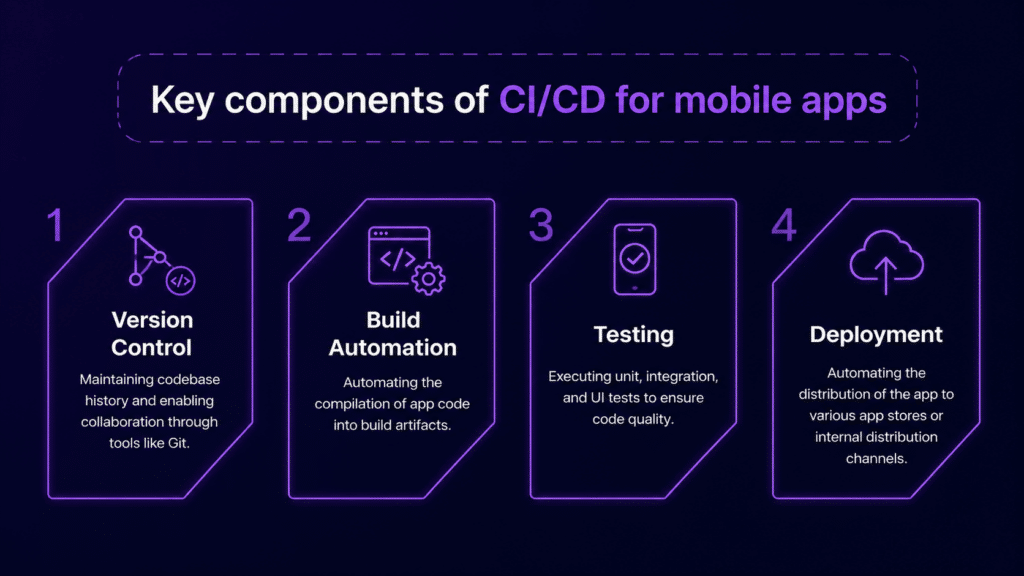
7. Integrate Testing into CI/CD Pipelines
A scalable QA process must run continuously.
Key components:
- Automated test execution with every commit
- Parallel test runs
- Fast feedback loops
This integration enables:
- Faster releases
- Immediate bug detection
- Reduced manual effort
8. Test for Real-World Conditions
Most failures occur outside controlled environments.
Your mobile app testing strategy should simulate:
- Slow or unstable networks
- High user concurrency
- Background/foreground switching
- Interruptions (e.g., calls, notifications)
Real-world testing reveals issues that traditional testing might miss.
9. Use Feature Flags and Controlled Rollouts
Instead of releasing new features to everyone at once:
- Roll out to small user groups first
- Run A/B tests
- Disable features instantly if needed
Feature flags minimize release risks and offer more flexibility during testing.
10. Build Observability into QA
A scalable QA process doesn’t stop at testing; it includes monitoring.
Track:
- Crash reports
- Performance metrics
- User behavior
- Test results over time
This transforms QA into a continuous feedback loop.
Common Challenges in Scaling Mobile App Testing
- Device Fragmentation – Thousands of device/OS combinations make full coverage difficult.
- Flaky Tests – Unstable automation reduces trust in results.
- Slow Test Execution – Large test suites can delay releases.
- Maintenance Overhead – Keeping tests updated as the app evolves is time-consuming.
Best Practices for a Scalable QA Process
- Test early and continuously
- Prioritize high-risk areas
- Maintain a clean, modular test suite
- Monitor and remove flaky tests
- Align QA with development workflows
- Use cloud-based device platforms for scalability
How Kobiton Supports Scalable Mobile App Testing
Kobiton helps teams scale mobile app testing by offering:
- Real device cloud access
- Support for both automated and manual testing
- AI-driven test insights
- Seamless CI/CD integration
With Kobiton, teams can:
- Reduce test execution time
- Improve test reliability
- Scale across devices without the need for additional infrastructure
Final Thoughts
A scalable mobile app testing strategy is not about running more tests—it’s about running the right tests, at the right time, on the right devices.
When done correctly, your QA process becomes:
- Faster
- More reliable
- Ready to support continuous delivery
This is what separates teams that struggle with testing from those that confidently ship apps at scale.