
Mobile UI automation with Espresso is powerful, but Espresso test flakiness remains one of the biggest challenges for scaling QA. Tests that pass locally but fail in CI environments reduce confidence, slow down releases, and create unnecessary noise in pipelines.
This guide explains why Espresso tests become flaky, how to debug them properly, and what strategies help build stable and reliable test suites.
What Is Espresso Test Flakiness?
Espresso test flakiness refers to inconsistent test results without any changes in the code. A test may pass once and fail the next time, even when everything appears identical.
Common Symptoms
Tests pass locally but fail in CI
Random UI interaction failures
Intermittent “element not found” errors
Crashes related to timing or state issues
These issues make it difficult to trust automation results and often lead teams to question whether failures are real or false alarms.
Root Causes of Espresso Test Flakiness
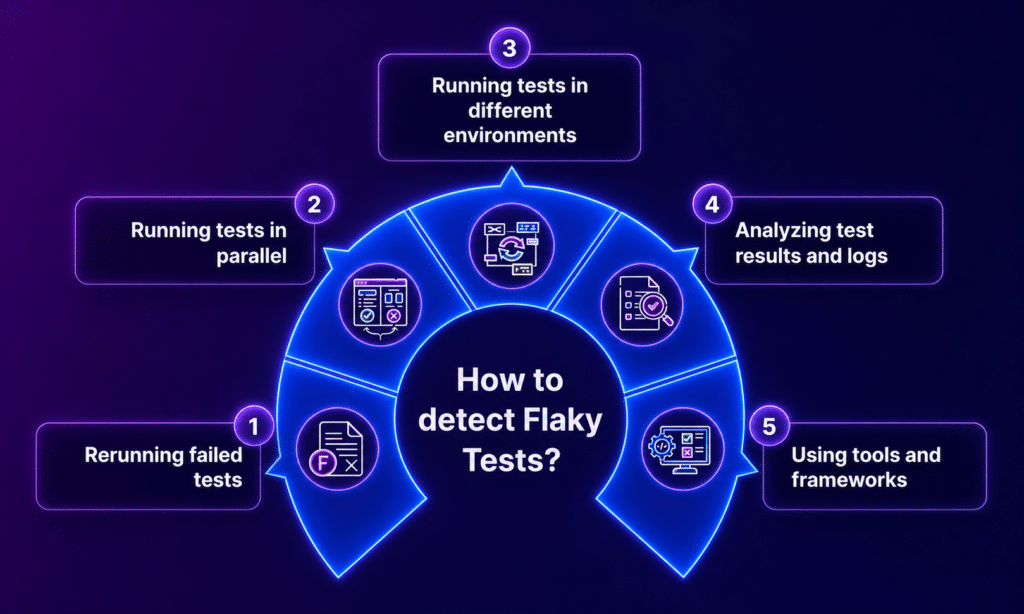
Flaky tests are rarely caused by a single issue. In most cases, they come from a combination of timing problems, environment differences, and weak test design.
1. Synchronization and Timing Issues
This is the most common cause of flakiness. Espresso handles UI thread synchronization well, but modern apps rely heavily on asynchronous operations such as API calls, animations, and background tasks.
Tests may run before the UI is ready
Hardcoded waits fail under different conditions
Animations delay user interactions
Async related timing issues are one of the main reasons tests behave inconsistently.
2. Unstable UI Element Locators
Weak or unreliable selectors make tests fragile.
Dynamic IDs that change frequently
Multiple matching elements causing ambiguity
UI updates breaking existing selectors
If your locator strategy is not stable, even small UI changes can break multiple tests.
3. Test Order Dependency
Tests that depend on shared state often fail unpredictably.
One test affects another
Data is not reset between runs
Parallel execution introduces conflicts
Order dependency is a major source of inconsistent results in CI pipelines.
4. Device and Platform Fragmentation
Android behaves differently across devices due to variations in hardware and software.
Different OS versions
Varying screen sizes and resolutions
Performance differences across devices
Running tests only on emulators hides these differences. Platforms like Kobiton allow teams to validate behavior across real devices, which exposes issues that would otherwise go unnoticed.
5. Network Variability
Tests that rely on real API calls are naturally unstable.
Slow or delayed responses
Timeout failures
Inconsistent backend behavior
Network dependency introduces randomness that is difficult to control.
6. Concurrency and Race Conditions
Modern apps run multiple processes at the same time.
Background threads interfering with UI state
Events firing out of sequence
Timing conflicts between components
These issues are hard to detect and often appear only under specific conditions.
7. Test Data Issues
Poor data management leads to inconsistent test outcomes.
Shared data between tests
Dirty or unclean database states
Unreliable test fixtures
Without proper isolation, tests can fail due to leftover data from previous runs.
8. External Dependencies
Third party systems introduce additional risk.
API failures
System service interruptions
Backend instability
When tests depend on external systems, failures may not reflect actual issues in your app.
How to Debug Espresso Test Flakiness
Debugging flaky tests requires a structured approach. Random fixes rarely solve the problem.
1. Analyze Espresso Error Output
Espresso provides detailed error messages that point to the root issue.
NoMatchingViewException indicates the view was not found
AmbiguousViewMatcherException means multiple elements matched
The error output also includes the view hierarchy, which helps identify what went wrong.
2. Inspect View Hierarchy
When a test fails, verify the UI state.
Check if the element exists
Confirm if it is visible or just present in the hierarchy
Validate that the matcher targets the correct element
This step often reveals mismatches between expected and actual UI states.
3. Reproduce Failures Consistently
Run tests multiple times to identify patterns.
Execute tests across different devices
Compare local runs with CI results
Look for environment-specific differences
Consistency helps isolate the real cause of flakiness.
4. Use Logging and Screenshots
Capture more context during failures.
Take screenshots at failure points
Log UI states and API responses
Analyze timing differences between steps
Tools like Kobiton provide session recordings and logs from real devices, making it easier to understand what actually happened during a failed test.
5. Identify Flaky Patterns
Look for repeating signals.
Tests that fail randomly
Failures linked to network delays or timing
Issues appearing only during parallel execution
Recognizing patterns helps you fix root causes instead of symptoms.
Stable Test Strategies for Espresso
Fixing flakiness requires improving how tests are designed and executed.
1. Replace Static Waits with Smart Synchronization
Avoid using fixed delays such as Thread.sleep().
Use Espresso Idling Resources
Wait for specific conditions instead of time
Static waits slow down tests and still fail under variable conditions.
2. Use Reliable Selectors
Strong selectors make tests more stable.
Use resource IDs and content descriptions
Avoid deep or complex XPath
Assign unique identifiers to key elements
Clear and stable locators reduce unnecessary failures.
3. Isolate Test Data
Each test should run independently.
Create fresh data for every test
Clean up after execution
Avoid shared state between tests
This prevents cross test interference.
4. Mock Network Calls
Remove dependency on real backend systems.
Use mocked API responses
Keep responses predictable
Reduce failures caused by network issues
This makes tests more reliable and faster.
5. Make Tests Independent
Tests should not rely on execution order.
Reset app state before each test
Avoid chaining tests together
Keep flows simple and isolated
Independence improves consistency across runs.
6. Control Animations
Animations can interfere with UI interactions.
Disable system animations where possible
Wait for UI to stabilize before interacting
Avoid actions during transitions
This reduces timing related issues.
7. Run Tests on Real Devices
Emulators do not fully reflect real user conditions.
Real devices provide accurate performance behavior
Network conditions are closer to real usage
Device specific issues become visible
Using platforms like Kobiton helps teams test across a wide range of real devices without maintaining physical labs.
8. Use Retry Logic Carefully
Retries can reduce noise, but they should be used cautiously.
Apply retries only for known flaky scenarios
Track retries separately from normal passes
Avoid hiding real failures behind retries
Retries should support debugging, not replace it.
9. Monitor and Isolate Flaky Tests
Do not ignore unstable tests.
Tag flaky tests clearly
Separate them from critical pipelines
Fix them in a structured way
This keeps your main pipeline clean and reliable.
10. Optimize CI Environment
A stable environment leads to stable results.
Use consistent device configurations
Maintain predictable infrastructure
Control network conditions where possible
Even well written tests fail in unstable environments.
Advanced Strategies for Scalable QA Teams
Parallel Execution with Isolation
Run tests in parallel while keeping environments isolated. This improves speed without introducing conflicts.
Flakiness Detection Metrics
Track patterns over time.
Failure rate per test
Retry frequency
Device specific failure trends
These metrics help prioritize fixes.
Root Cause Clustering
Many flaky tests share the same underlying issue. Fixing one root cause often resolves multiple failures.
Continuous Test Refactoring
Test suites need ongoing maintenance.
Remove brittle tests
Refactor unstable flows
Keep the suite clean and reliable
Regular updates prevent long term instability.
Common Anti Patterns to Avoid
Using Thread.sleep() everywhere
Ignoring flaky tests
Relying too heavily on UI tests for logic validation
Running tests without proper cleanup
Using weak or unstable locators
Avoiding these mistakes saves time and reduces maintenance effort.
Conclusion
Espresso test flakiness is not just a testing issue. It reflects deeper problems in timing, environment stability, and test design.
Teams that reduce flakiness focus on:
Strong synchronization methods
Clean and independent test design
Controlled and consistent environments
Ongoing monitoring and improvement
The result is more reliable automation, faster release cycles, and greater confidence in test outcomes.